
Planning gateway coverage
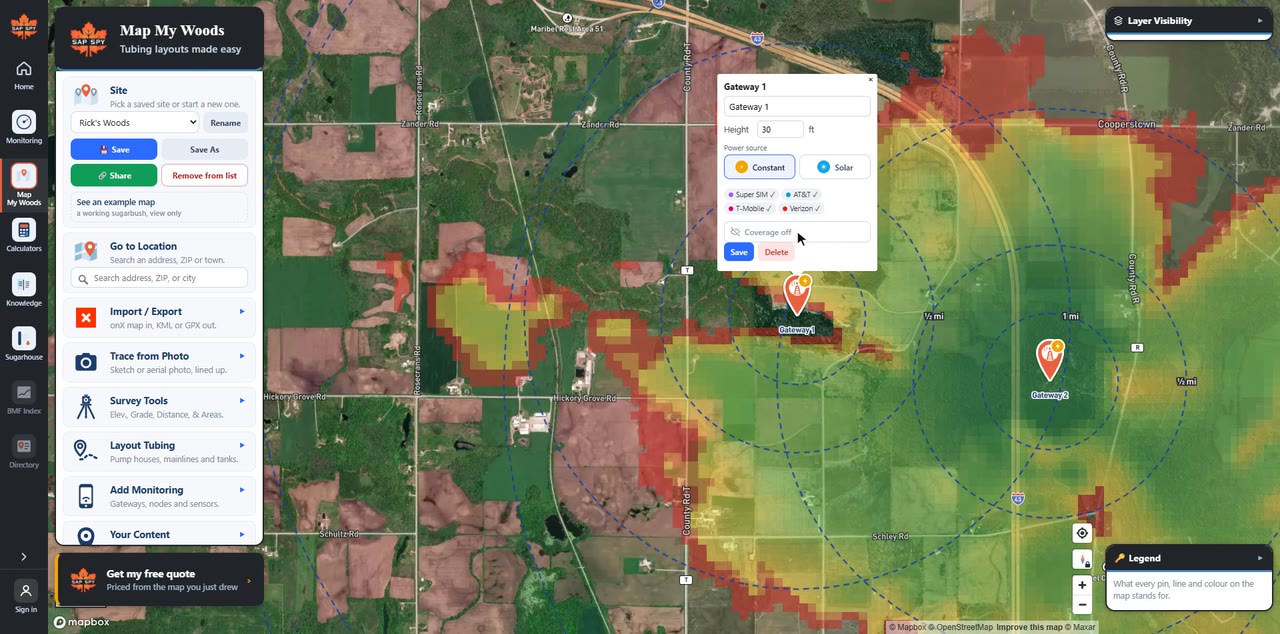
Before you buy monitoring, see whether a gateway can reach every corner of your woods. Put a gateway on your map and Map My Woods paints the signal a node can expect, worked out from the ground, the trees and how high the gateway sits.
Planning a whole bush is easiest on a computer, at sapspyapp.com/MapMyWoods. It works the same on your phone.
On a computer#
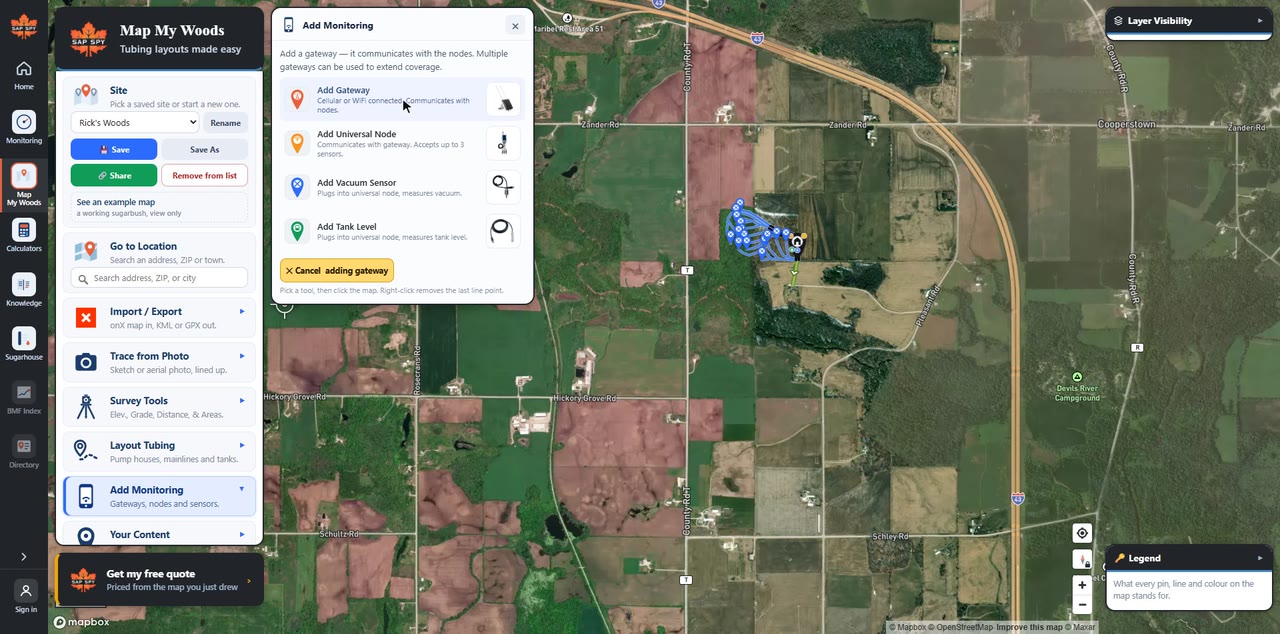
- Click Add Monitoring, then Add Gateway.
- Click the map where the gateway will go. The coverage paints in a few seconds.
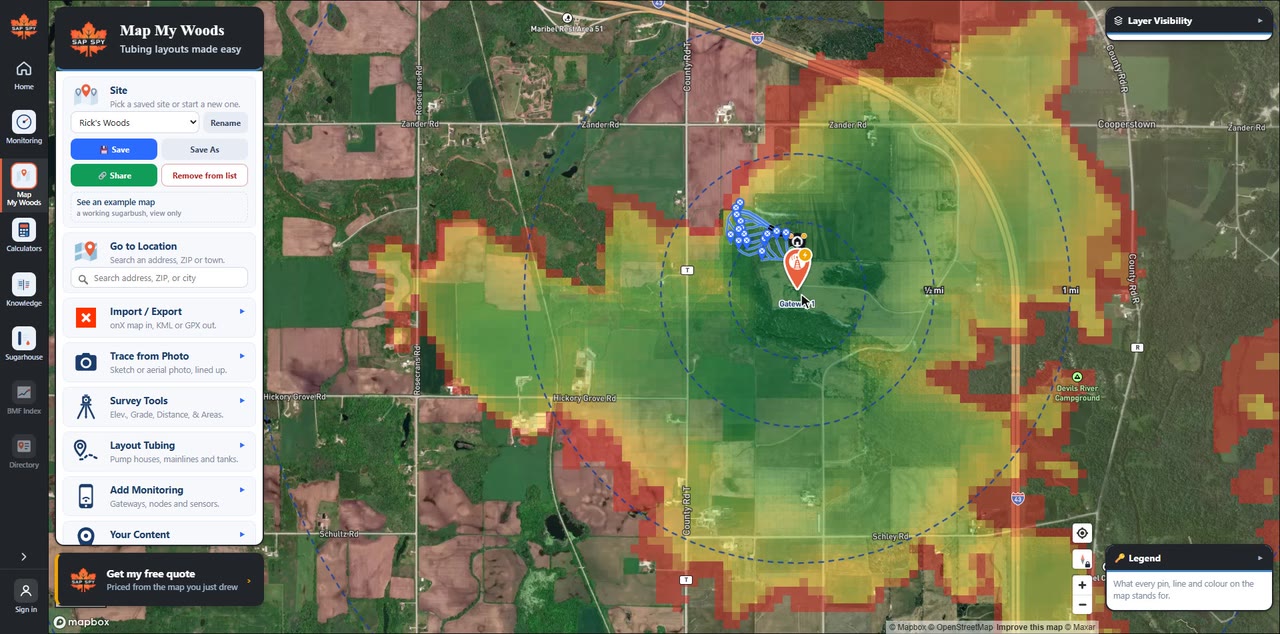
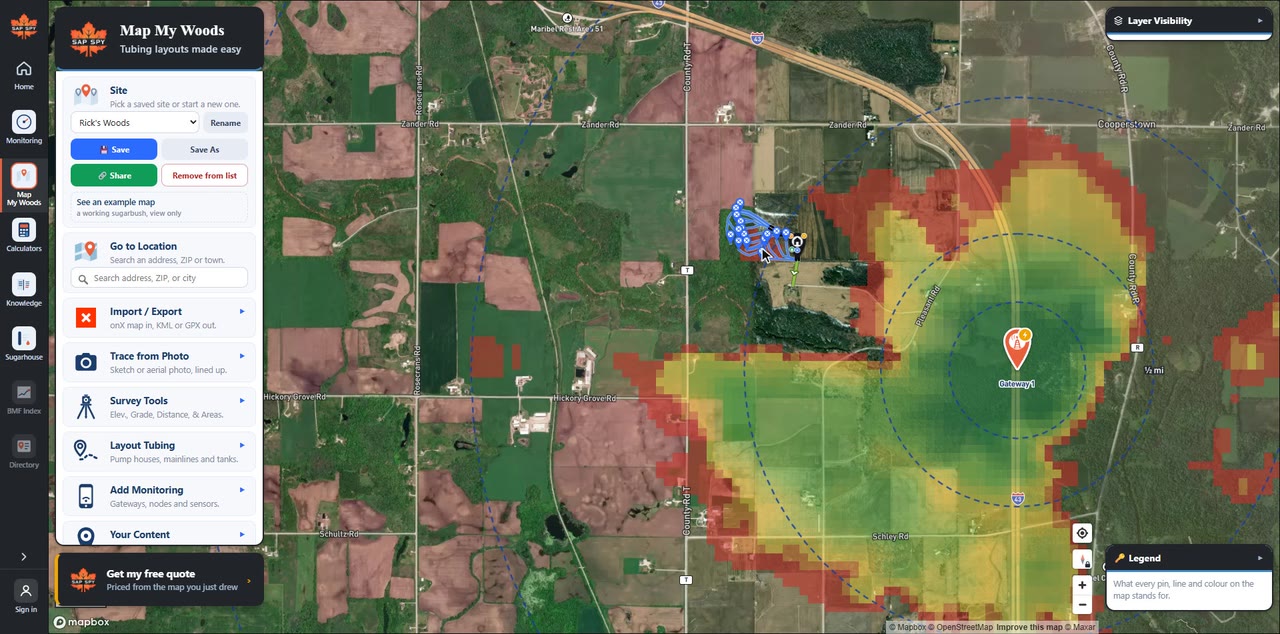
To move it, drag the gateway. The coverage is worked out again where you drop it.
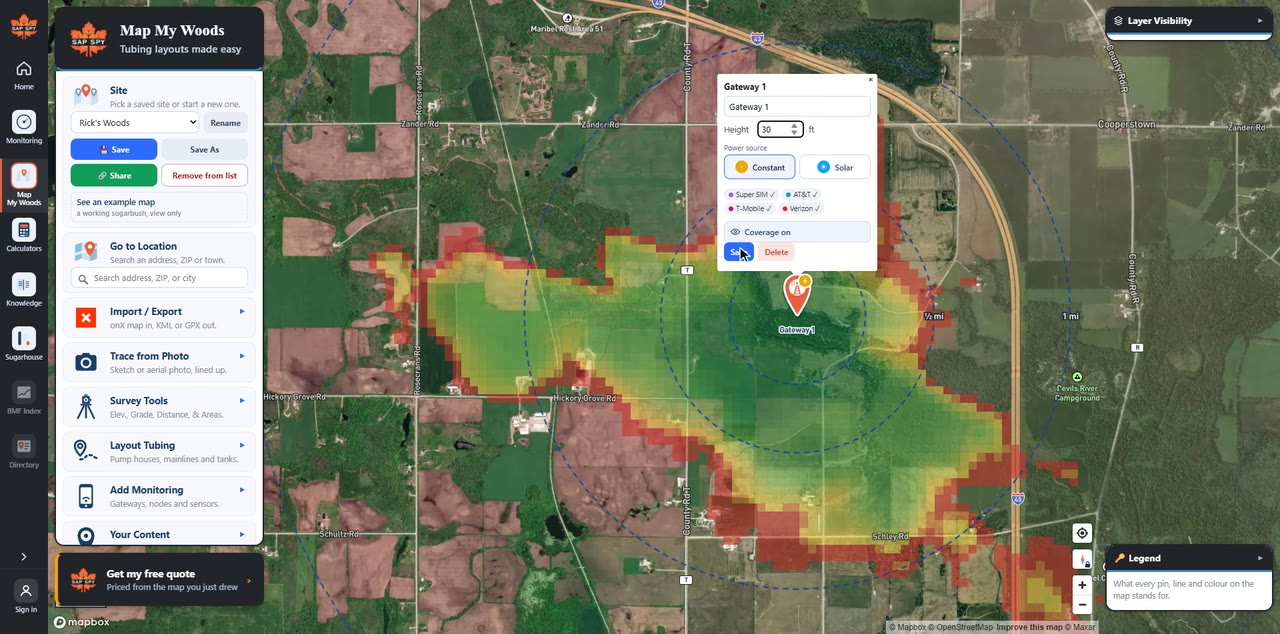
To change its height, click the gateway, type the Height in feet, and click Save.
On your phone#
- Tap Tools, then Gateway.
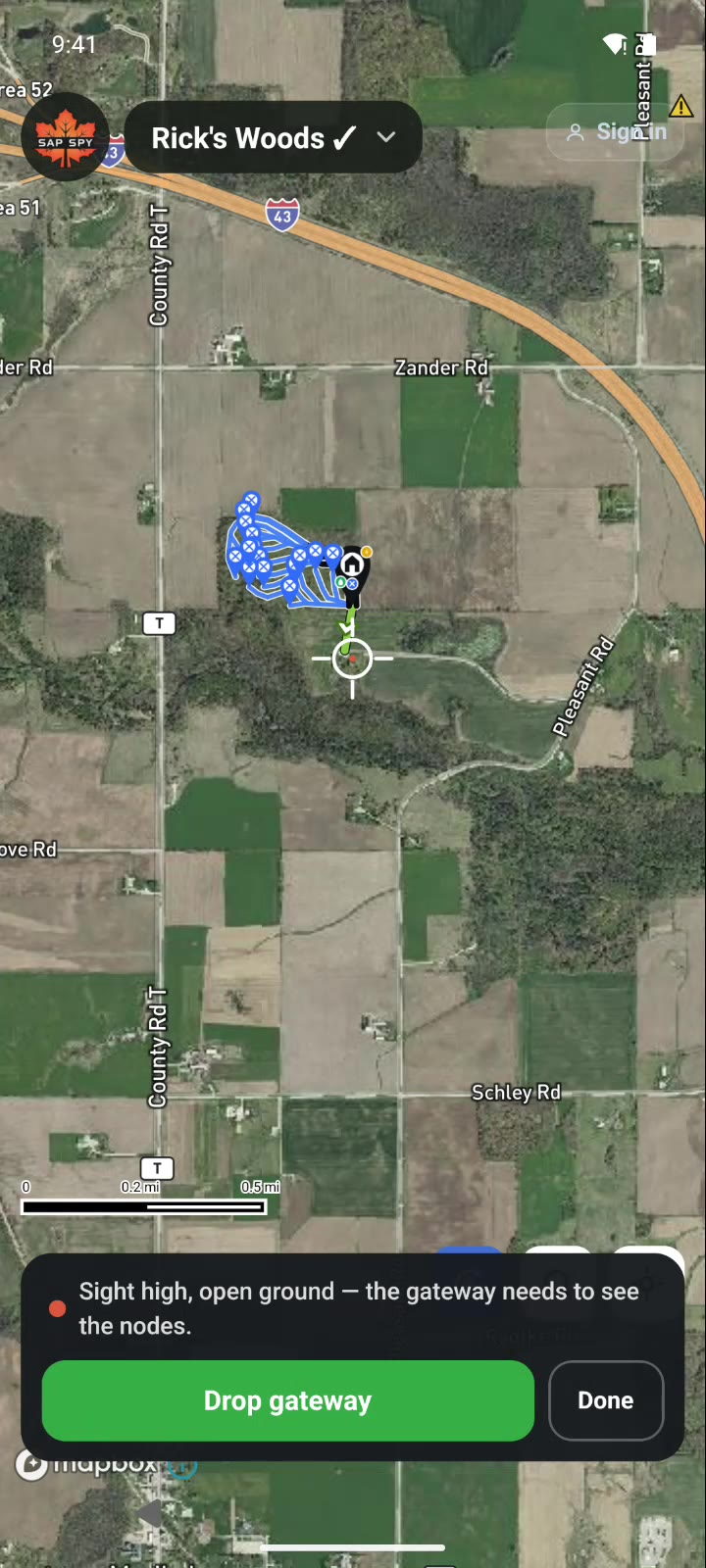
- Slide the map until the crosshair is on the spot, and tap Drop gateway. Tap Done.
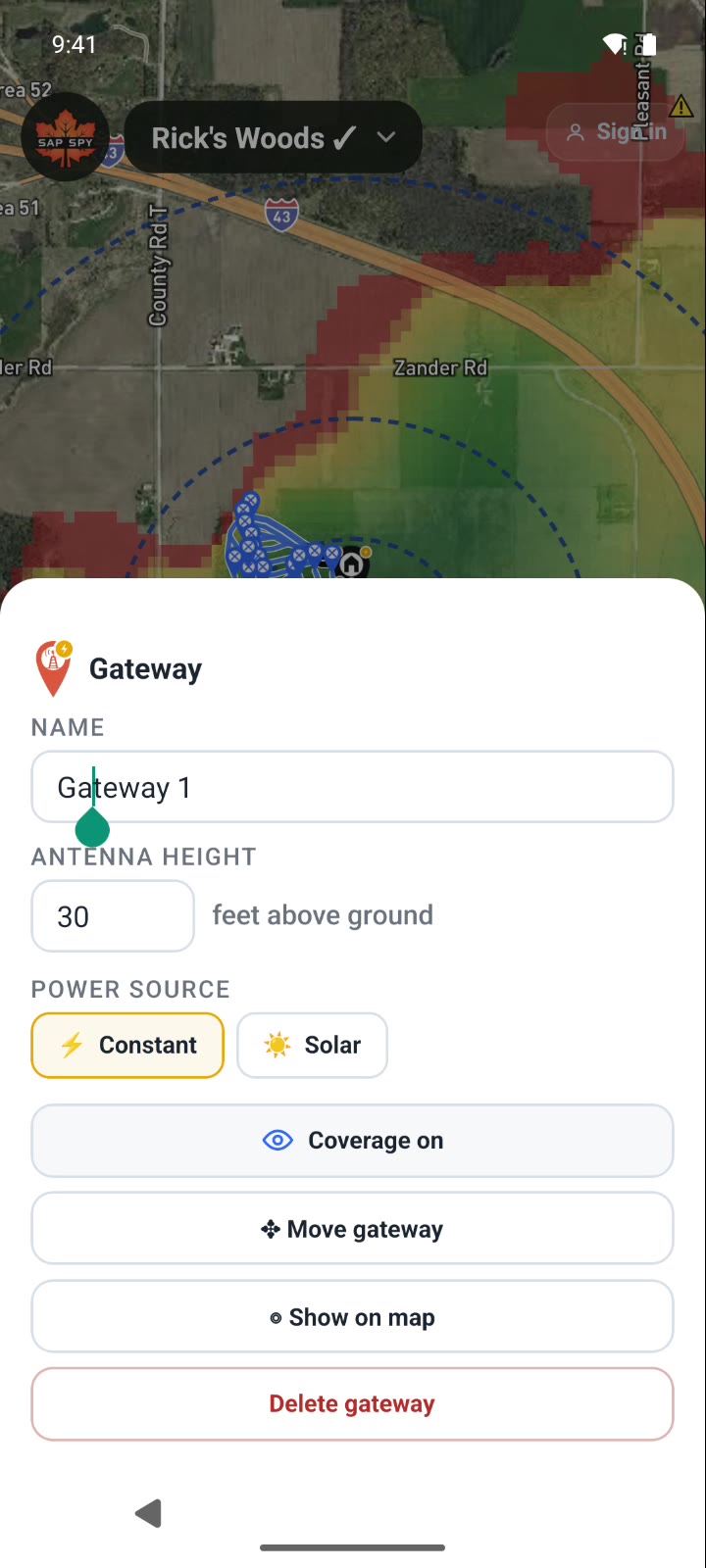
- To move it, tap the gateway, then Move gateway. Slide the map and tap Move here.
- To change its height, tap the gateway and type the Antenna height in feet.
Reading the colours#
- Green: great signal.
- Yellow: good, getting weaker.
- Red: the edge, where a node may drop out.
- No colour: no signal.
The dashed rings mark distance from the gateway: a quarter mile, a half mile, a mile, and on out.
How coverage is worked out#
For every spot around the gateway, the planner looks at:
- The hills between the gateway and that spot, from detailed elevation data.
- The trees and buildings in the way, from satellite land-cover maps.
- How high the gateway sits above the ground.
It is tuned against real signal readings we have taken in the woods with a field tester. Treat it as a plan, then check it in the field.
Height matters most#
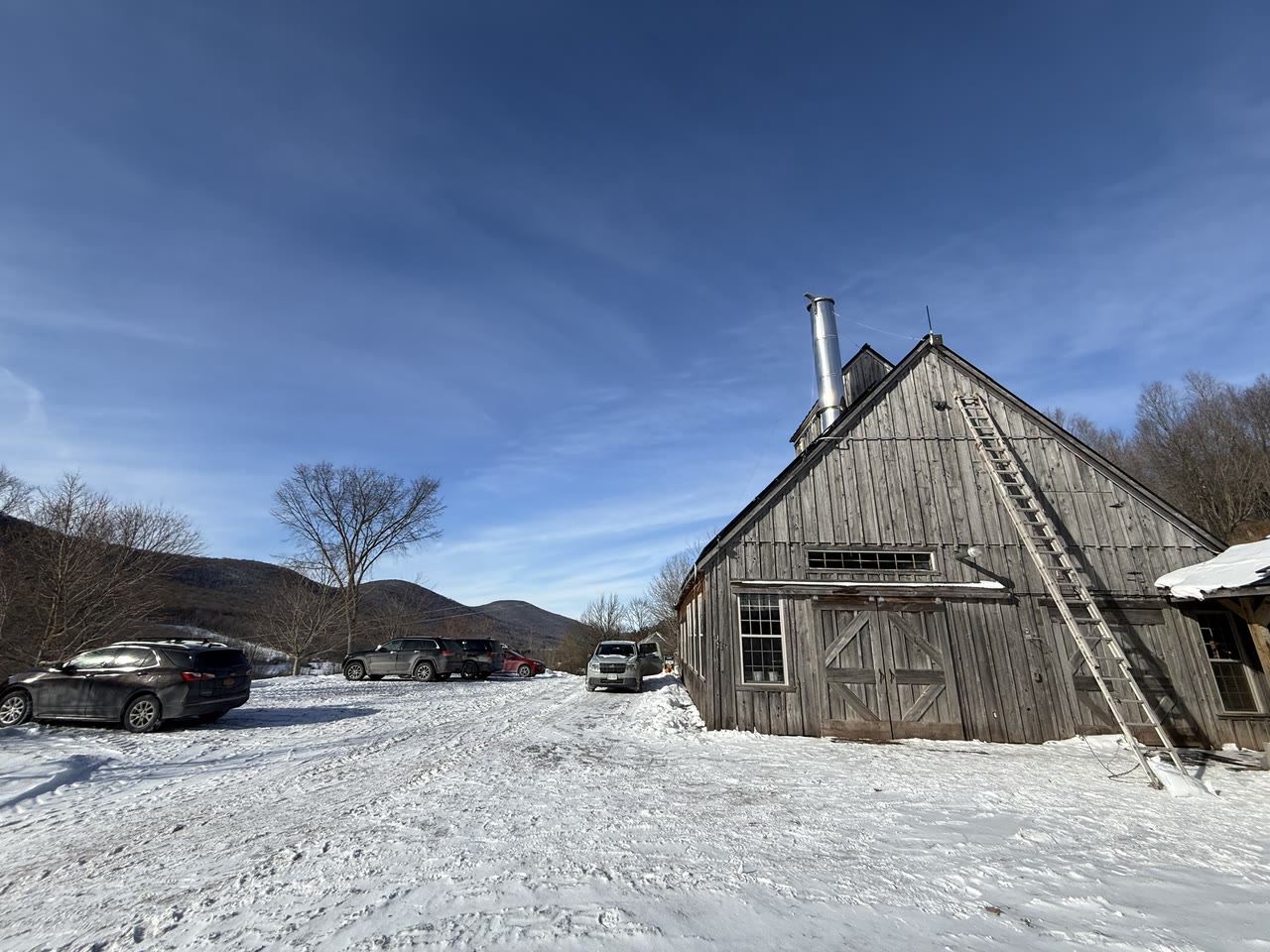
Height makes the biggest difference to range. Mount the gateway as high as is practical: on the peak of the sugarhouse roof, or on a pole with a solar panel where there is no power. How to mount it: Installing your gateway.
More than one gateway#
One gateway not enough? Add another. The coverage of every gateway adds together, so more than one can cover a bigger operation.
To see what each one covers on its own, click a gateway (on the phone, tap it) and turn its Coverage off or on.
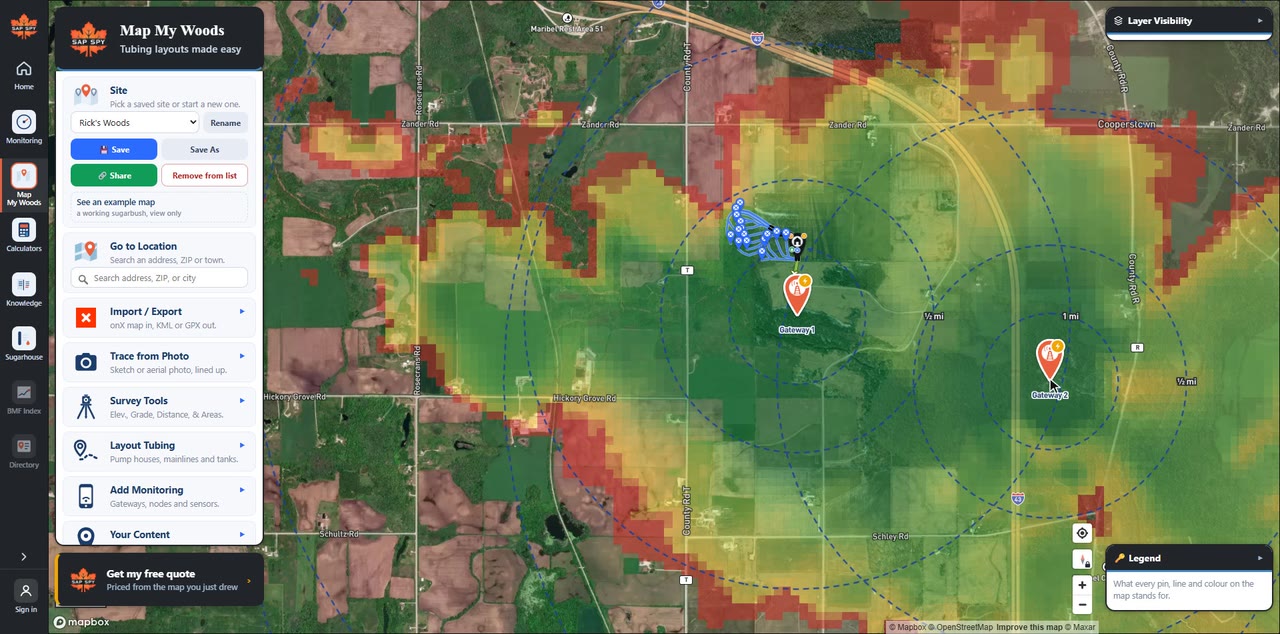
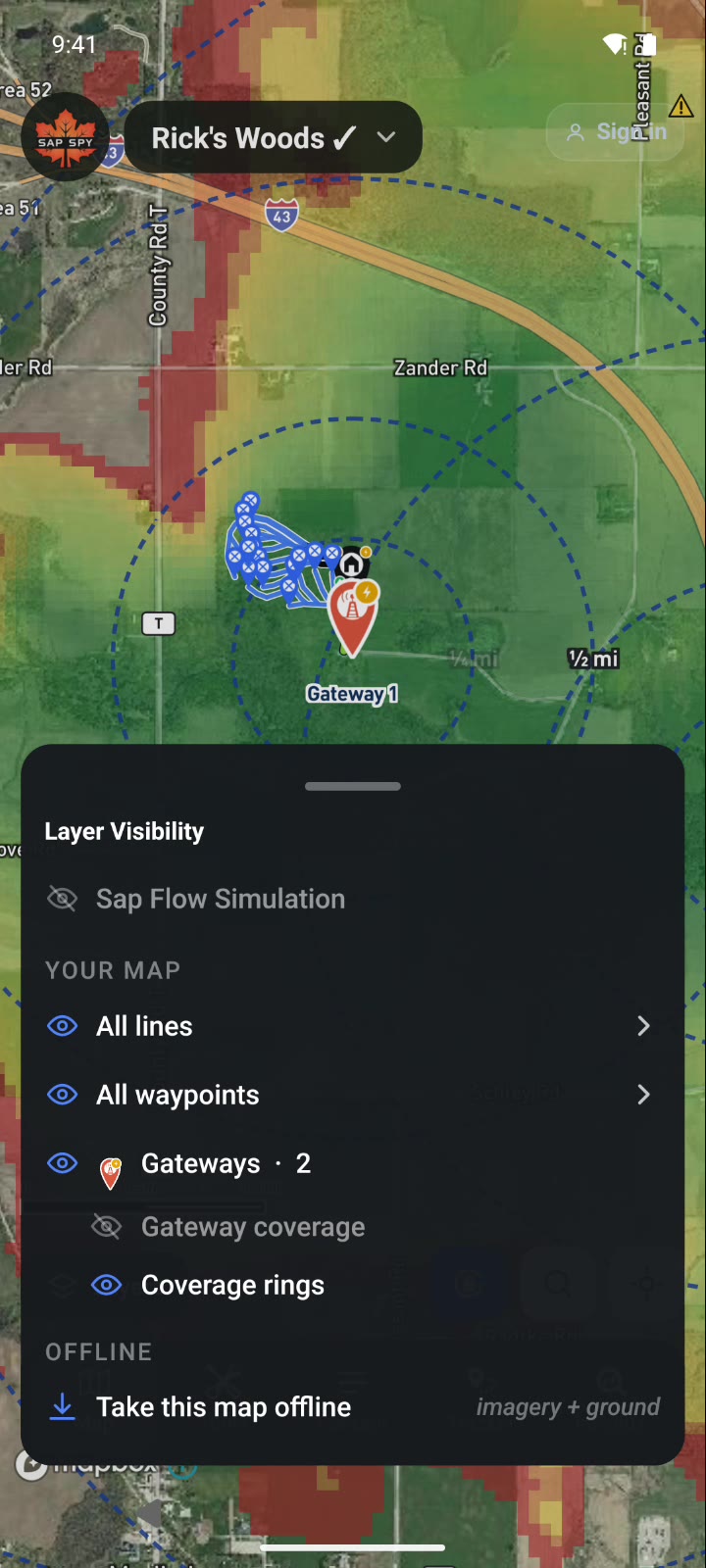
To hide all coverage, turn off Gateway coverage under Layer Visibility on the computer, or Layers on the phone.
Check it in the field#
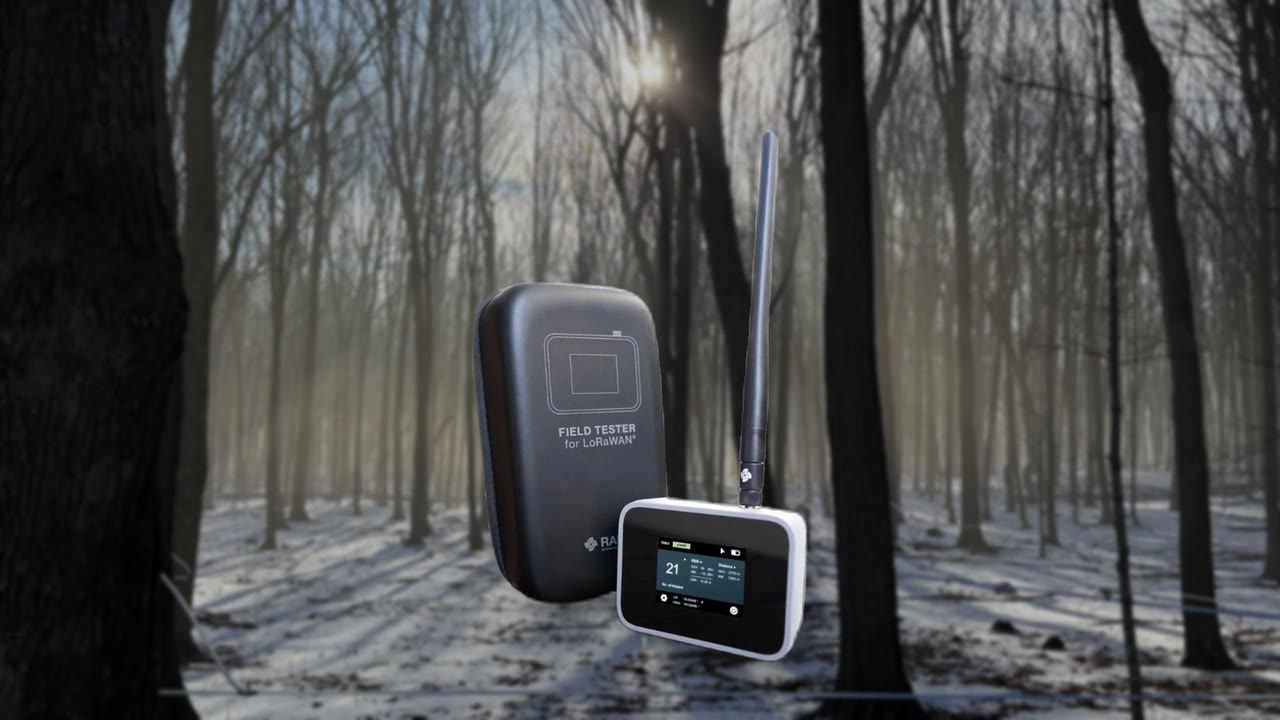
For a larger operation, we can provide a field tester with a built-in GPS. It measures the signal strength wherever you are, so you can check the coverage in your own woods and confirm you have enough signal. Email info@sapspy.com.
More on range: Range and coverage guide
Have a question this doesn't answer? Email info@sapspy.com or call 920-809-4811. We're producers too.