
Pump houses, pins and monitoring hardware
Pins mark the places on your map: the pump house, a tank, a gate, and where your Sap Spy gateway, nodes and sensors go.
On your phone#
Tap Tools. The pins are in two rows.
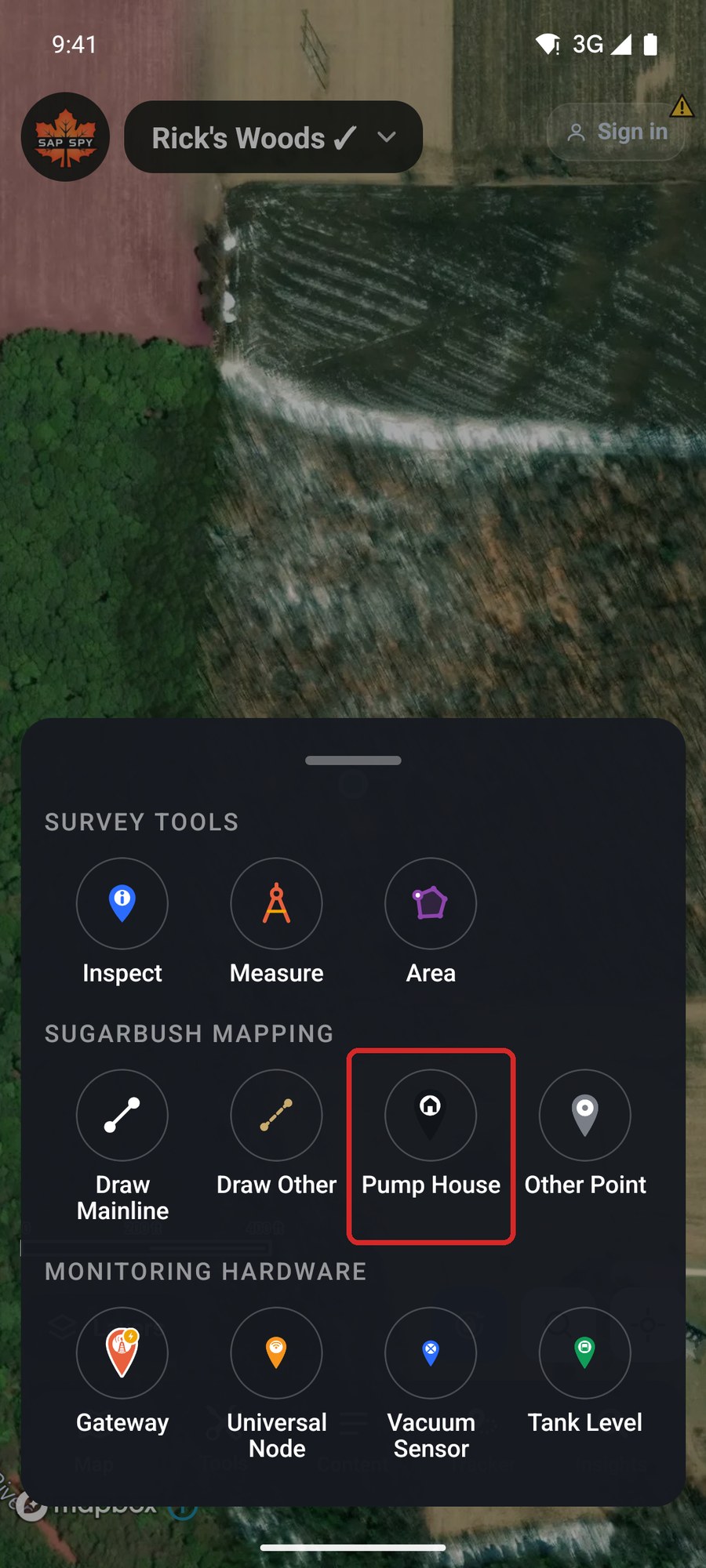
- Sugarbush mapping: Pump House and Other Point.
- Monitoring hardware: Gateway, Universal Node, Vacuum Sensor and Tank Level.
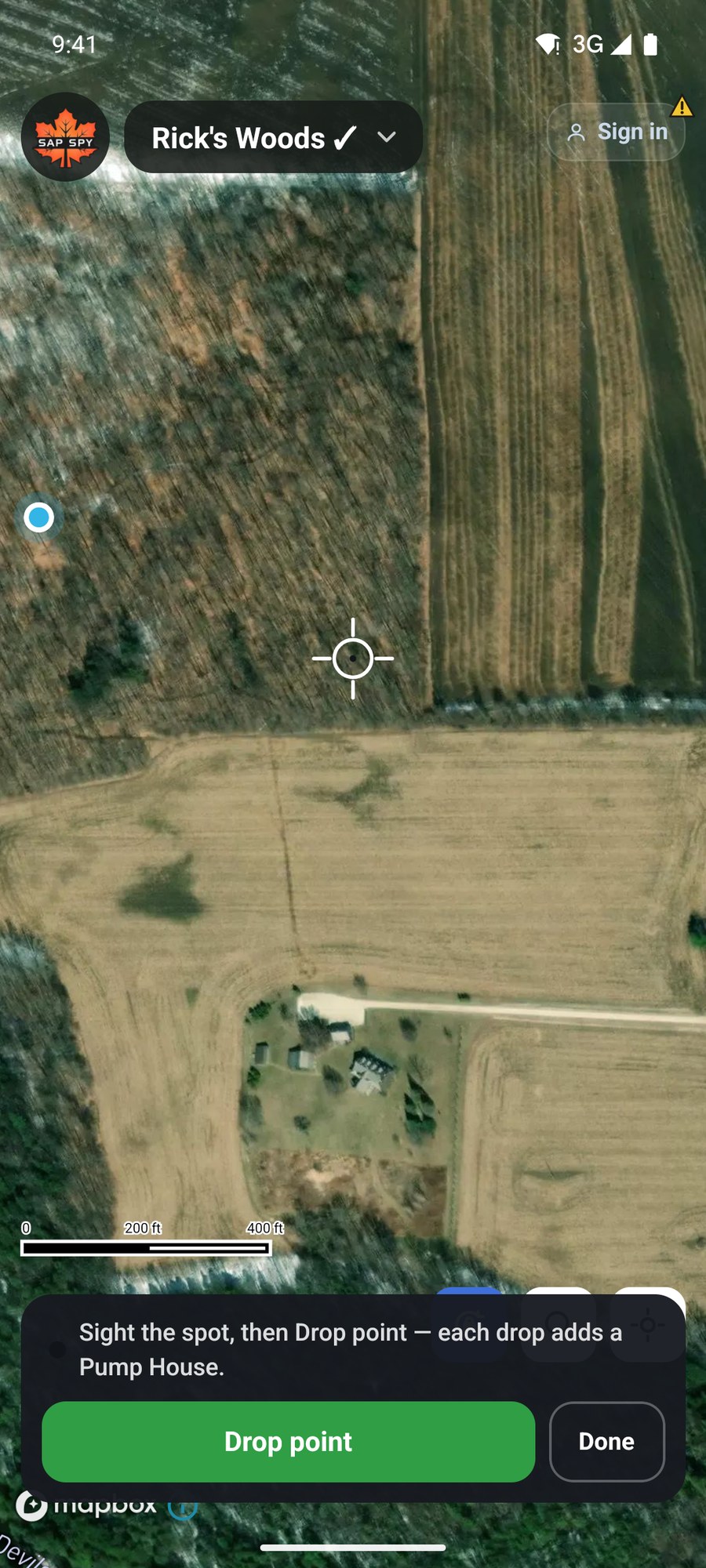
Tap one, slide the map until the crosshair is on the spot, and tap Drop point. Each tap drops another of the same kind. Tap Done when you are finished.
What a pin knows#
Tap a pin to open its card.
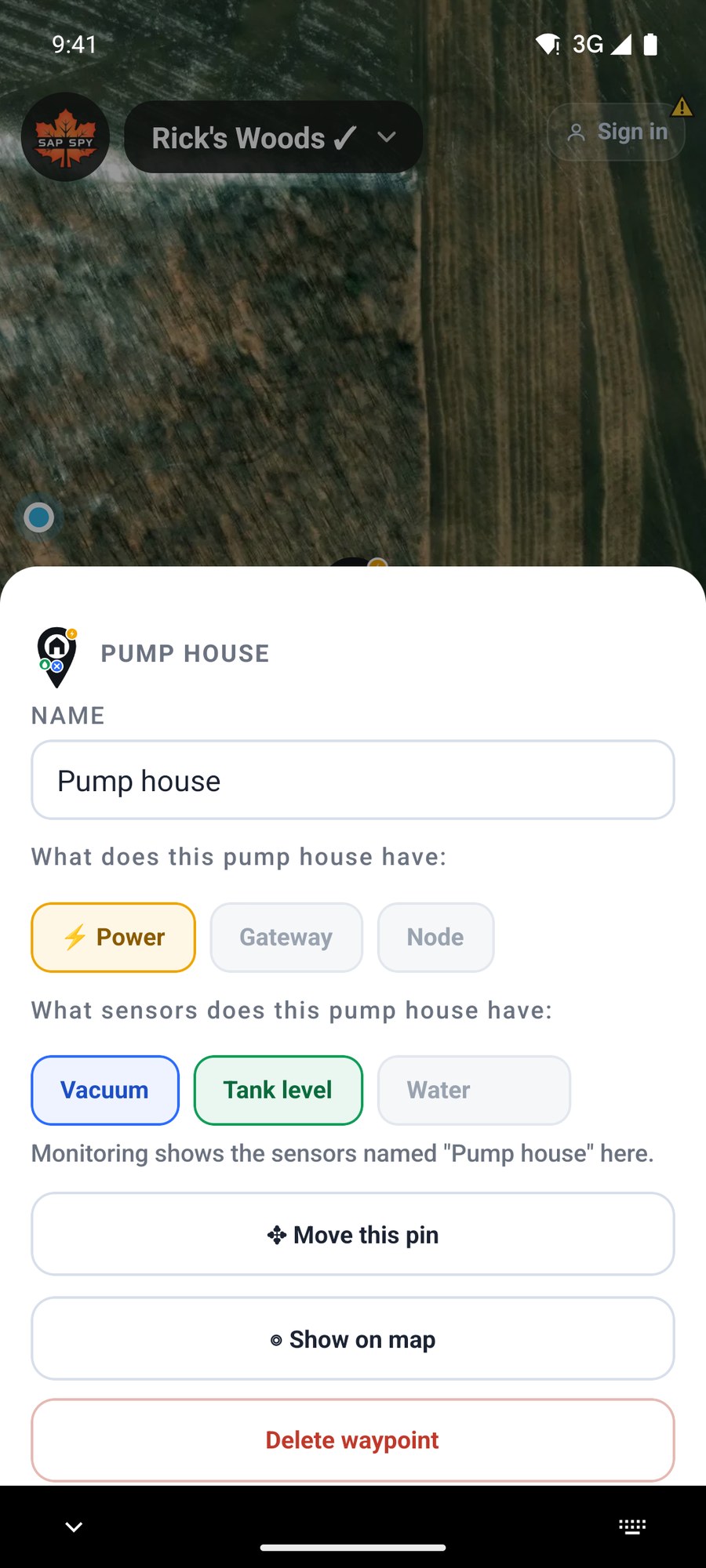
- Name. If you use Sap Spy monitoring, name the pin the way the sensor is named and Monitoring shows the sensor's readings there.
- What it has. A pump house can have power, a gateway and a node, and vacuum, tank level and water meter sensors. The totals in Insights count them.
- Move this pin: slide the crosshair to the new spot, or tap Move to my location when you are standing there.
- Delete waypoint.
A pin's kind cannot be changed after it is placed. Delete it and drop the right one.
Gateways and coverage#
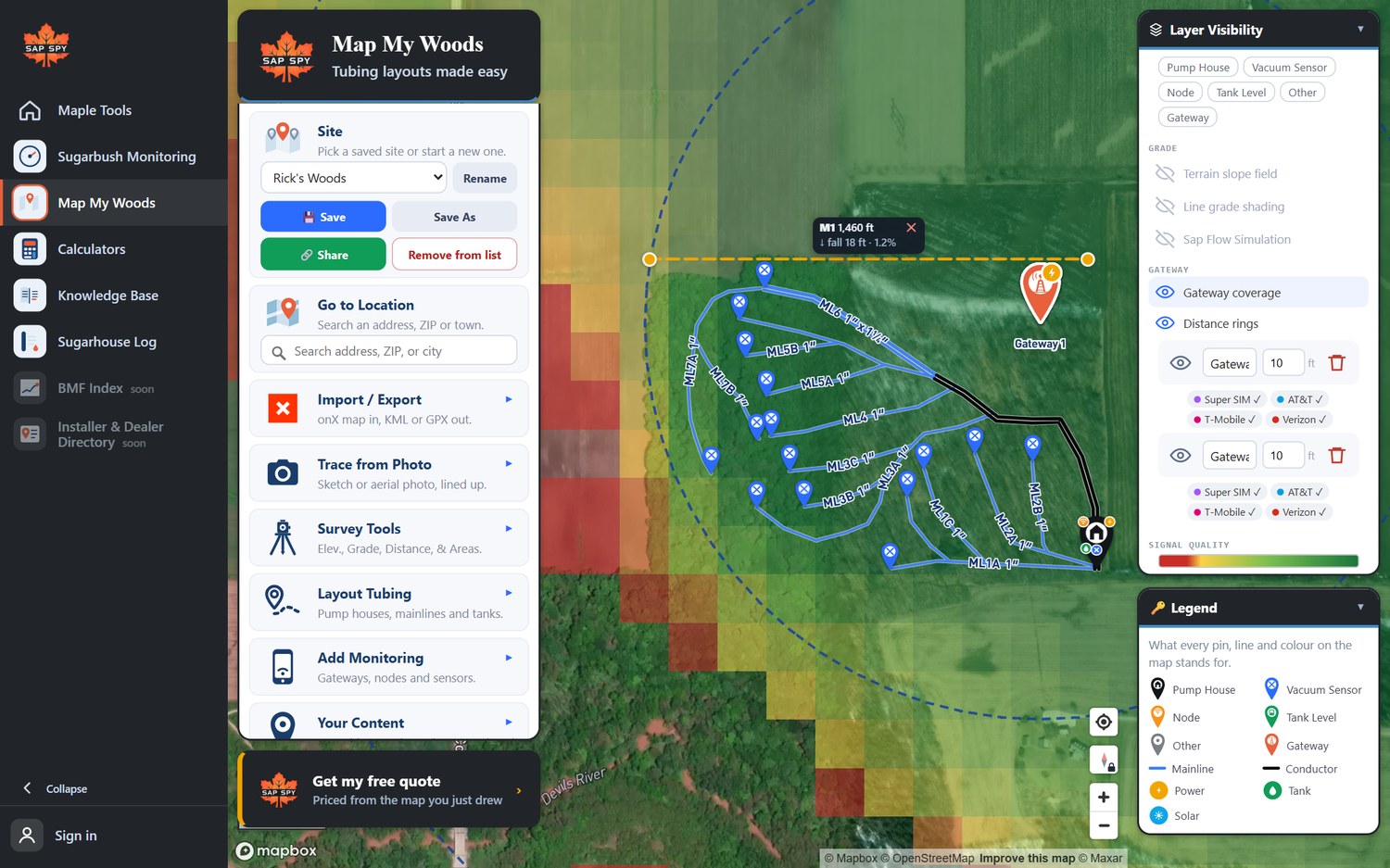
A Gateway is the Sap Spy hub that your nodes report to. Drop one where it will go, on high, open ground, and the map shades the ground it should reach.
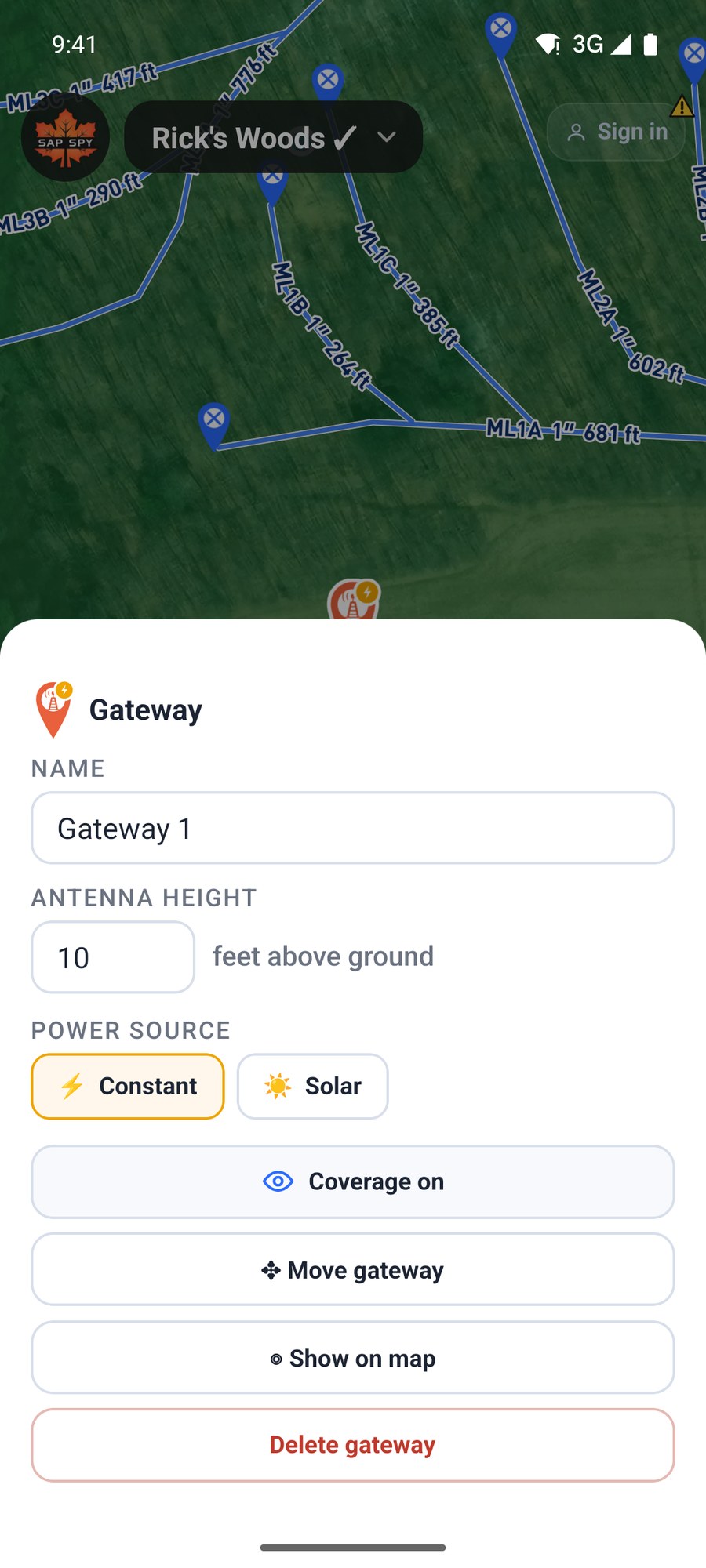
Set the antenna height and whether it has constant power or solar. Coverage on shows or hides that gateway's shading. Add a second gateway to fill a hollow the first cannot see into.
On a computer#
Layout Tubing has Add Pump House and Add Other. Add Monitoring has the gateway, node and sensors.
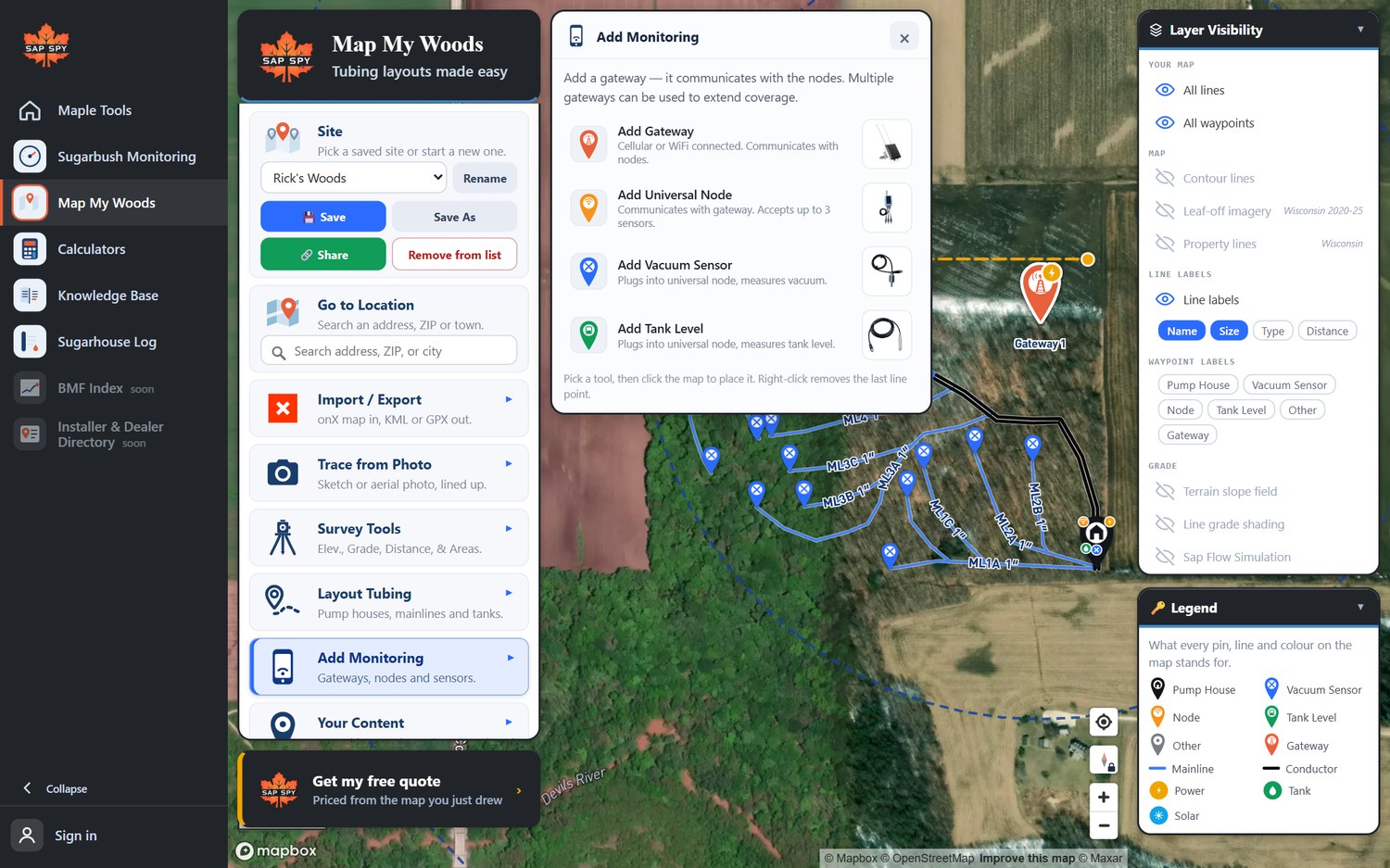
Click a tool, then click the map. Click a pin to open its card; drag a pin to move it.
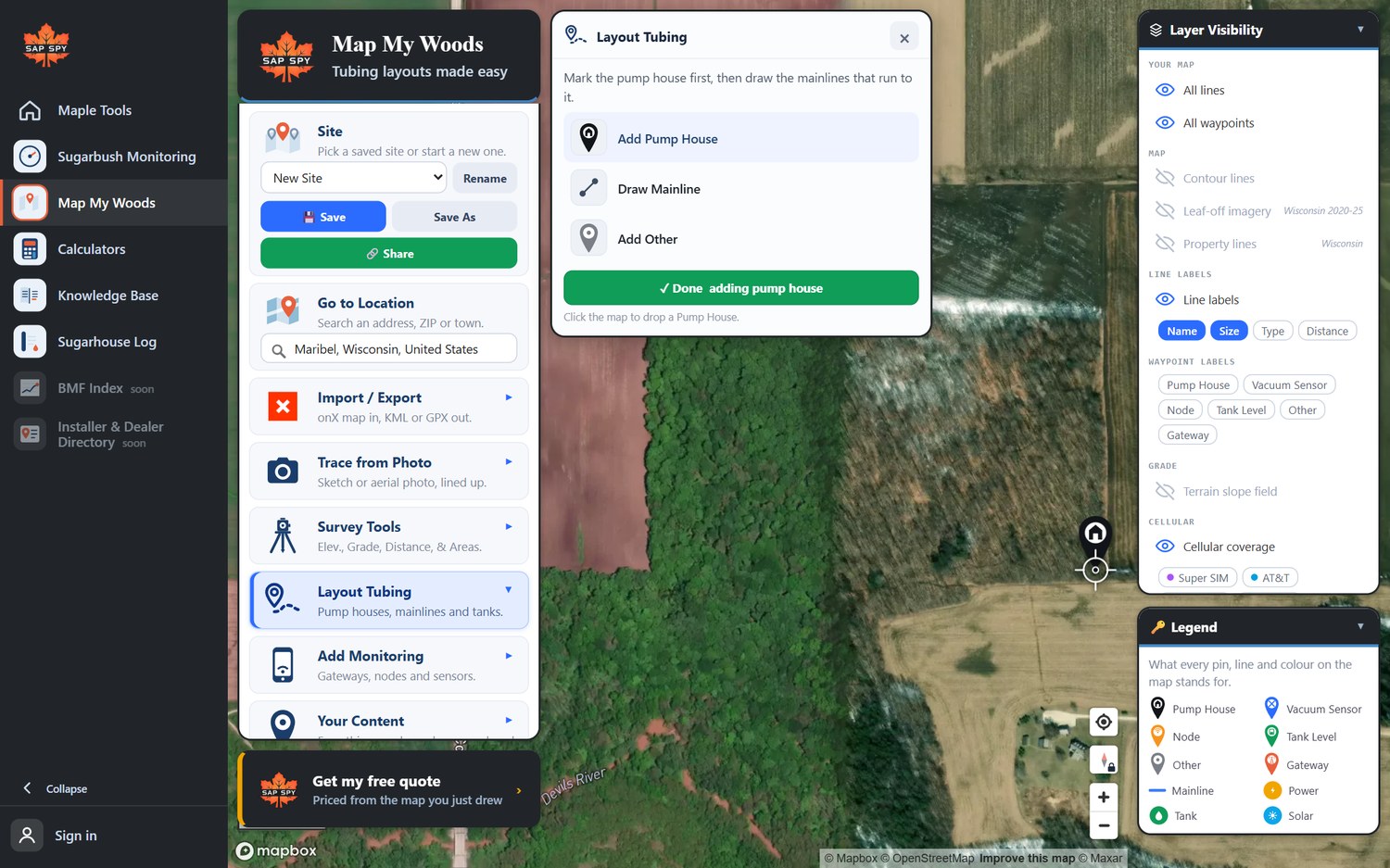
An Other pin can be a gate, a bridge, a trail crossing, parking, water or a hazard, in three sizes and eight colours.
With a gateway on the map, Gateway coverage in Layer Visibility shades the ground it should reach, green where the signal is strong and red at the edge.
Using the map in Sugarbush Monitoring#
If you have Sap Spy sensors, your Monitoring site can use this map. In Monitoring, open the site's map and choose the Map My Woods map for it. Name the lines and pins the way the sensors are named and they match up: each line shows its live vacuum.
FAQs
A tank is a setting on a pump house, a node or an Other pin: turn on Tank or Tank level. A releaser is usually at the pump house; name the pump house pin for it.
No. It is a prediction from the terrain, the trees and the antenna height. Use it to pick a good spot, then check it on site.
Have a question this doesn't answer? Email info@sapspy.com or call 920-809-4811 — we're producers too.
This website uses cookies that help the website to function. We use these cookies to provide you with improved and customized user-experience. By tapping 'accept,' you consent to the use of cookies. For more info, see our privacy policy.