
Sharing a map, and bringing one in from onX
A map can be sent to anyone with a link or a QR code. Lines and pins you already have in onX can be brought in, and a Map My Woods map can go back out as a file.
Share a map from your phone#
Tap the map's name, then Share beside the map.
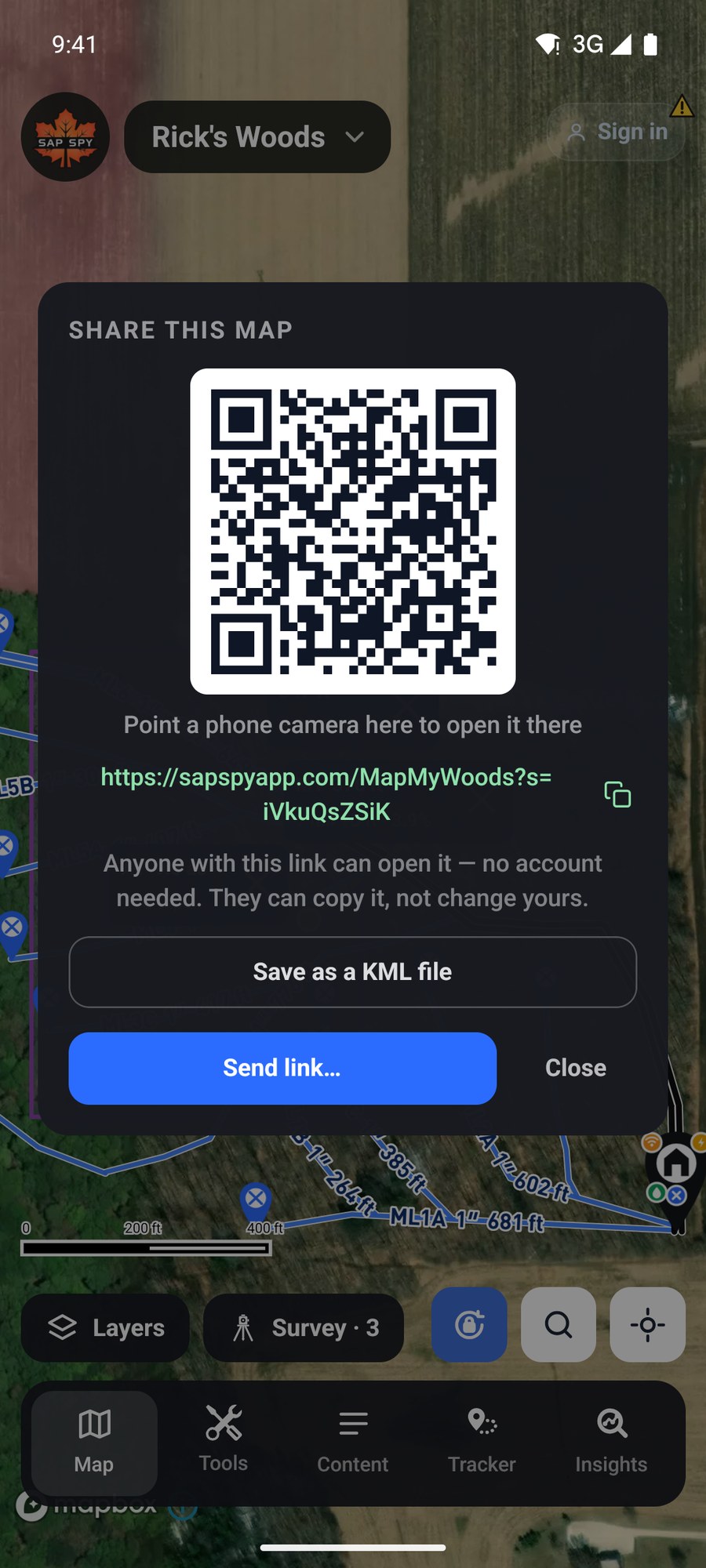
- The QR code: point another phone's camera at it and the map opens there.
- Copy link or Send link to text or email it.
- Save as a KML file makes a file that onX, Google Earth and most mapping programs can open.
Anyone with the link can open the map, with no account. They can make their own copy; they cannot change yours.
Open a map someone sent you#
Tap the link and it opens in the Sap Spy app. Or tap the map's name and look under Open a Sap Spy map: paste the link or the 10-character code, or tap Scan a QR code instead.
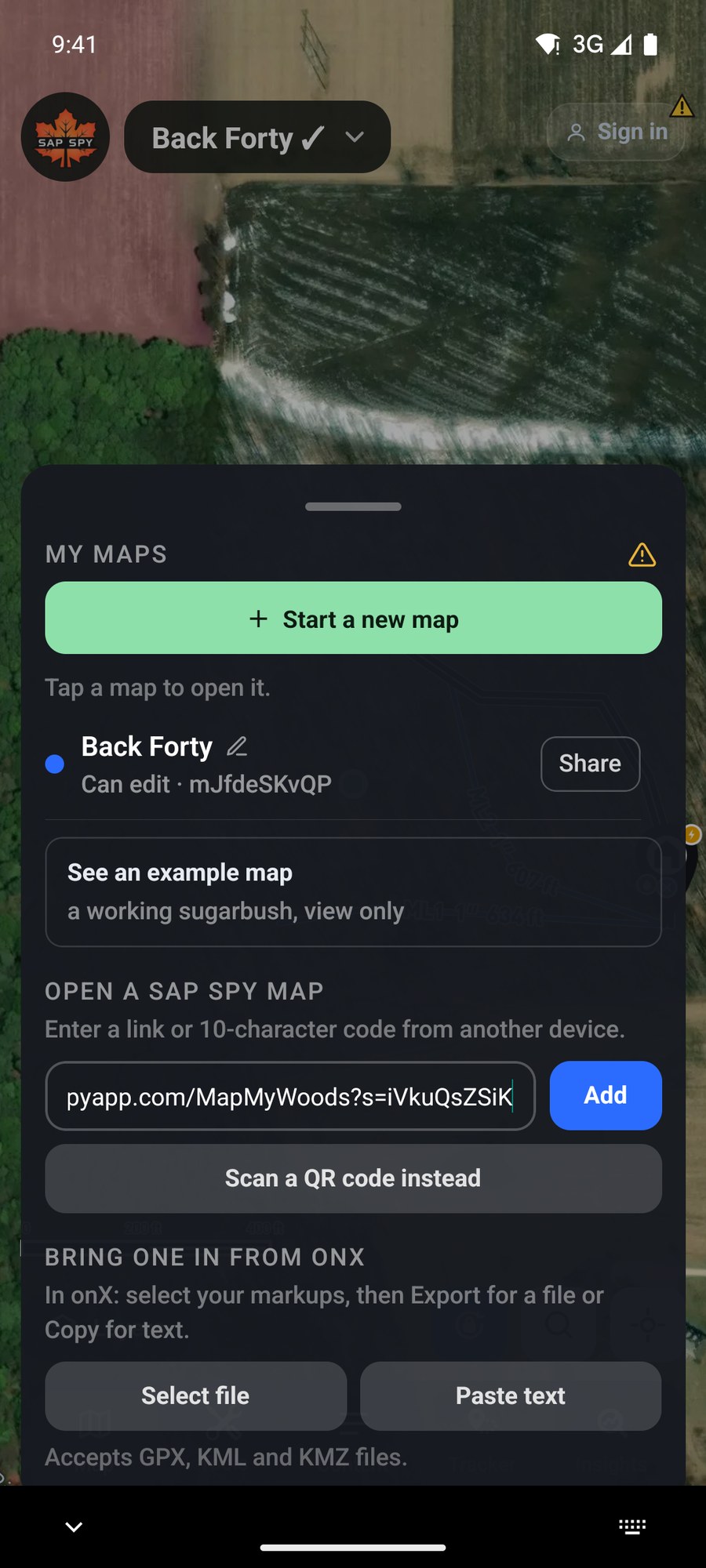
Bring a map in from onX#
In onX, select your markups and choose Export for a file, or Copy for text. Then in My Maps, under Bring one in from onX:
- Select file takes a GPX, KML or KMZ file.
- Paste text takes what you copied.
The lines and waypoints are added to the map you have open.
On a computer#
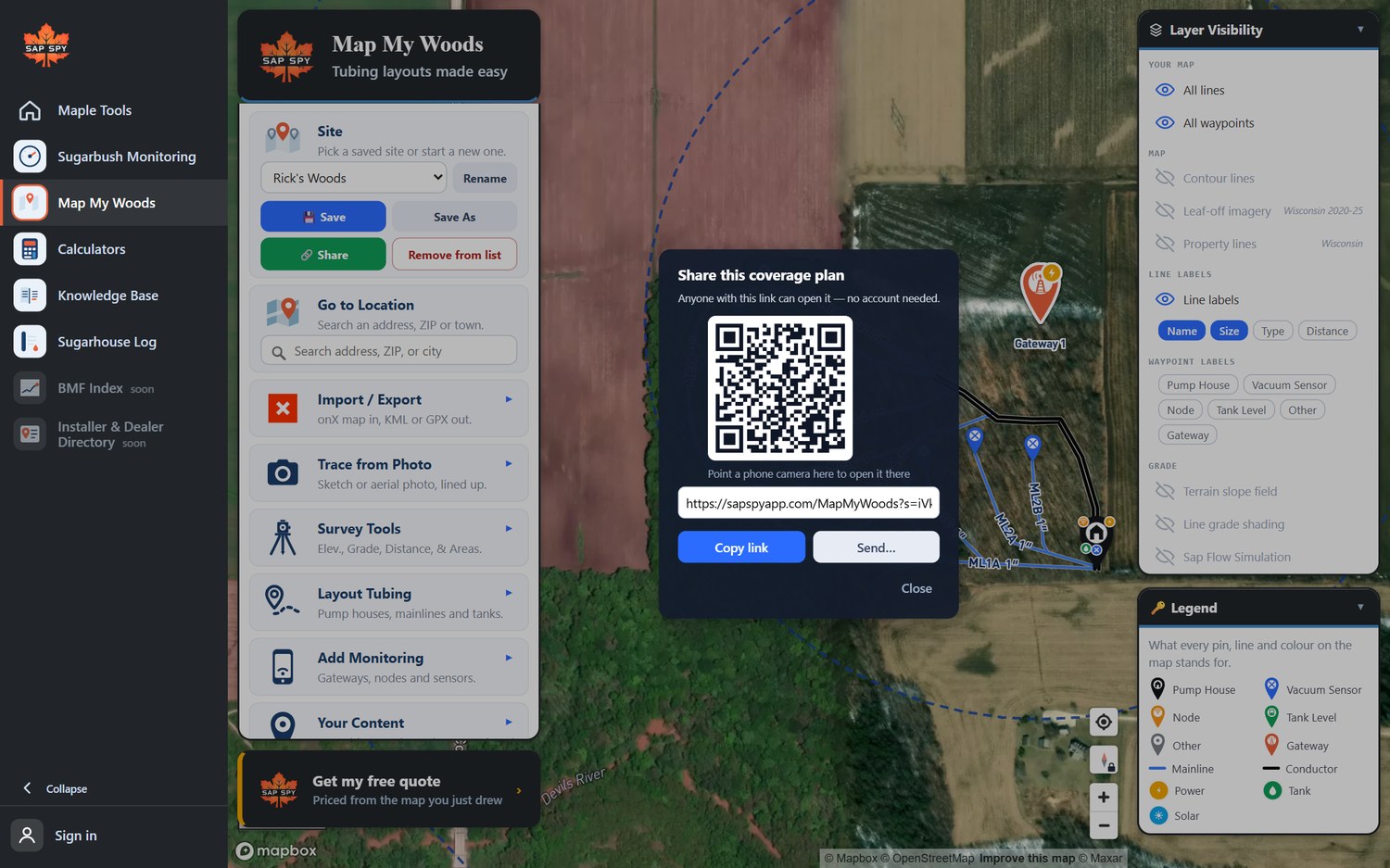
Share is in the Site box. It saves the map, then shows its link and QR code.
Import / Export brings a file in and sends the map out.
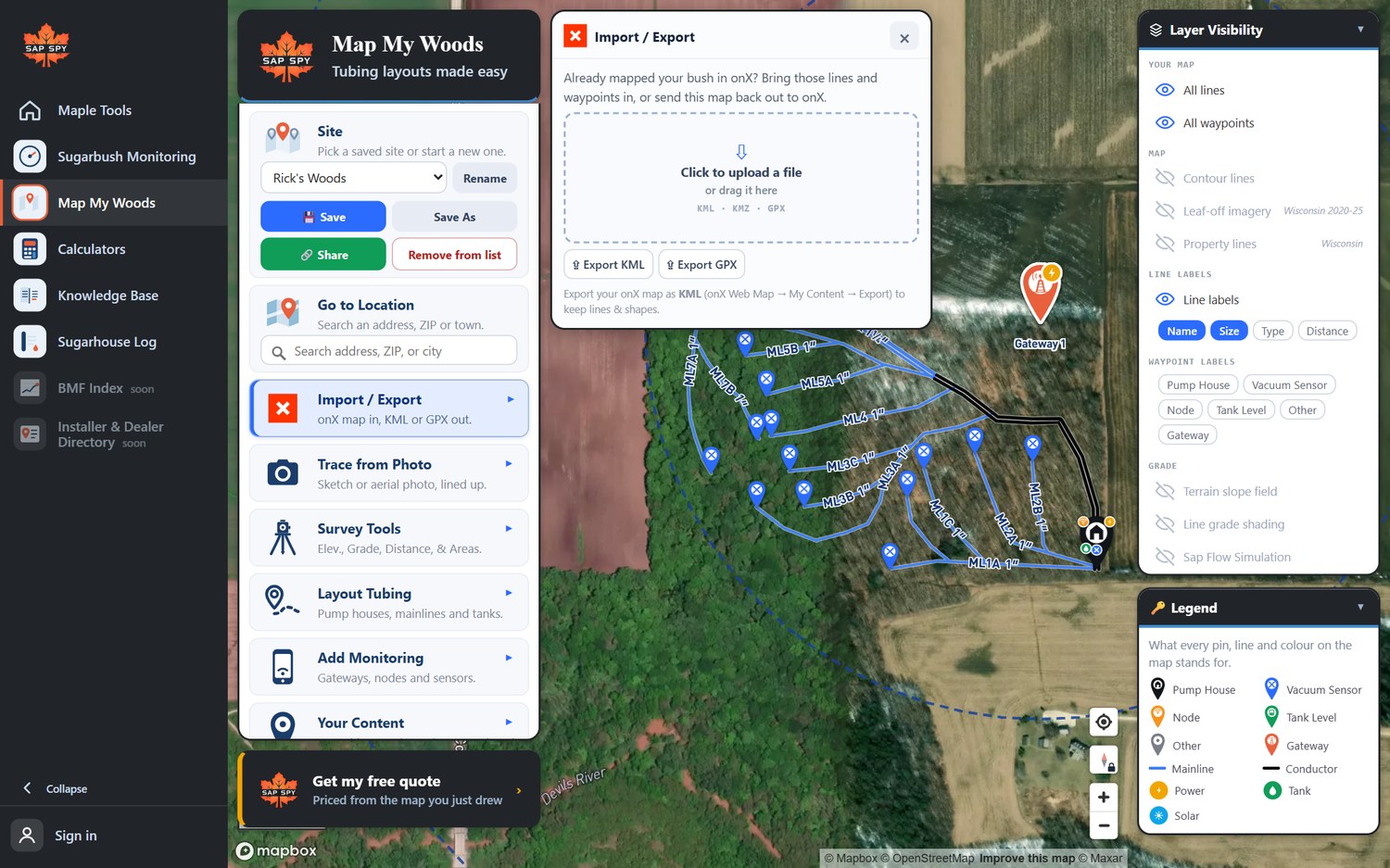
- Click the box, or drag a KML, KMZ or GPX file onto it. In onX on the web: My Content, then Export, as KML to keep lines and shapes.
- Export KML or Export GPX saves this map as a file for onX or a GPS.
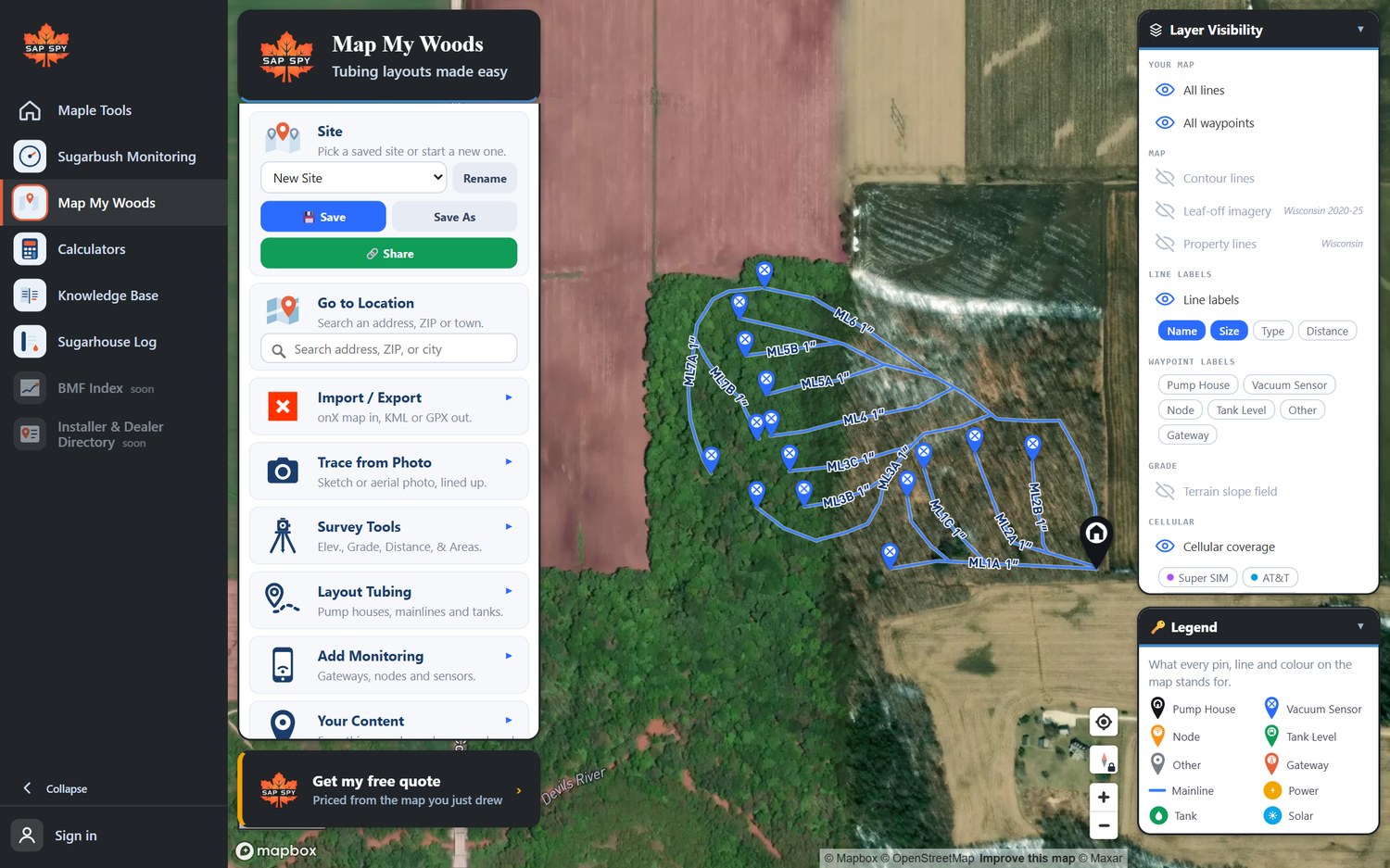
Imported lines come in as mainlines. Click each one to set its real size and type, or select several and change them together.
FAQs
One map belongs to one account. Someone you share it with gets their own copy to change. If you edit your own map on two devices at once, the edits are merged, and a line changed in both places is kept twice so nothing is lost: delete the one you do not want.
Yes. Sign in first: a map in your account can only be changed by you, and anyone else with the link gets their own copy.
16 MB. If onX gives you a bigger file, select fewer markups and export again.
Have a question this doesn't answer? Email info@sapspy.com or call 920-809-4811 — we're producers too.
This website uses cookies that help the website to function. We use these cookies to provide you with improved and customized user-experience. By tapping 'accept,' you consent to the use of cookies. For more info, see our privacy policy.