
Checking a line's grade
Every line you draw is measured against the ground under it, from 1 meter LiDAR elevation where it is available. Open a line and you see its whole profile: where it falls well, where it runs flat, and where it climbs.
On your phone#
Tap a line on the map, or tap it in Content.
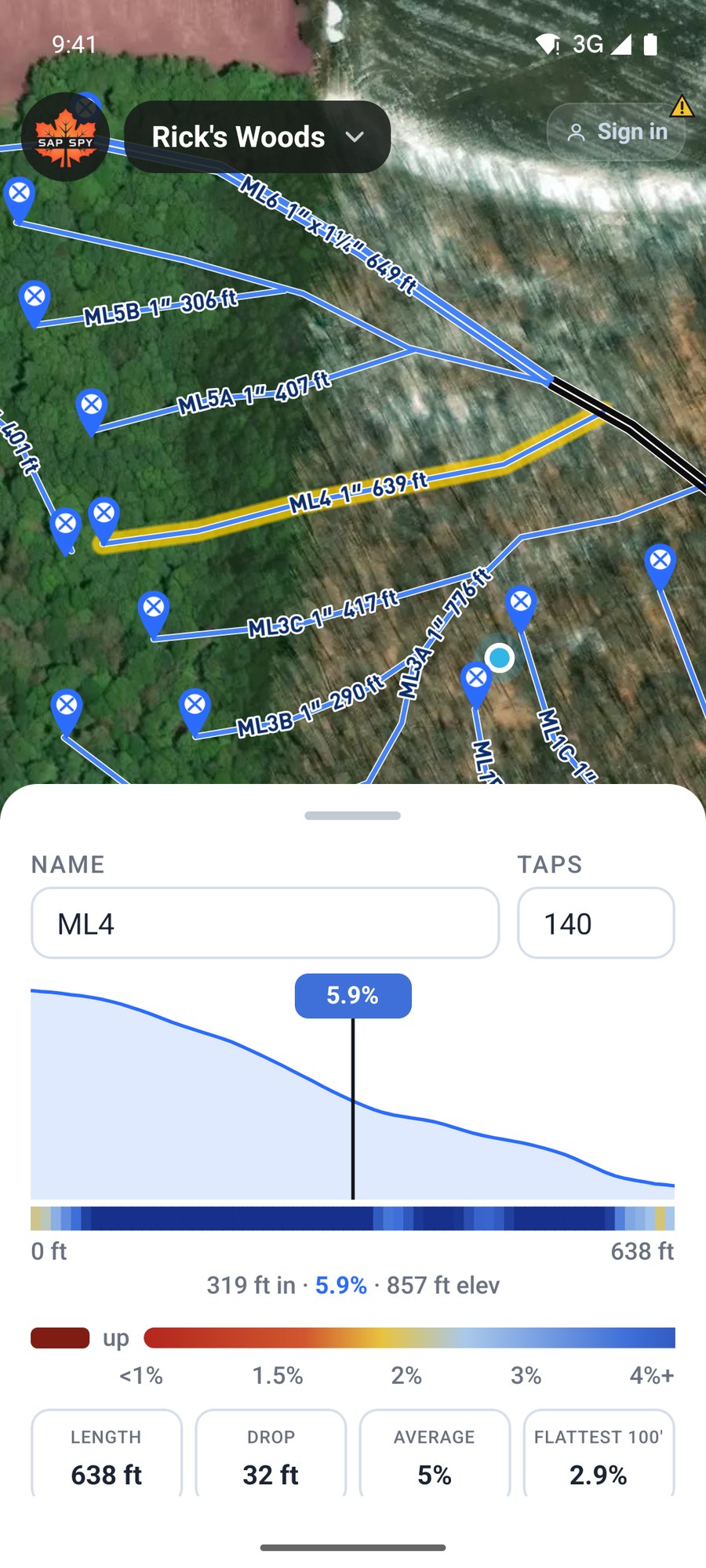
- The profile is the ground along the line, start to end.
- The colour bar under it shades the grade: blue falls well, yellow is getting flat, red is under 1 percent, dark red runs uphill.
- Length, Drop, Average and Flattest 100 feet are in the tiles.
- The line under the tiles says which way the line falls and whether any of it runs against the grade.
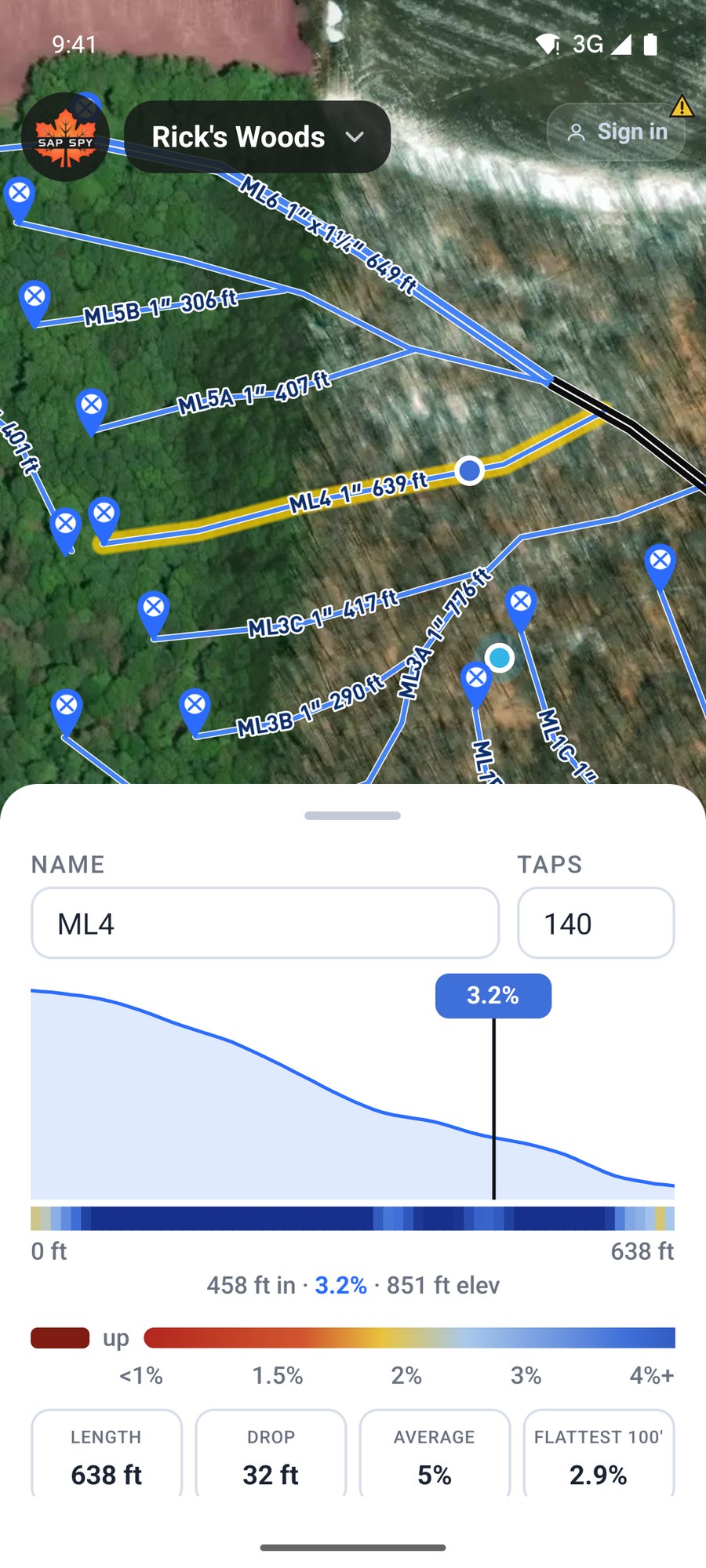
Slide your finger along the profile. The readout gives the distance in, the grade and the elevation at that spot, and a dot on the map shows where it is.
Grade on the map#
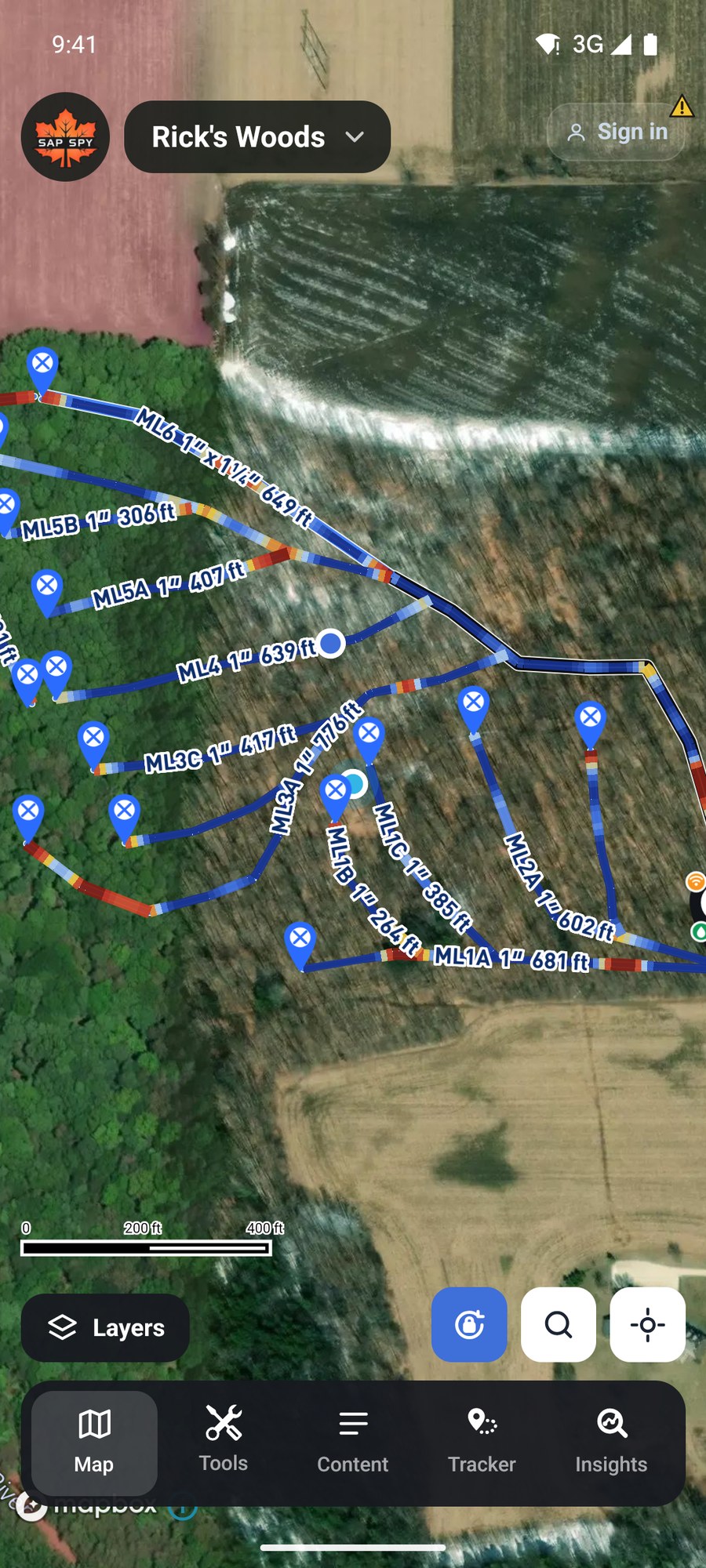
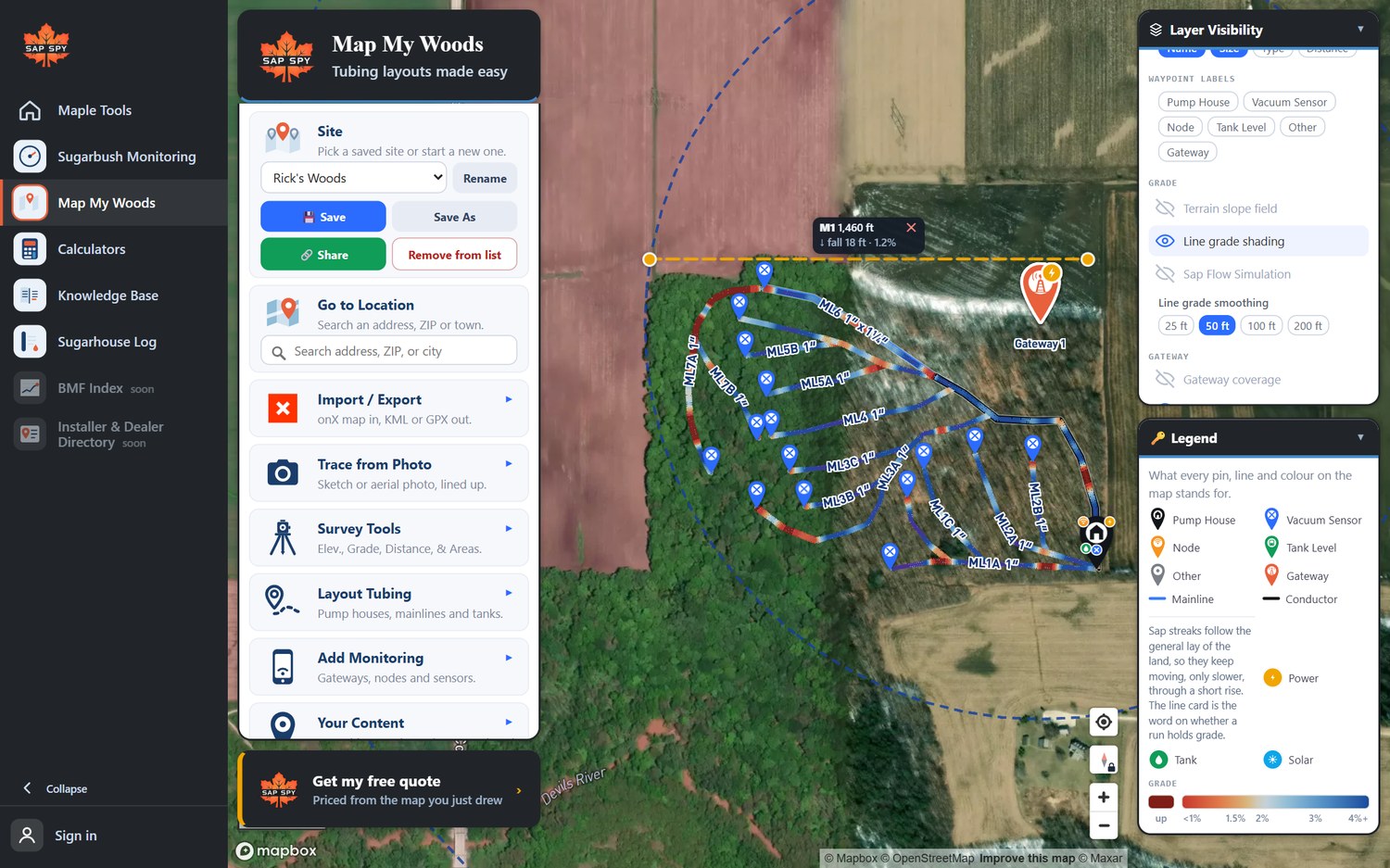
Two layers put the grade on the map itself. Tap Layers and turn on Line grade shading: every line is coloured by the grade under it, so the flat spots stand out across the whole bush.
Sap Flow Simulation runs sap down every mainline, faster on pitch and slower over flats.
A mainline hangs on its wire, not on the ground. To have the grade read off the pipe instead, and to plan a trail crossing, see How high to hang a mainline.
On a computer#
Click a line. Its card has the same profile, colour bar and tiles. Drag across the profile to read the grade along it.
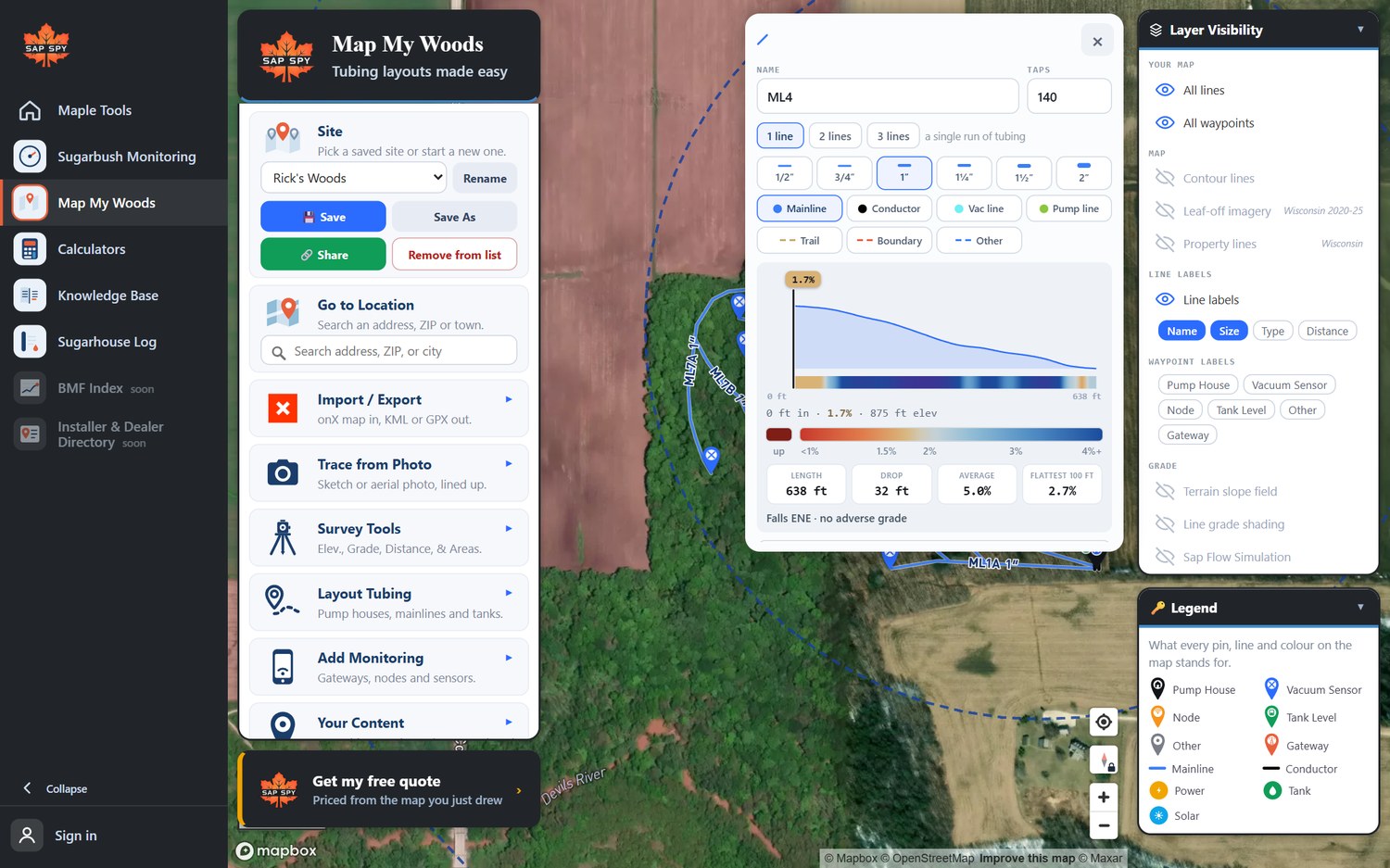
Line grade shading and Sap Flow Simulation are under Grade in Layer Visibility.
FAQs
The usual advice is 2 percent or more, and never less than 1 percent. The colour bar is built around those numbers.
A stretch where the line runs uphill in the direction the sap should flow. Sap pools there. The card tells you how many feet of it a line has.
The grade needs the ground elevation, which comes over the internet unless the map is saved for offline. Check your signal, or save the map for offline before you go out.
1 meter LiDAR over most of the US maple region. In Canada it is coarser, 10 to 30 meters, so short dips and rises can be missed there. Treat the map as a plan and check with a level before you build.
Have a question this doesn't answer? Email info@sapspy.com or call 920-809-4811 — we're producers too.
This website uses cookies that help the website to function. We use these cookies to provide you with improved and customized user-experience. By tapping 'accept,' you consent to the use of cookies. For more info, see our privacy policy.