
Logging a sap load
A load takes about ten seconds to log: who it came from, how much, and the Brix.
Log a load#
Tap Log a load on the Log's home screen.
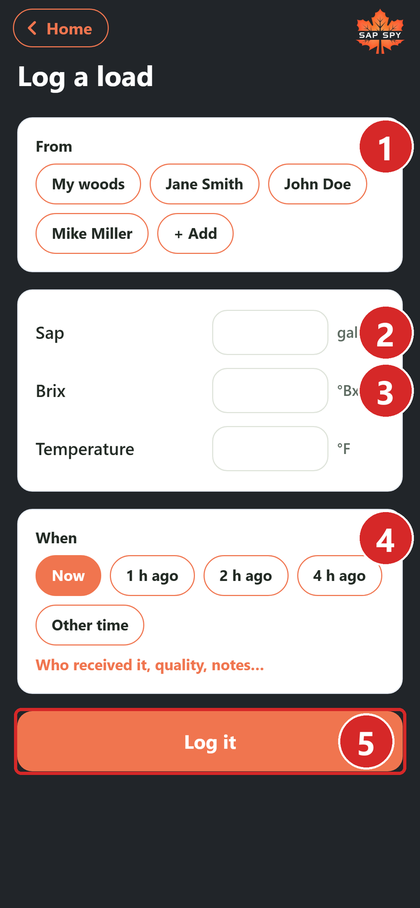
- From: tap the supplier, or your own woods.
- Sap: gallons.
- Brix.
- When: now, or a few hours ago. Other time for anything else.
- Log it.
Temperature, who received it, quality and notes are optional. Tap Who received it, quality, notes... to open them.
As soon as you enter gallons and Brix, the form shows what the load is worth.
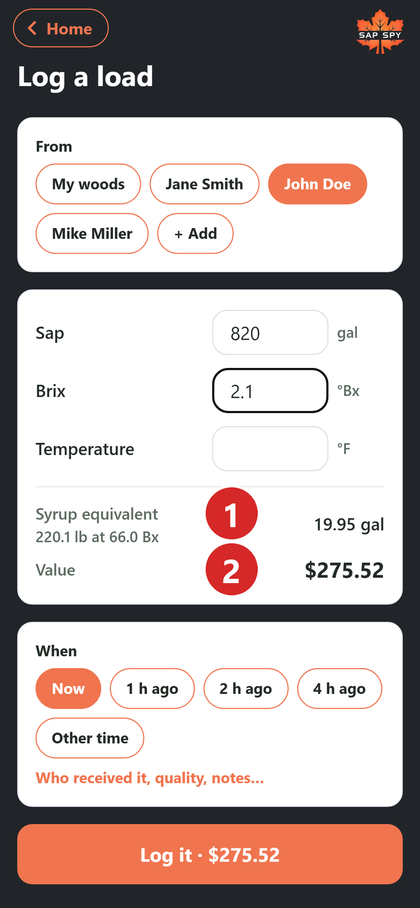
- Syrup equivalent: the syrup this sap should make, at your finish Brix.
- Value: gallons x Brix x the supplier's rate. The Log it button shows it too.
The Sap Log#
Sap Log lists every load this season, newest first, with what it is worth and whether it has been paid.
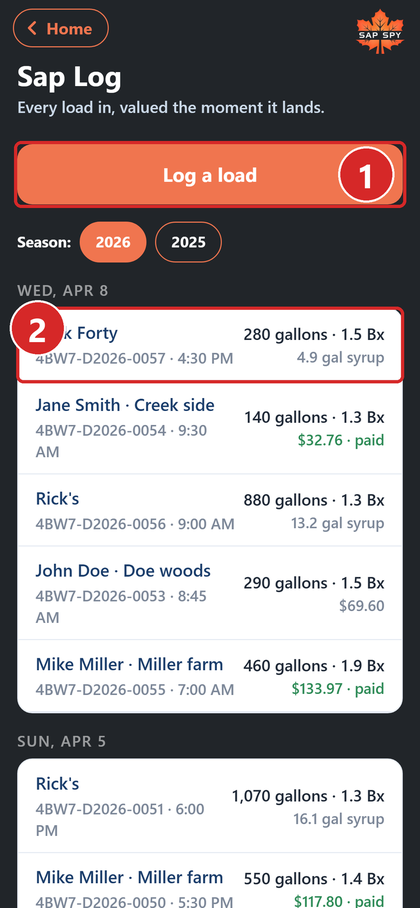
- Log a load is always at the top.
- Tap a load to open it. Loads from your own woods show syrup instead of a price.
Fixing, printing and paying#
Open a load to print its slip, correct it, or delete it.
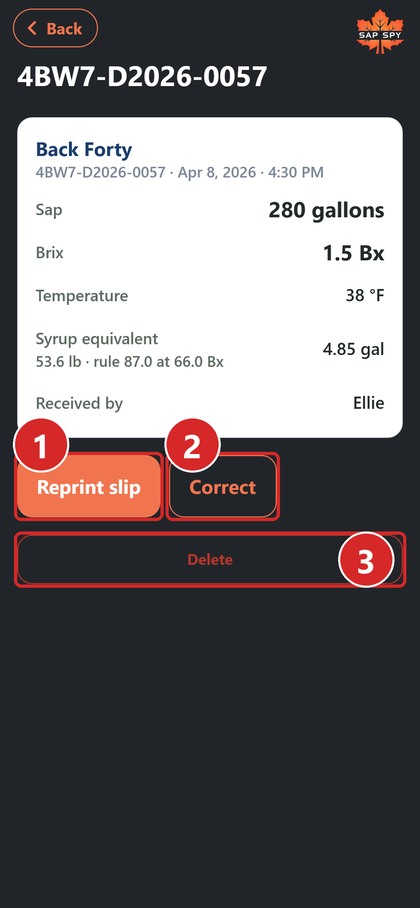
- Print slip (or Reprint): a 4 x 6 delivery slip for the supplier, with the load, the value and their season to date.
- Correct: change the gallons, Brix, temperature or notes. The load is revalued, and the change is kept in its history.
- Delete: remove it entirely.
To record a payment, open the supplier under Settings and tap Mark paid through today, or on the desktop open the load and tap Mark paid.
FAQs
Delete it and log it again. A load's supplier cannot be changed, because its price and the supplier's totals come from it.
Void keeps the load on the list, crossed out and out of every total. Use it when the supplier already has a slip for that load. Delete erases it.
Yes. The season comes from the load's date, so a load you enter the next morning for last night still lands where it belongs.
Have a question this doesn't answer? Email info@sapspy.com or call 920-809-4811 — we're producers too.
This website uses cookies that help the website to function. We use these cookies to provide you with improved and customized user-experience. By tapping 'accept,' you consent to the use of cookies. For more info, see our privacy policy.