
Drawing mainlines and other lines
A line is drawn point by point: one point at each bend, and the points become the line. Mark the pump house first, then draw each mainline from the pump house out. A line that starts on a pin or on another line joins it exactly.
On your phone#
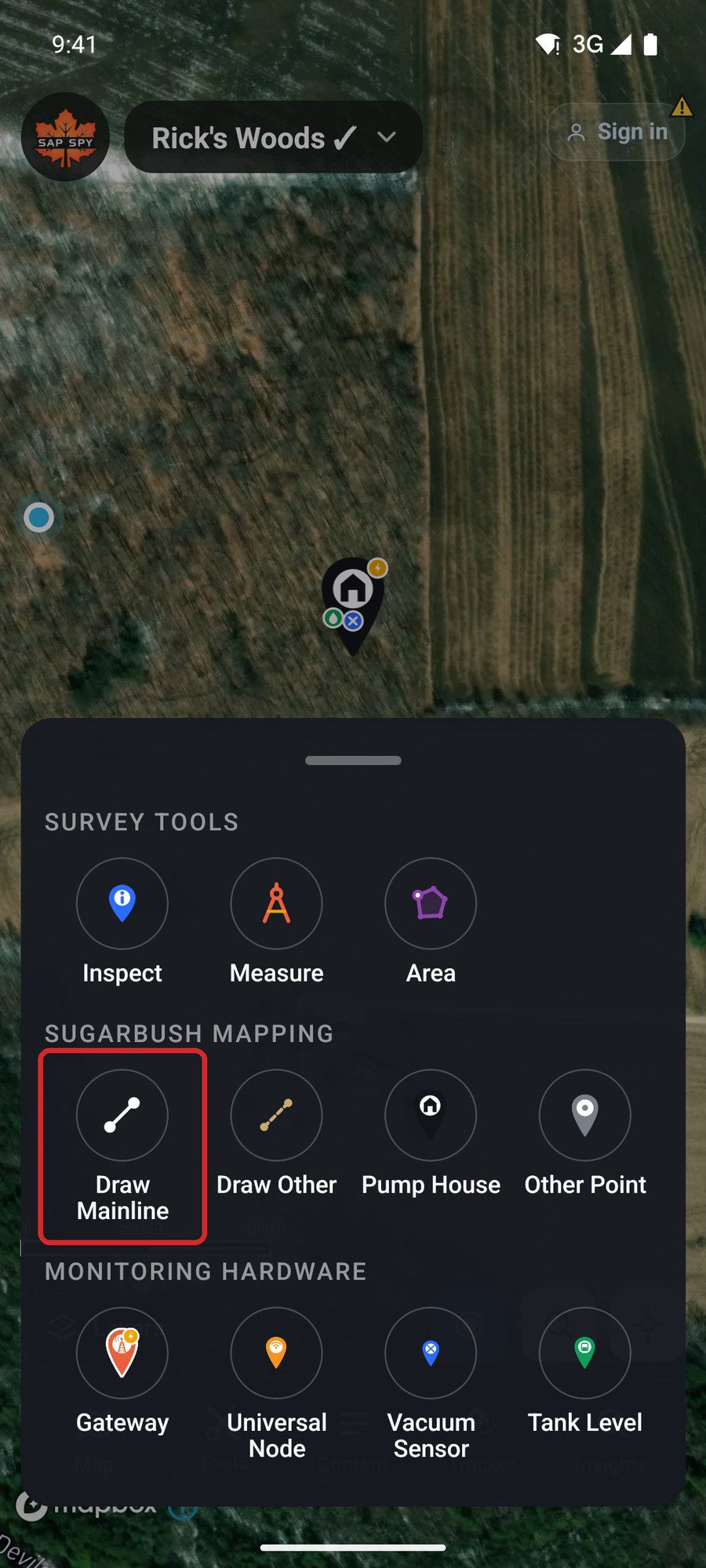
Tap Tools, then Draw Mainline.
Set the line up before you draw it. All of it can be changed later.
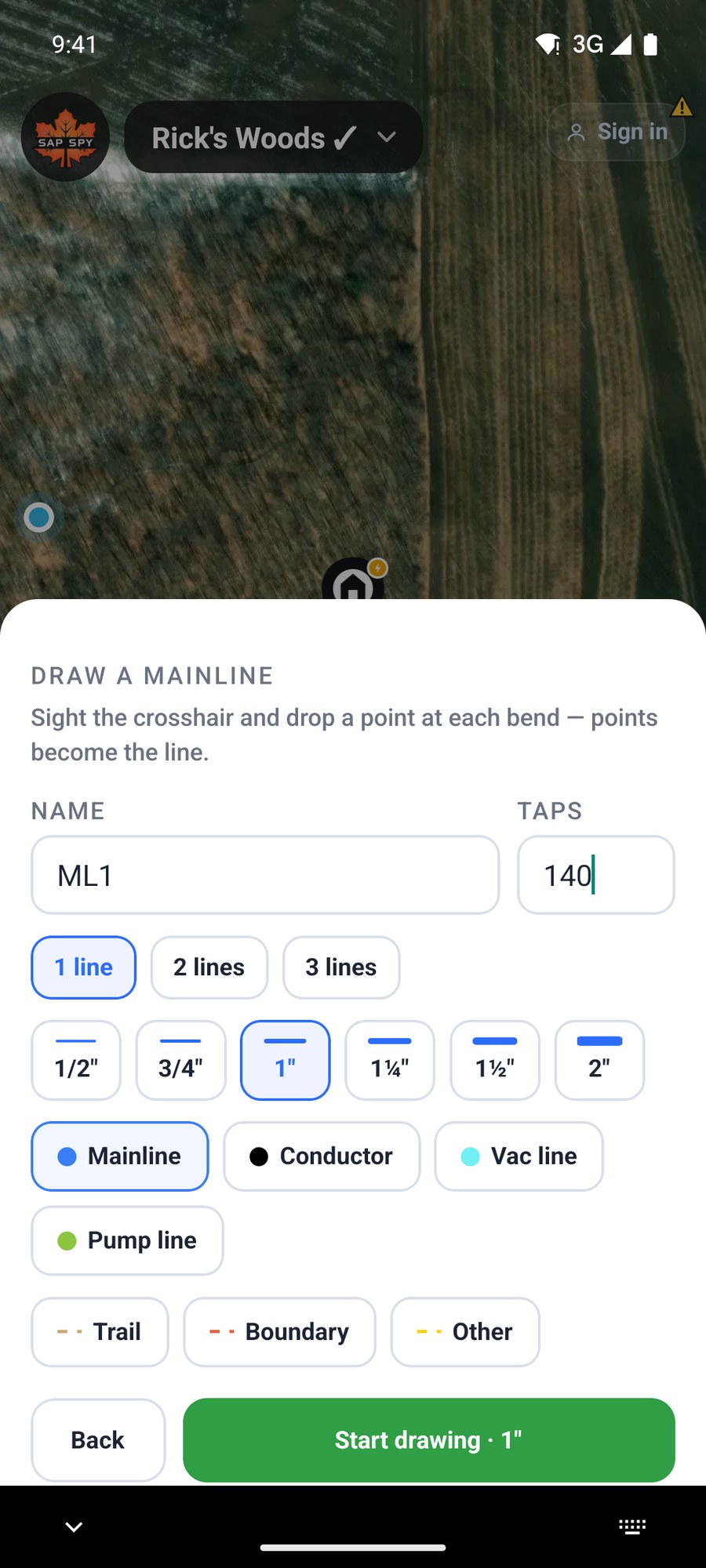
- Name and Taps. Both optional. Name the line the way you name it in the woods.
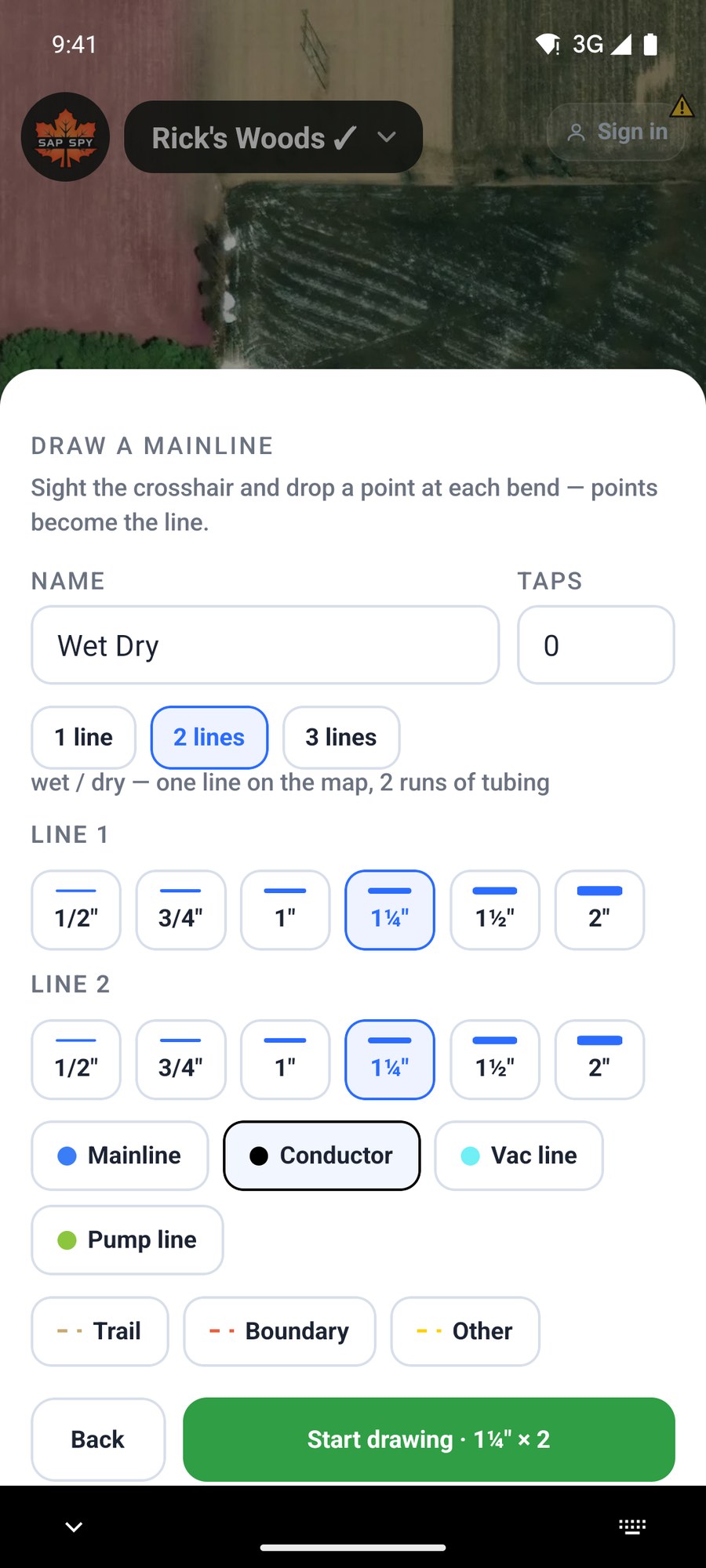
- 1 line, 2 lines or 3 lines. Two or three is a wet/dry line: one line on the map, two or three runs of tubing, each with its own size.
- Size: 1/2 inch up to 2 inch. Bigger pipe draws thicker.
- Type: Mainline, Conductor, Vac line or Pump line (see Pump out lines, below). Trail, Boundary and Other are for things that are not tubing; they draw dashed and are left out of the tubing totals.
Tap Start drawing.
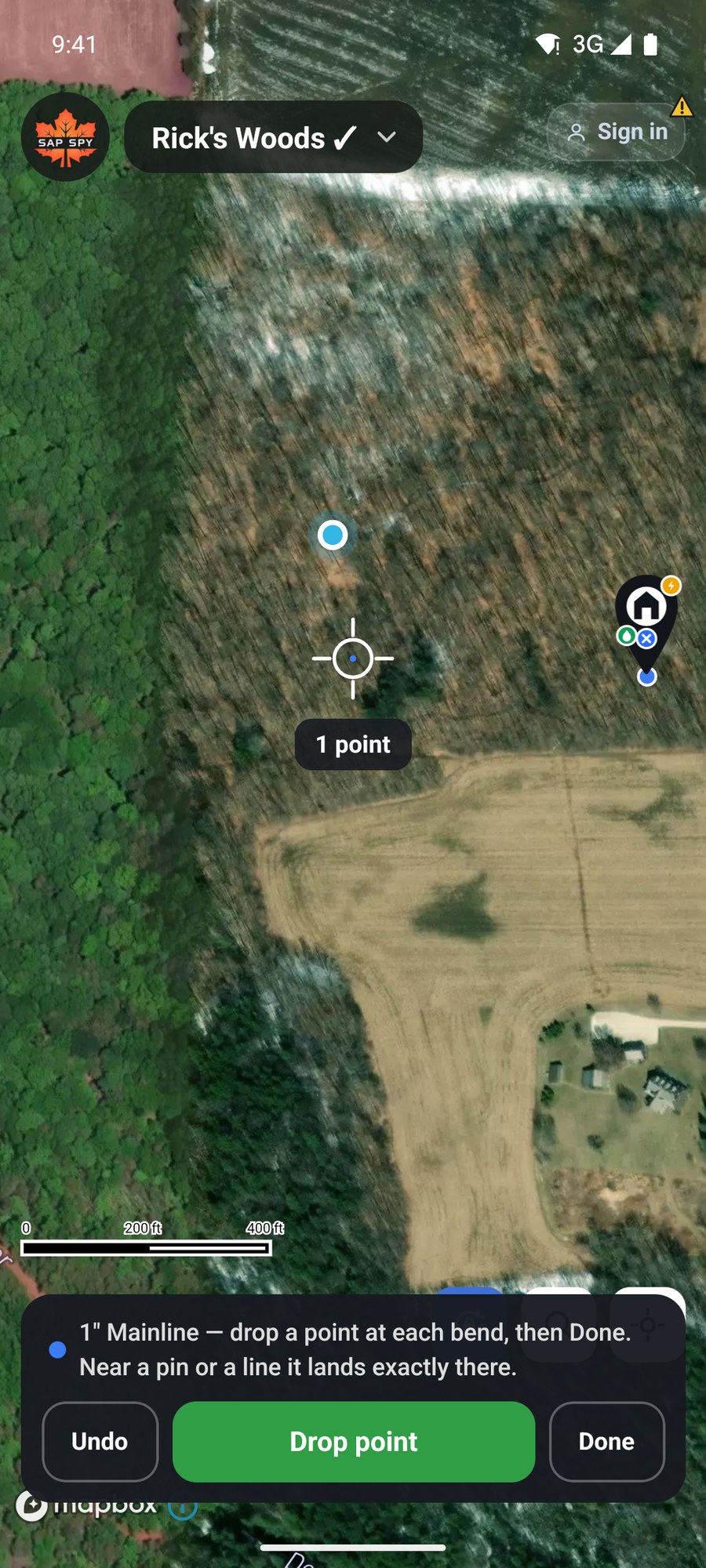
- Slide the map until the crosshair sits where the line starts.
- Tap Drop point.
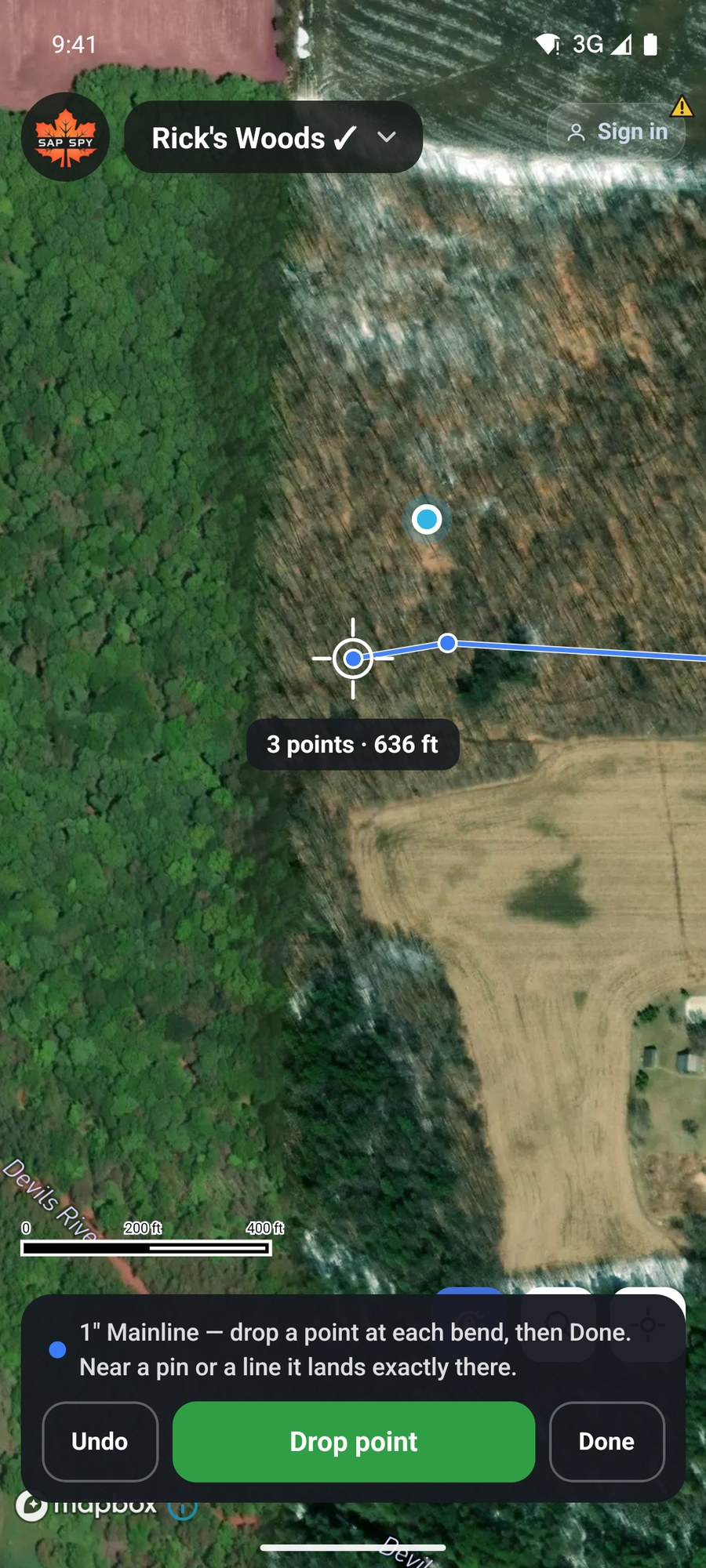
- Slide to the next bend and tap Drop point again. The readout shows the points and the length so far.
- Undo takes back the last point. Tap Done at the end of the line.
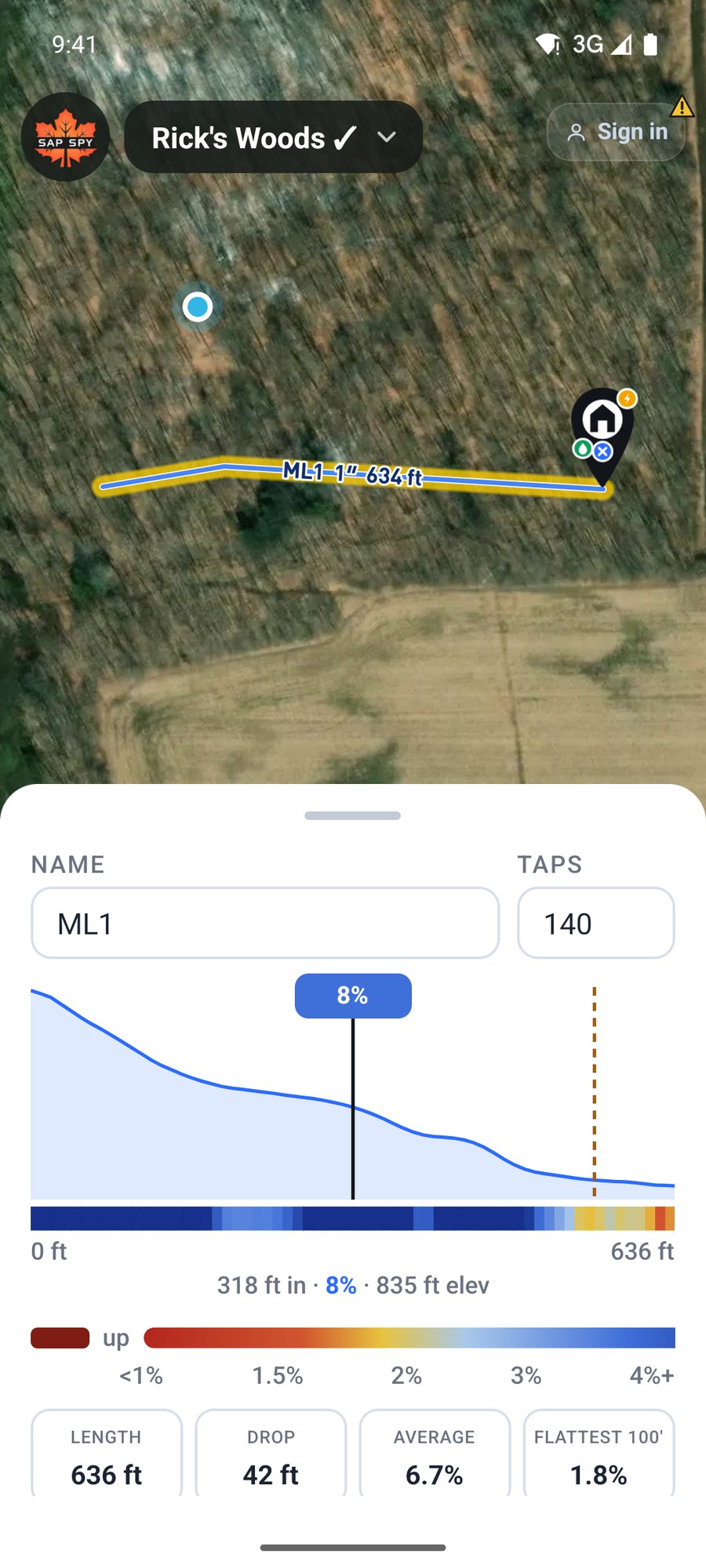
The line's card opens with its length, its drop and its grade.
Wet/dry lines#
Pick 2 lines or 3 lines and each run gets its own size row.
Pump out lines#
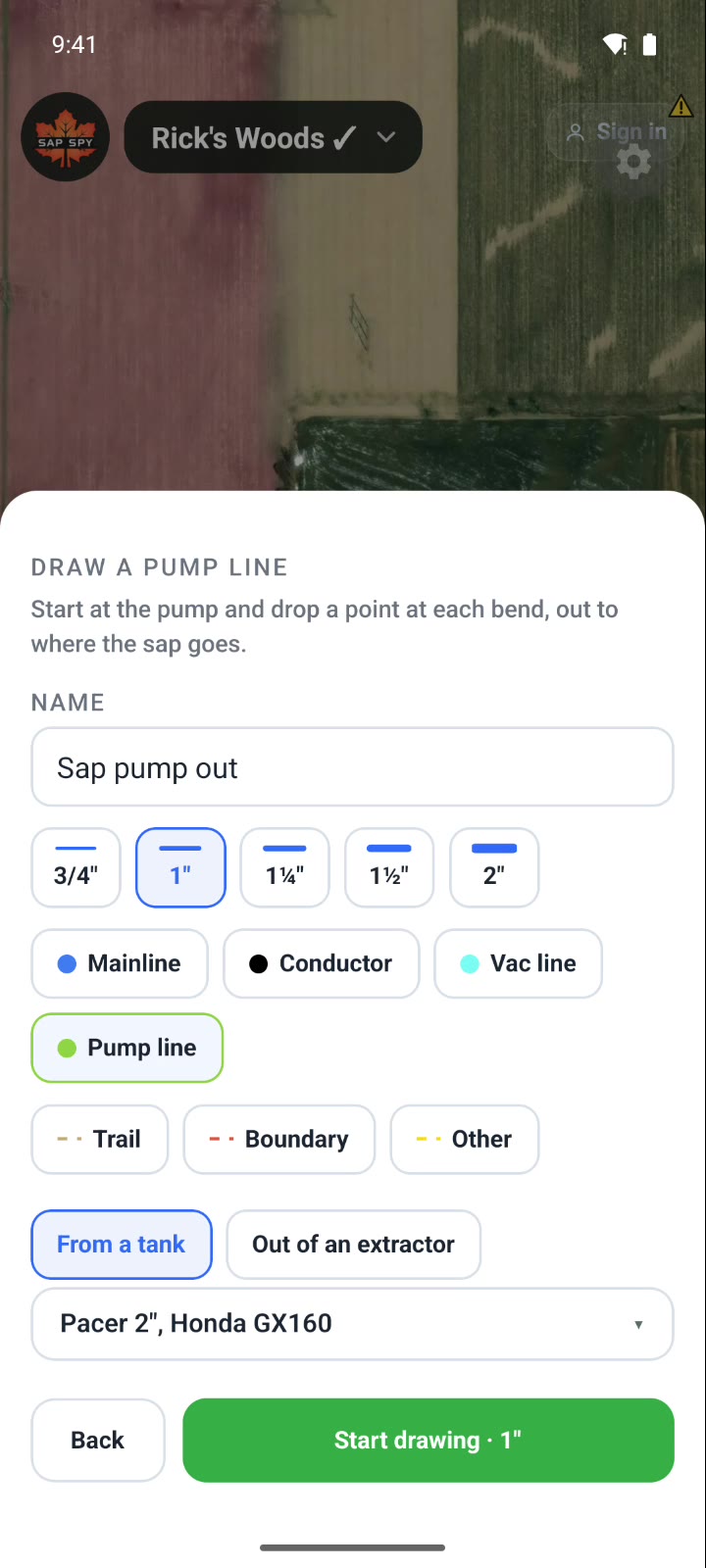
Pick Pump line in the setup sheet, or on the card of a line you already drew, and it asks only for what a pump line needs: the name, the size (3/4 inch to 2 inch), whether the pump draws From a tank or Out of an extractor, and the pump.
Start drawing at the pump, and drop a point at each bend, out to where the sap goes. The arrows on the line point the way the sap flows; Flip on the card turns them around.
The card shows what the pump moves through the line: the gallons a minute, how long 1,000 gallons takes, the rise from the pump over the line's highest point, and about how many taps it keeps up with at peak flow. Change the pump or the pipe size on the card and the numbers follow.
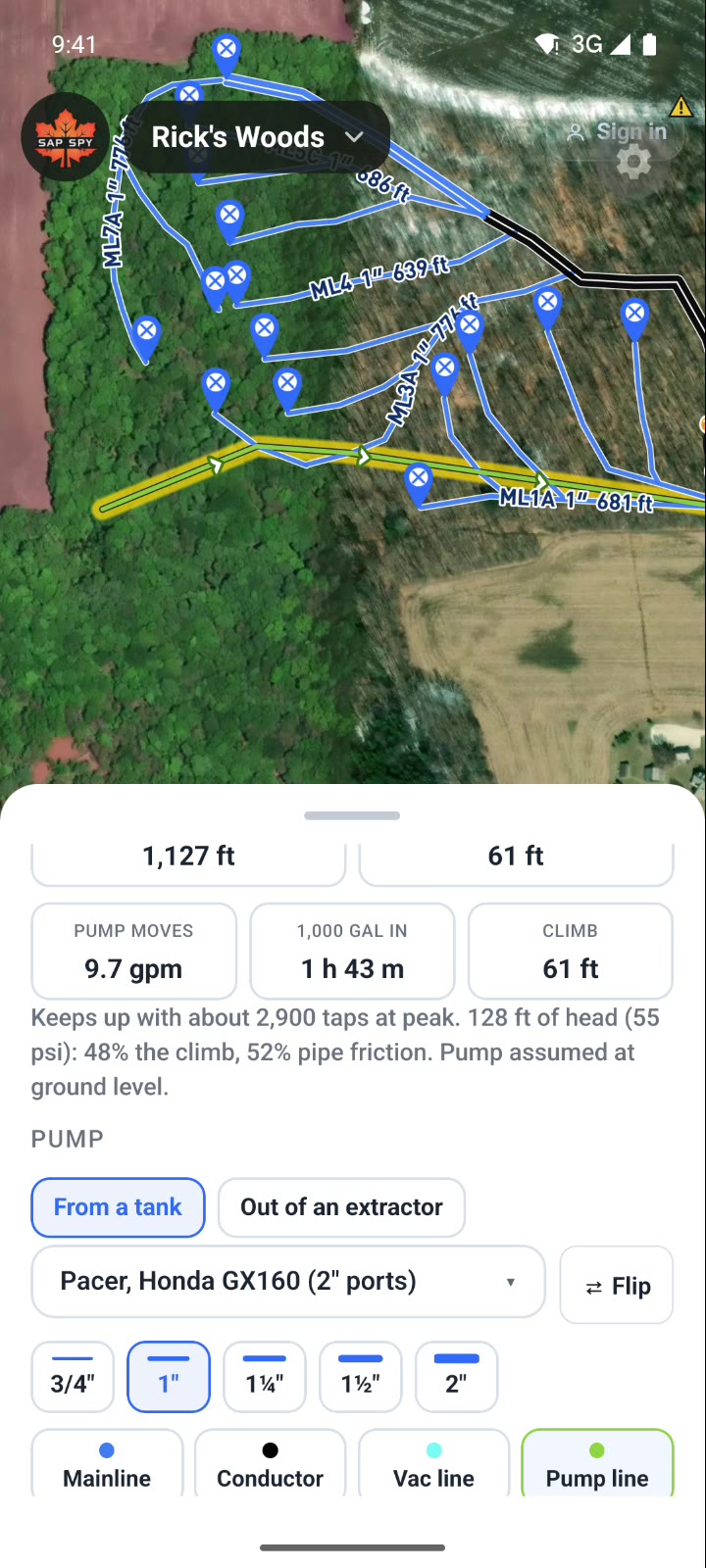
The pump is assumed at ground level, and out of an extractor, 28 inches of vacuum. Tap Calculator on the card and the Sap transfer pump calculator opens with the line's length and rise filled in: try other pumps, two or three side by side, or size a pump for your taps. For a line you have not drawn, it is in Calculators under Tubing & vacuum.
Changing a line#
Tap a line on the map, or tap it in Content, to open its card. Scroll down for its size, type and three buttons.
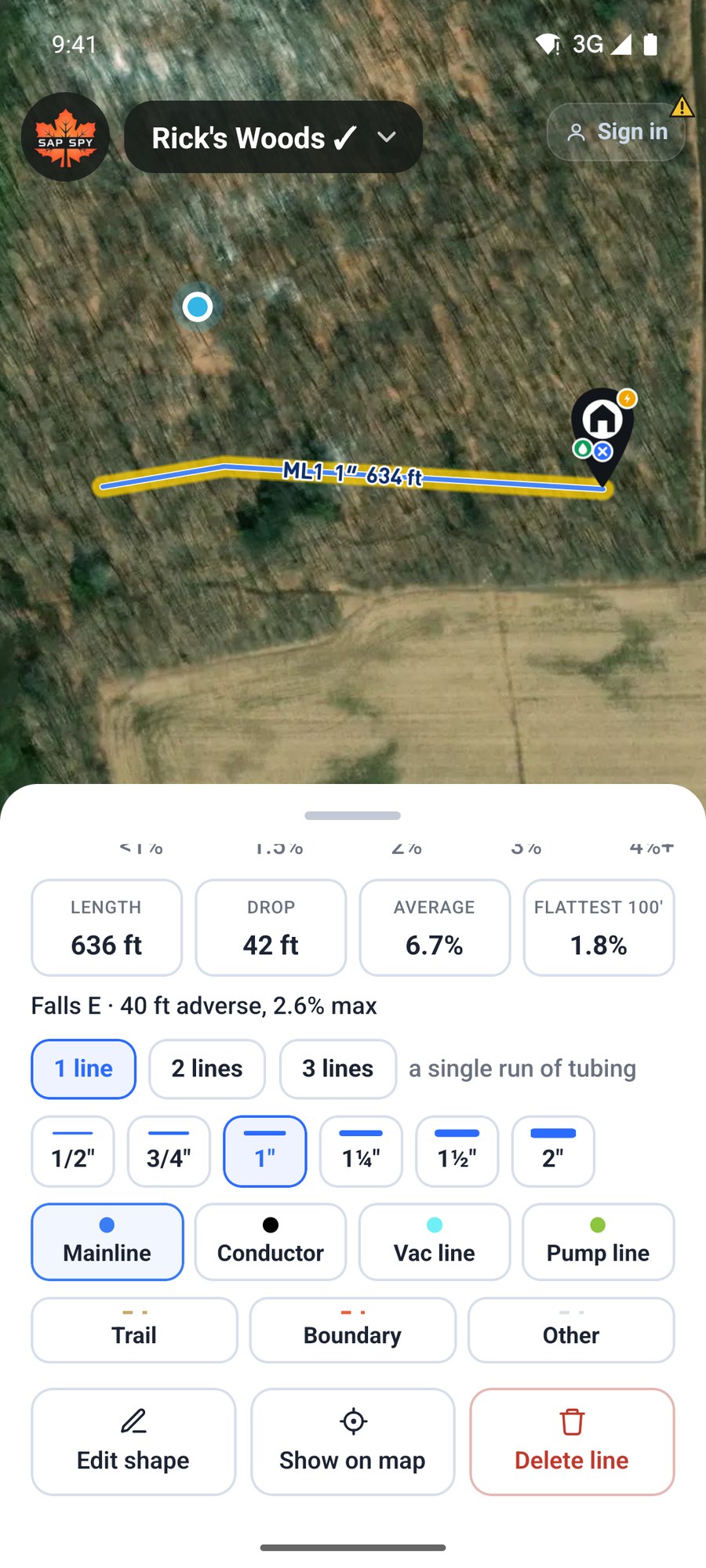
- Edit shape: move, add or delete points.
- Show on map: centres the map on the line.
- Delete line.
In Edit shape, tap a point to pick it up. Slide the crosshair to the new spot and tap Move here, or tap Delete to remove the point. Tap a hollow point, halfway between two points, to add one there. Done keeps the changes.
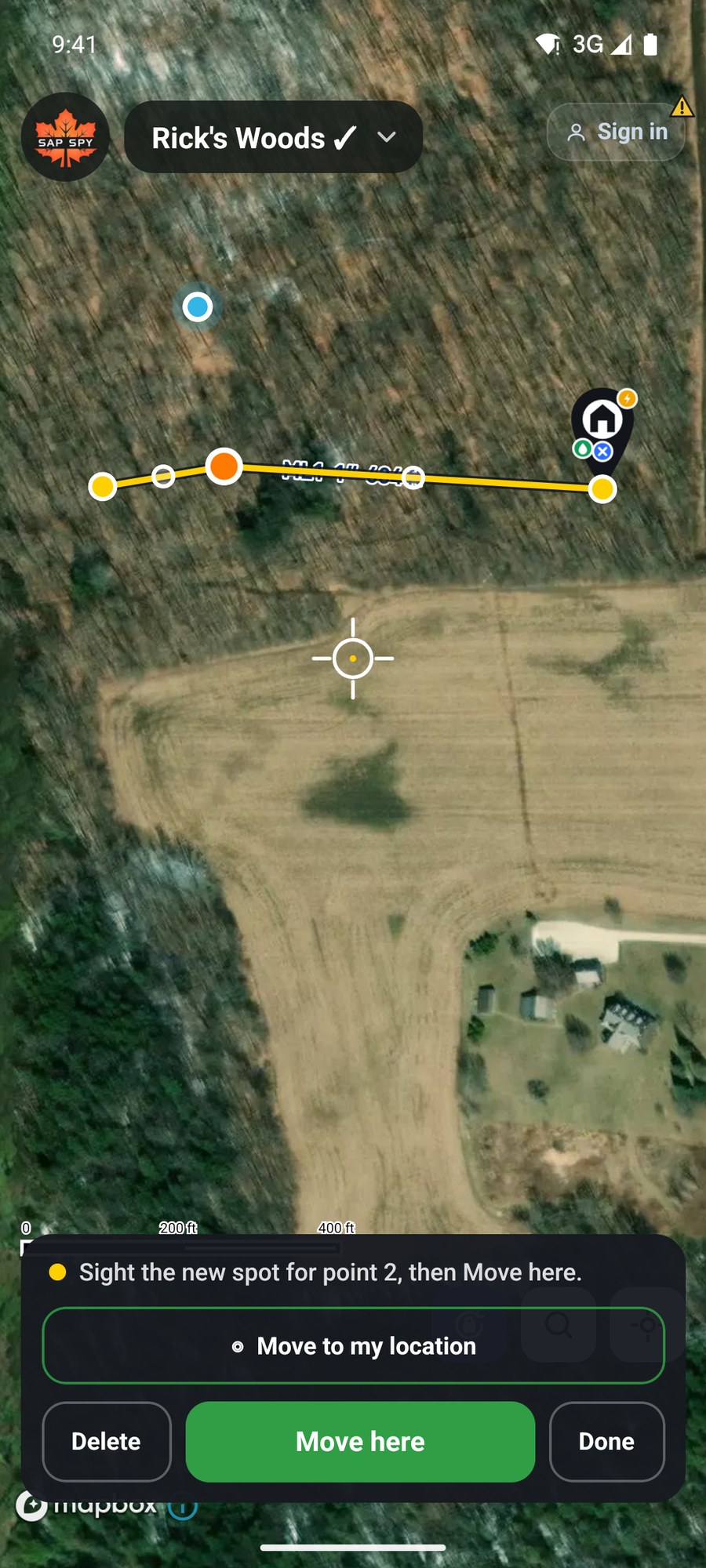
You can also press and hold a line on the map to go straight to Edit shape.
On a computer#
Click Layout Tubing, then Draw Mainline. Name, taps, runs, size and type are the same as on the phone.
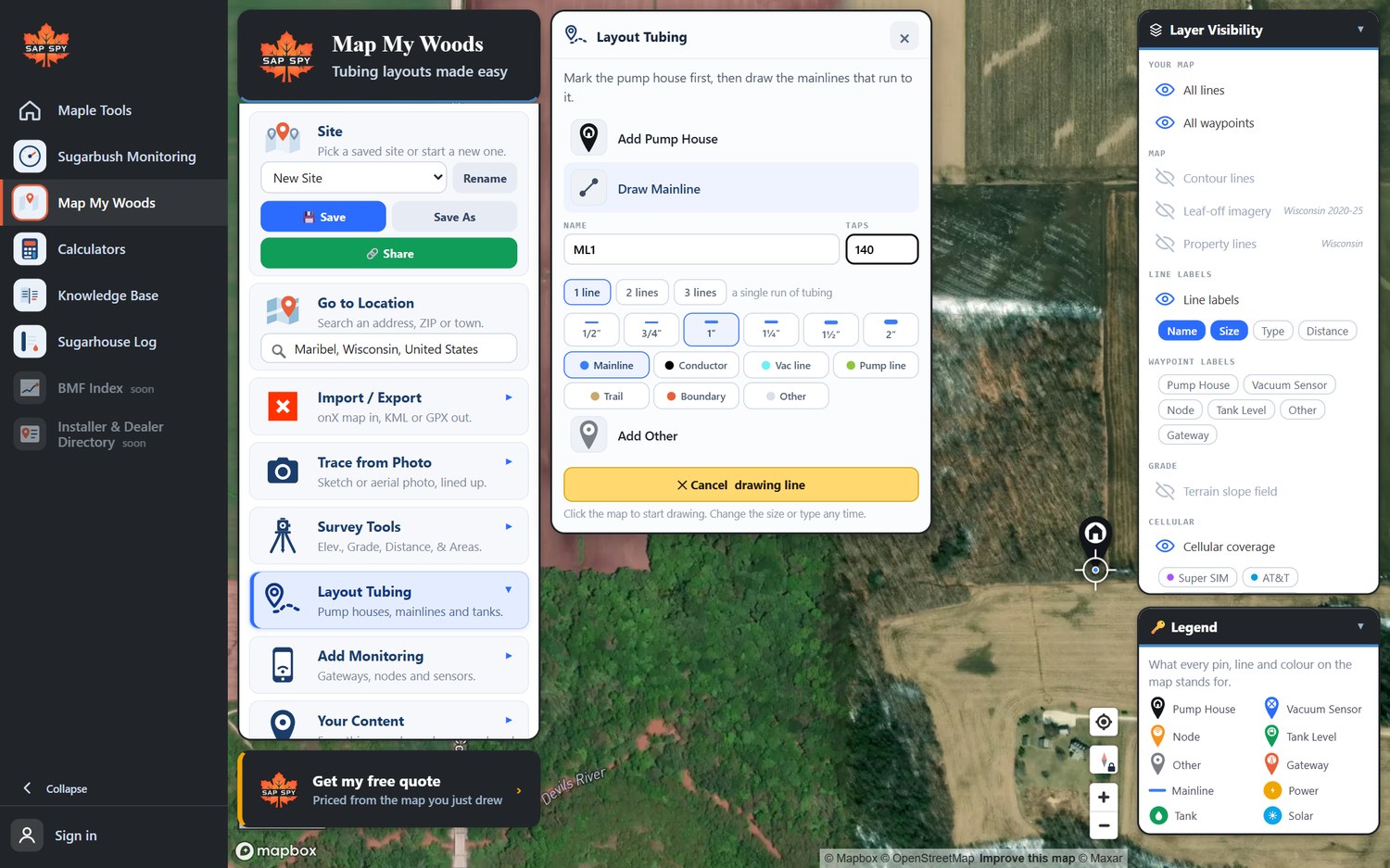
- Click the map at each bend. Right-click removes the last point.
- Click a pump house or another line to join it.
- Click Done drawing line, or the Finish line marker at the end of the line. Esc cancels.
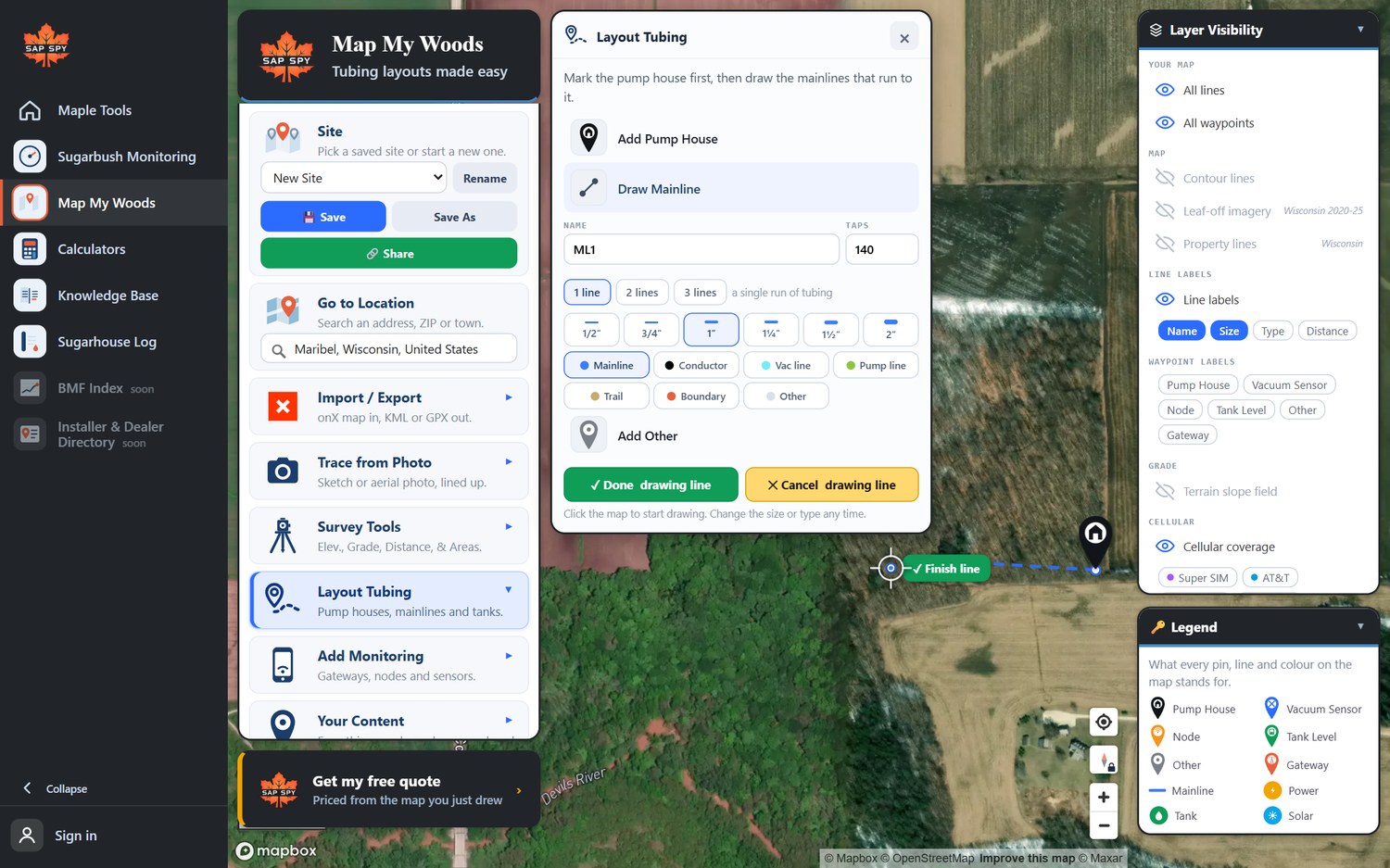
Click any line to open its card. Edit shape shows its points: drag one to move it, right-click one to delete it, click a hollow one to add a point.
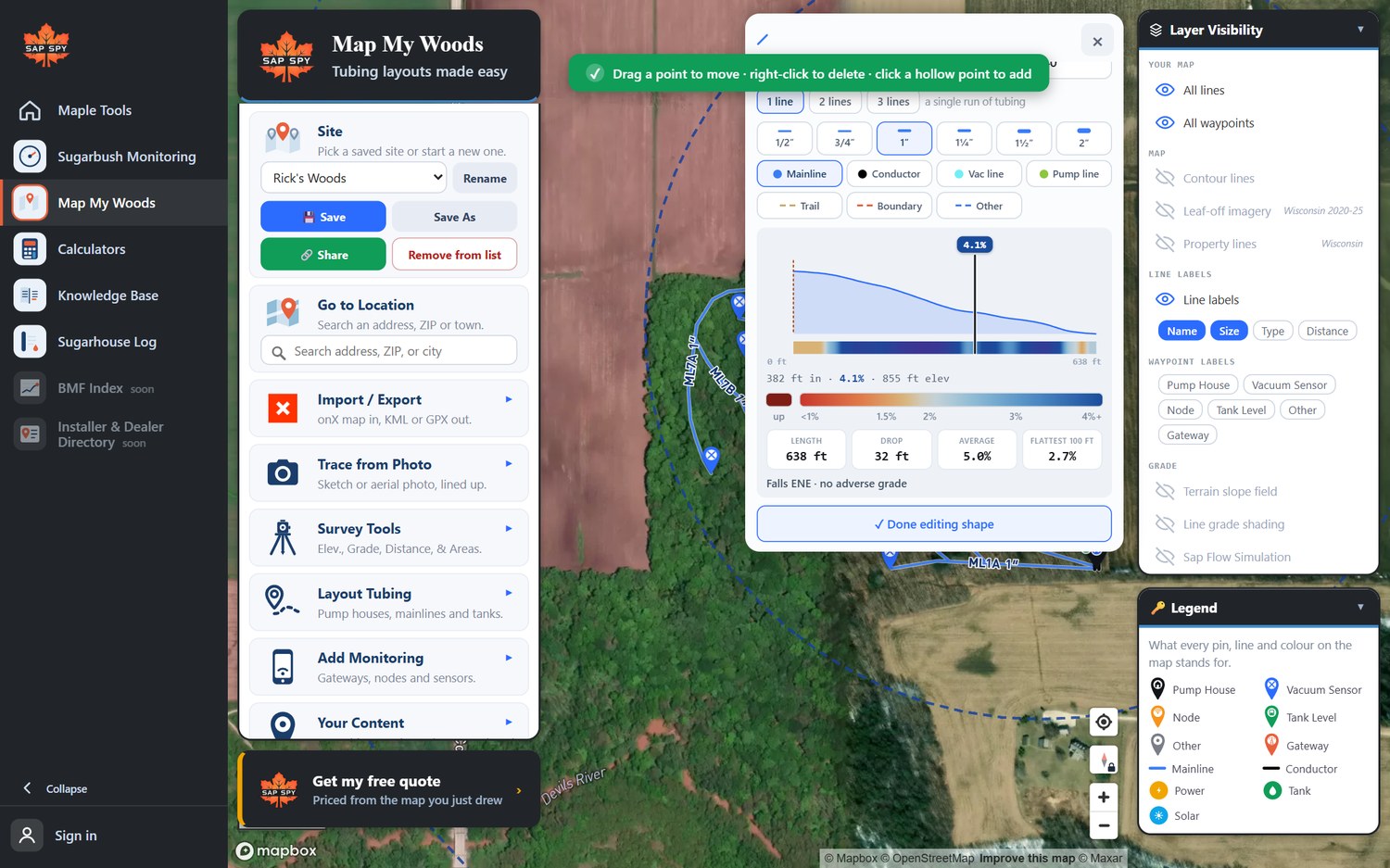
Hold Ctrl (or Shift) and click several lines to change their size, type or taps together.
FAQs
No. Map My Woods maps the mainline system: mainlines, conductors, vacuum and pump lines. Enter the taps on each mainline and the totals add them up.
A line shorter than 10 feet is not kept. Drop at least two points with some distance between them.
There is no undo for a finished line. Open the line and use Edit shape to fix it, or Delete line and draw it again.
Roads, trails, fences, property lines, creeks. They are drawn on the map and left out of grade, sap flow, tubing totals and the quote.
Have a question this doesn't answer? Email info@sapspy.com or call 920-809-4811 — we're producers too.
This website uses cookies that help the website to function. We use these cookies to provide you with improved and customized user-experience. By tapping 'accept,' you consent to the use of cookies. For more info, see our privacy policy.