
Tasks: what it is and where to find it
Tasks is the work list in Sap Spy. A task is a job at a place on your map: a saddle on ML1A, a vacuum check on the wet-dry line, a tree down across the trail. You hand it to a person, they do it with the app in the woods, and you see it get done, with a photo and the hours it took.
It works for one person as well as a crew. If it is just you, Tasks is the list of what the woods still needs, on the map, so nothing is forgotten between visits.
Phone and computer#
The same list opens in both.
- On your phone: the Sap Spy app, for iPhone and Android. Best in the woods: it knows where you are standing, it walks you to the place, it takes the after photo, and it clocks you in and out.
- On a computer: sapspyapp.com/tasks. Best at the desk: lay out the week, hand out the work, read everyone's hours, download them for payroll.
Finding it on your phone#
Open the Sap Spy app and tap Tasks on the home screen.
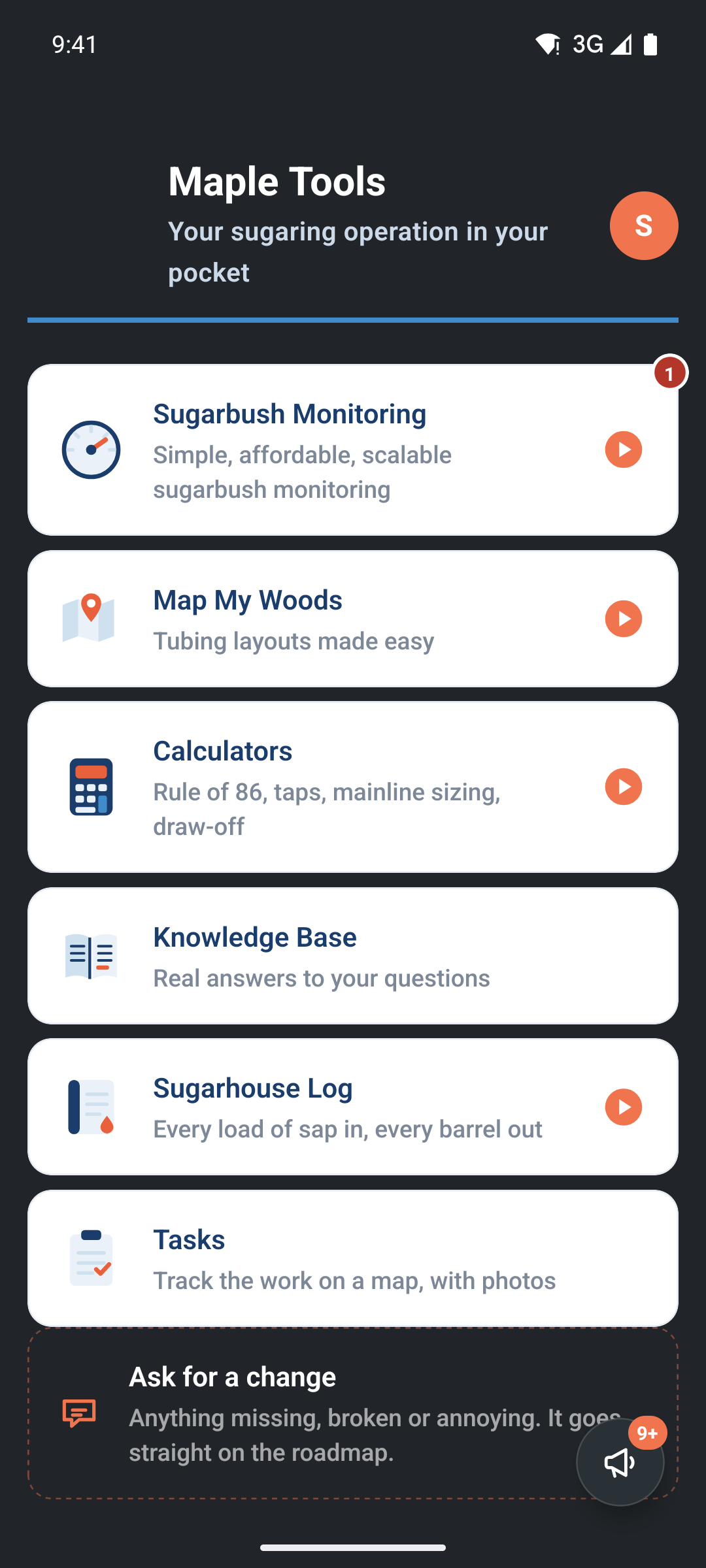
The Tasks screen is the list of what is open, on the map or as a list. The buttons at the top switch between the two.
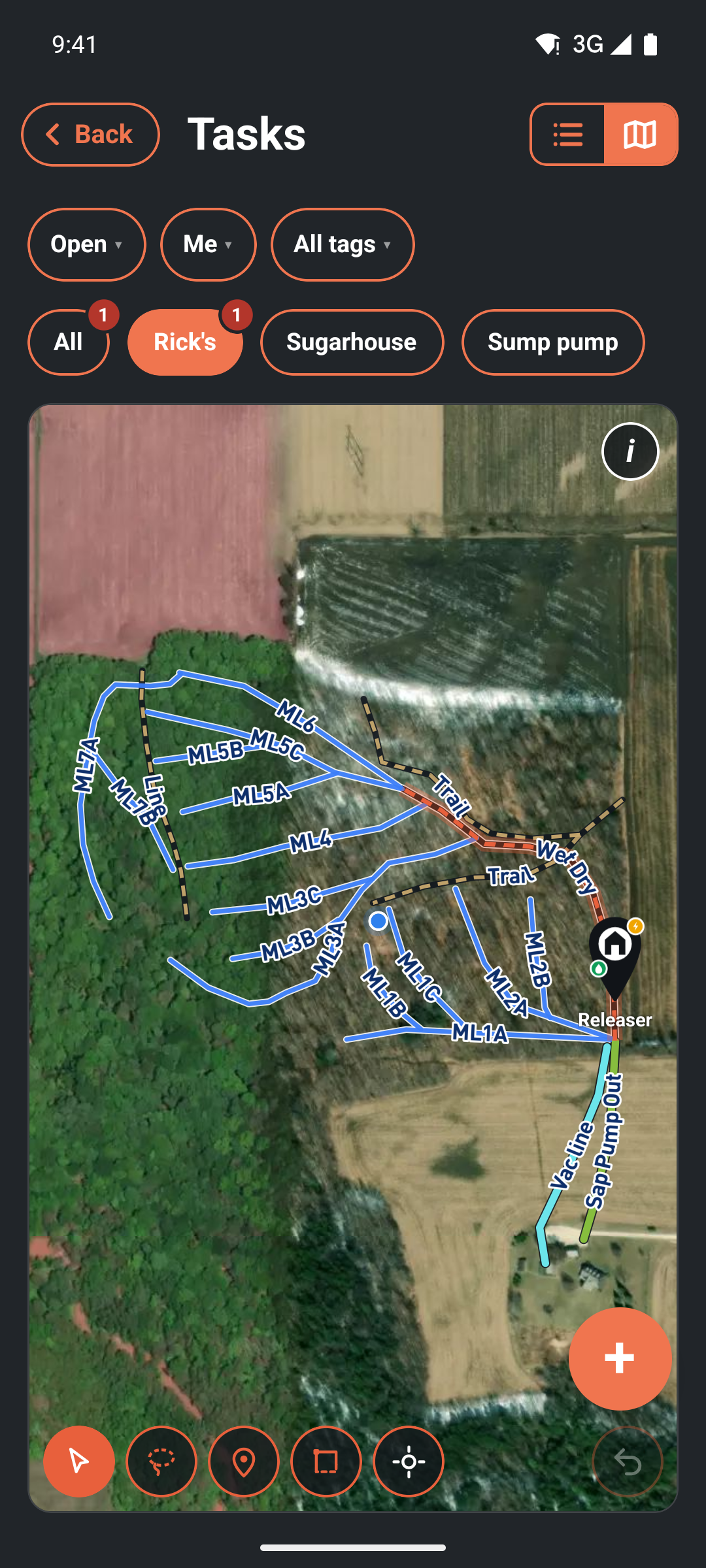
Finding it on a computer#
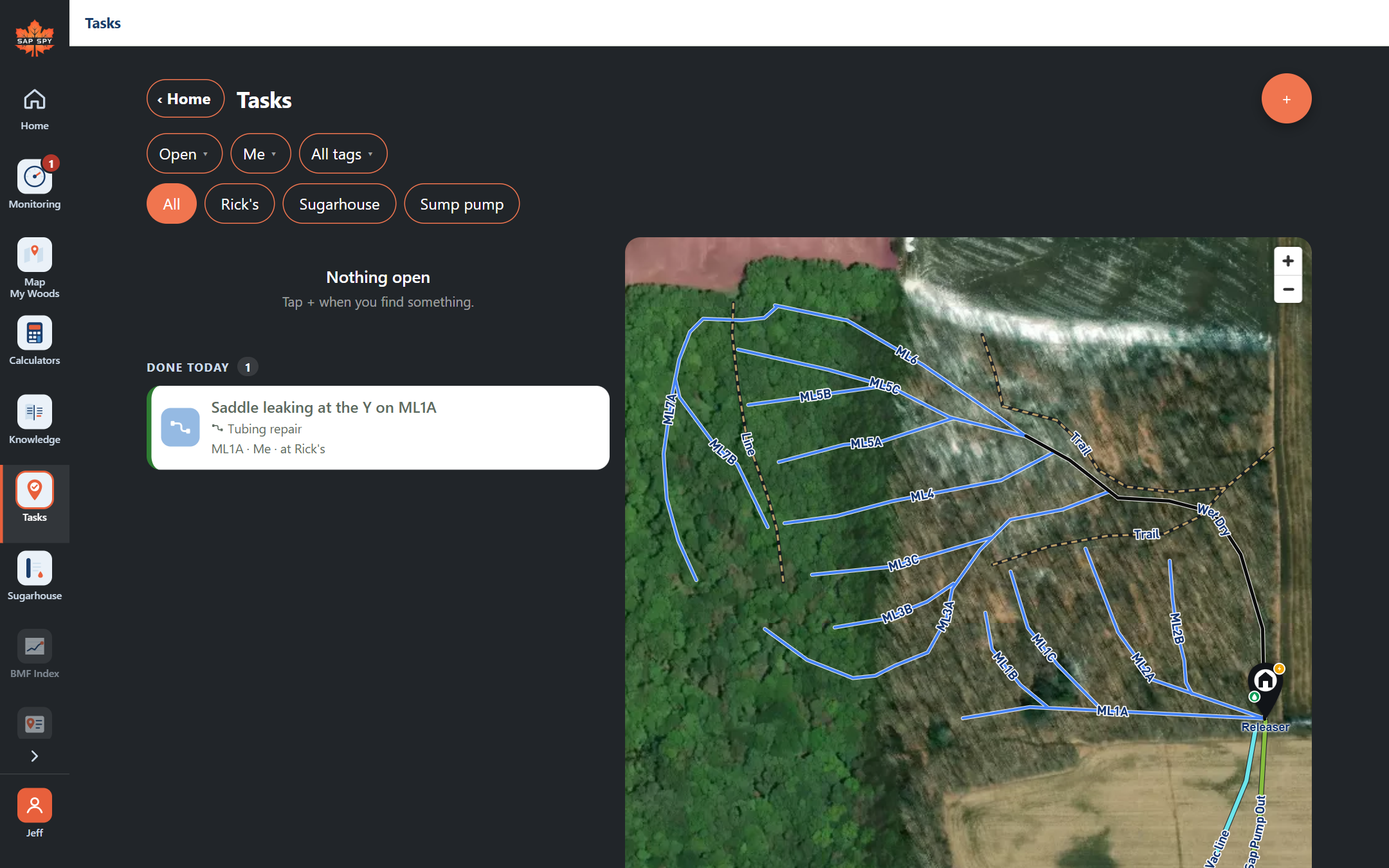
Go to sapspyapp.com, sign in, and click Tasks in the menu down the left. The list sits beside the map.
What a task carries#
- Where: a line, a pump house or a point on your Map My Woods map, a spot you drop, or an area you draw. A task with no place is for the whole site.
- What: a tag such as Leak, Tapping or Tree down, and your own words.
- Who: you, someone on your crew, or nobody yet (then it is up for grabs).
- When: today, tomorrow, a date, or no date. Urgent puts it at the top.
- Proof: an after photo, what it was, a note, and how long it took.
Have a question this doesn't answer? Email info@sapspy.com or call 920-809-4811. We're producers too.