
Sending suppliers their receipts and their own page
A supplier can get two things from you without signing in to anything: a receipt for every load, and a page with all their loads and totals for the season.
Their own page#
Every supplier has a private link to a read-only page: their loads, the running total, what has been paid. Nothing to install, nothing to sign in to.
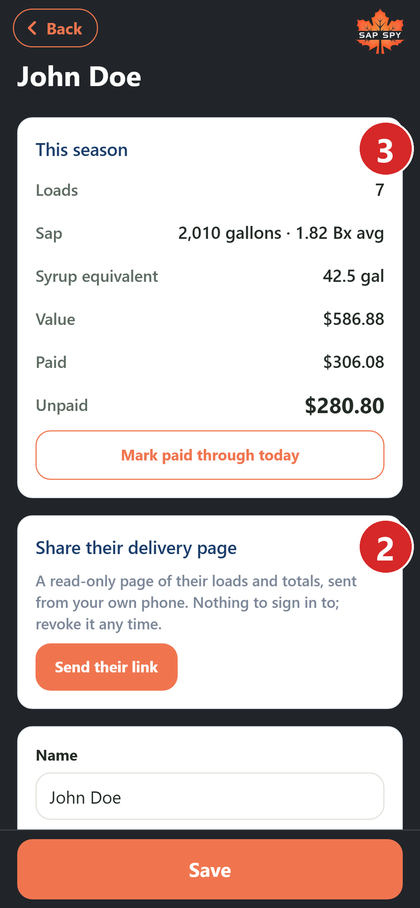
Open the supplier under Settings, My sites and sap suppliers, and tap Send their link. It goes by text from your own phone, so they see it is from you.
You can revoke the link any time; the page stops working at once.
A receipt on every load#
Under the supplier's details, Receipt on every load sends a text or email the moment a load is logged, with the gallons, Brix and value. Turn it on per supplier.
The printed slip#
Some suppliers want paper. Open any load and tap Print slip for a 4 x 6 delivery slip.
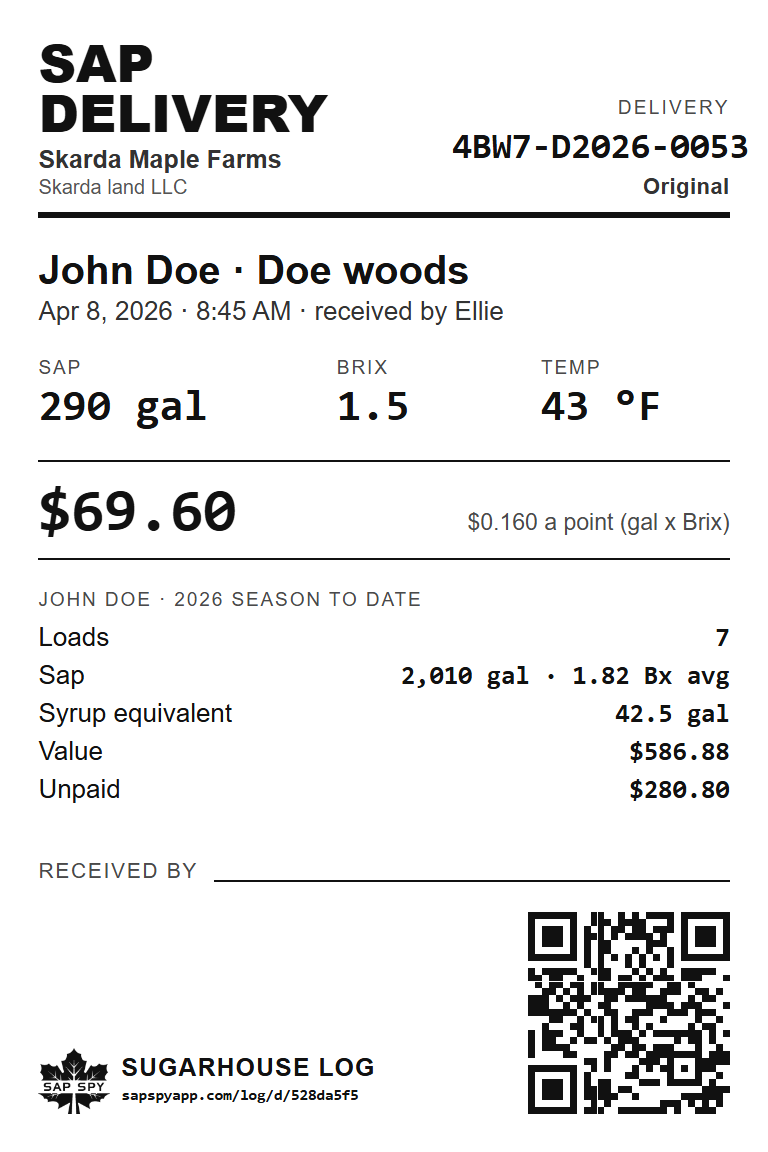
It shows the load, the price it was valued at, and the supplier's season to date. The QR code opens the load.
The season statement#
For settling up, the supplier's screen has Open the season statement (PDF): every load of the season on one page, with the totals, paid and unpaid.
FAQs
No. Loads brought in from a spreadsheet never text or email anyone.
No. Their page shows only their own loads.
Have a question this doesn't answer? Email info@sapspy.com or call 920-809-4811 — we're producers too.
This website uses cookies that help the website to function. We use these cookies to provide you with improved and customized user-experience. By tapping 'accept,' you consent to the use of cookies. For more info, see our privacy policy.