
On the desktop: Reports, Excel export and import
Sign in at sapspyapp.com/log for the same log on a bigger screen, plus the things that are easier with a keyboard: reports across every season, an Excel export, and an Excel import.
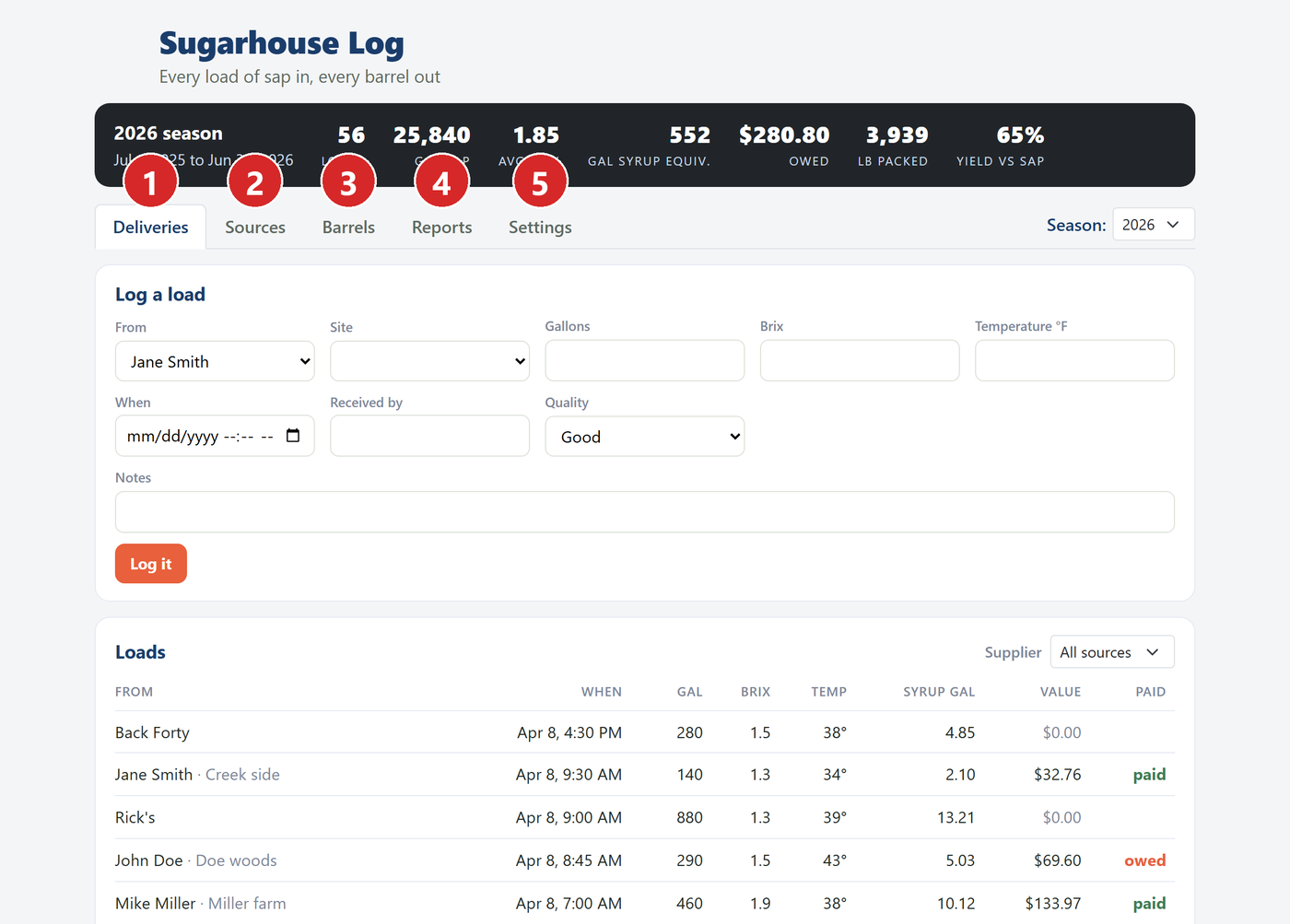
- Deliveries: log and edit loads. Click a load to open it.
- Sources: suppliers and your woods. Click one to edit it.
- Barrels: pack, print, sell, move, edit.
- Reports: trends, export, import.
- Settings.
Loads and barrels#
Click any load to open it. Everything about it can be changed in one place, and it can be marked paid, printed, voided or deleted.
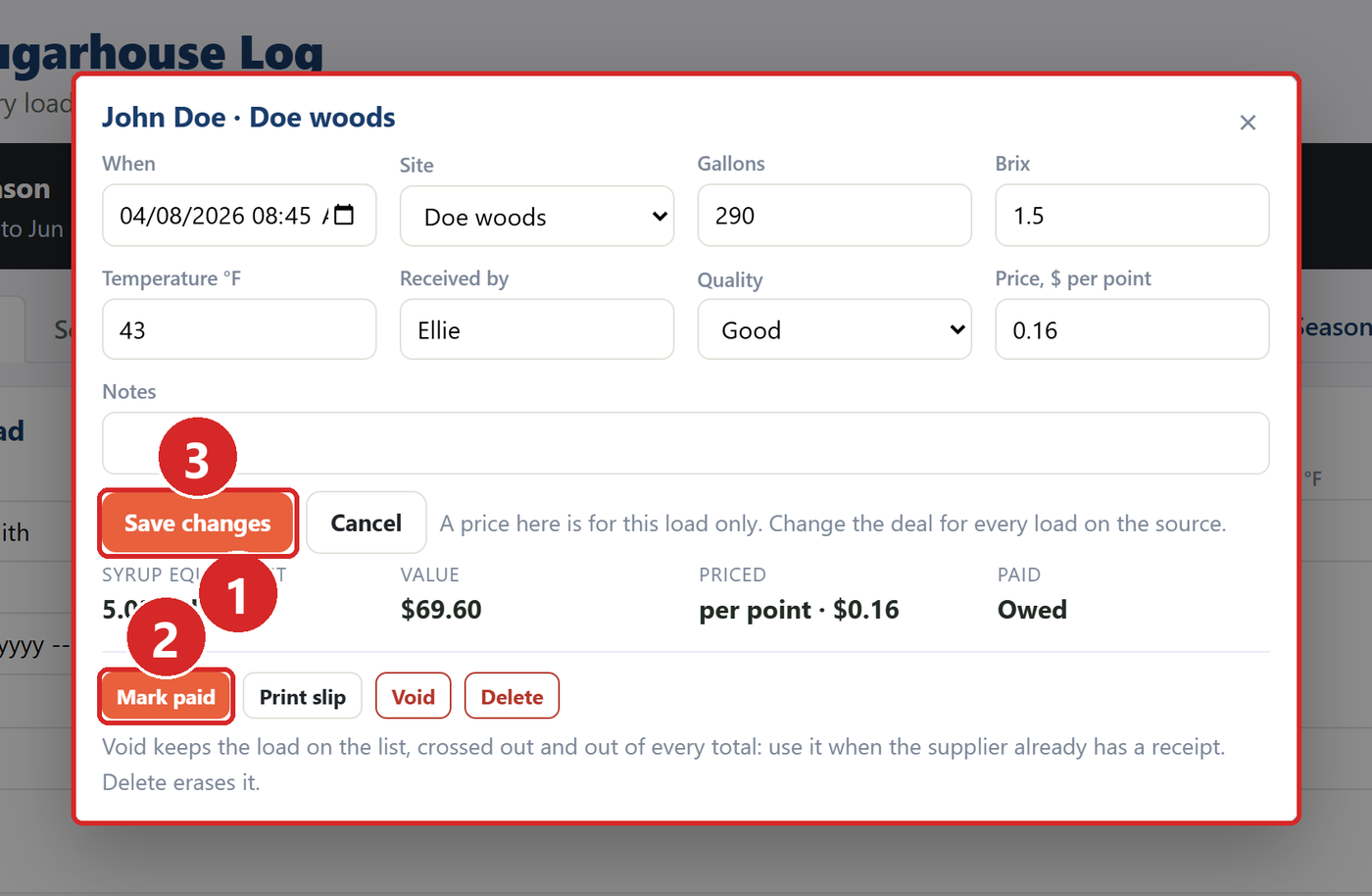
- When, site, gallons, Brix and the rest.
- Mark paid.
- Save changes.
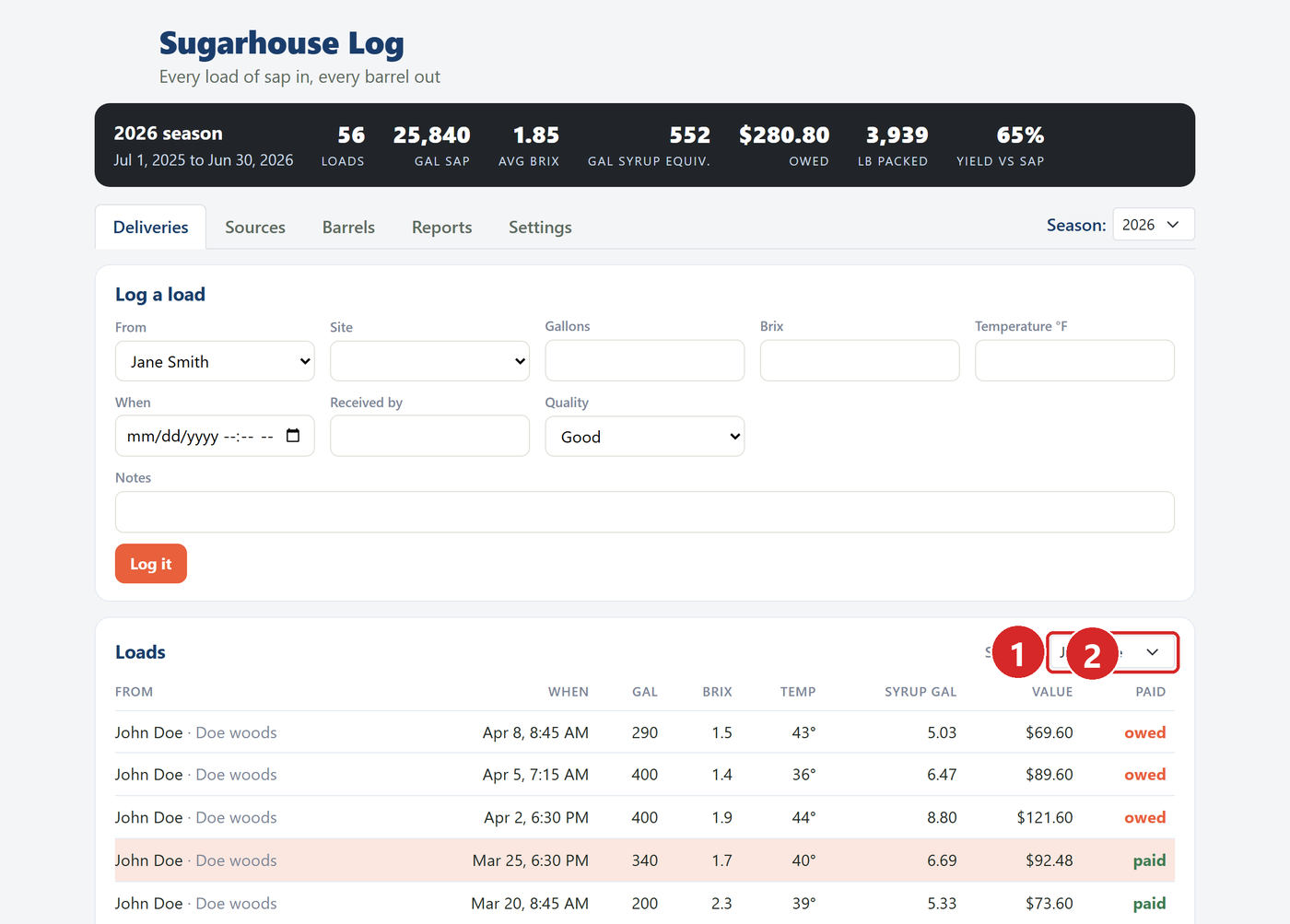
The Supplier filter above the loads shows one supplier at a time, with what is owed in the Paid column.
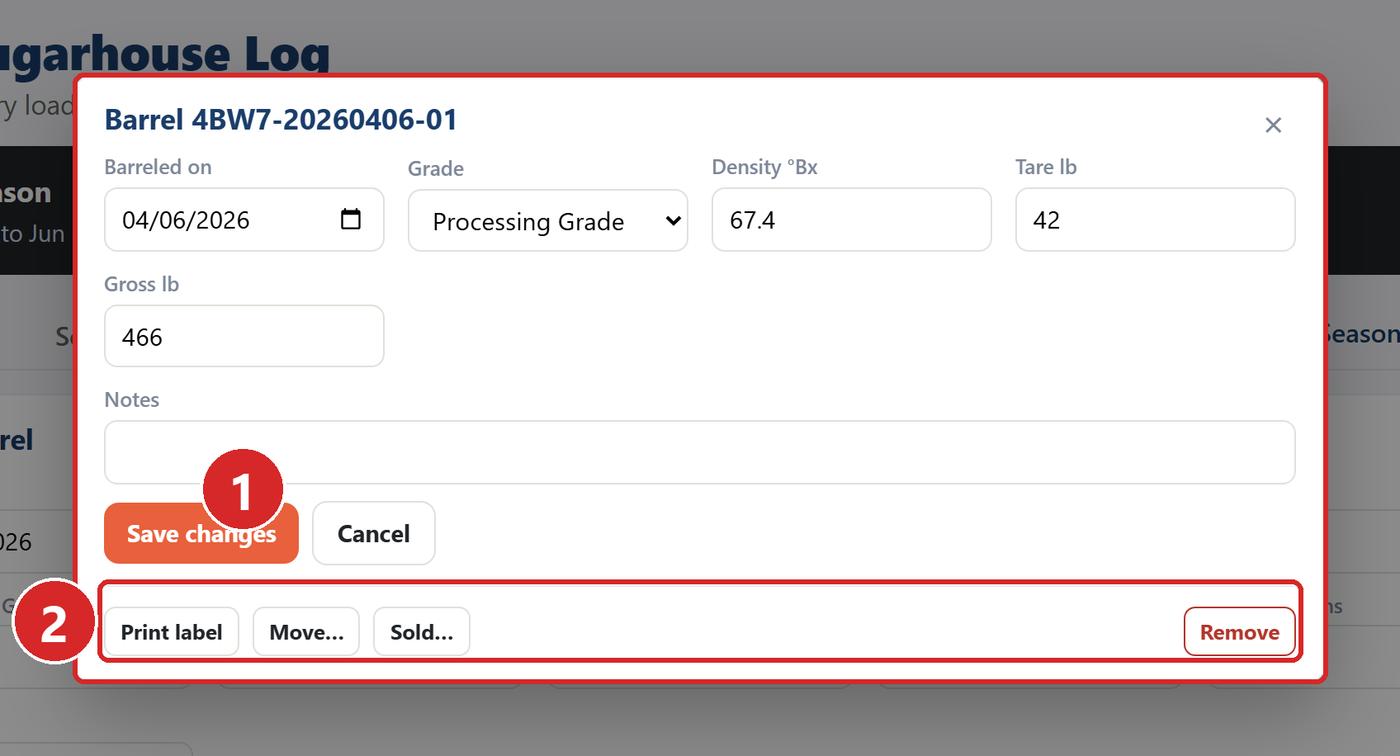
Barrels work the same way: click one to change it, print its label, move it, sell it, or remove it.
Reports and Trends#
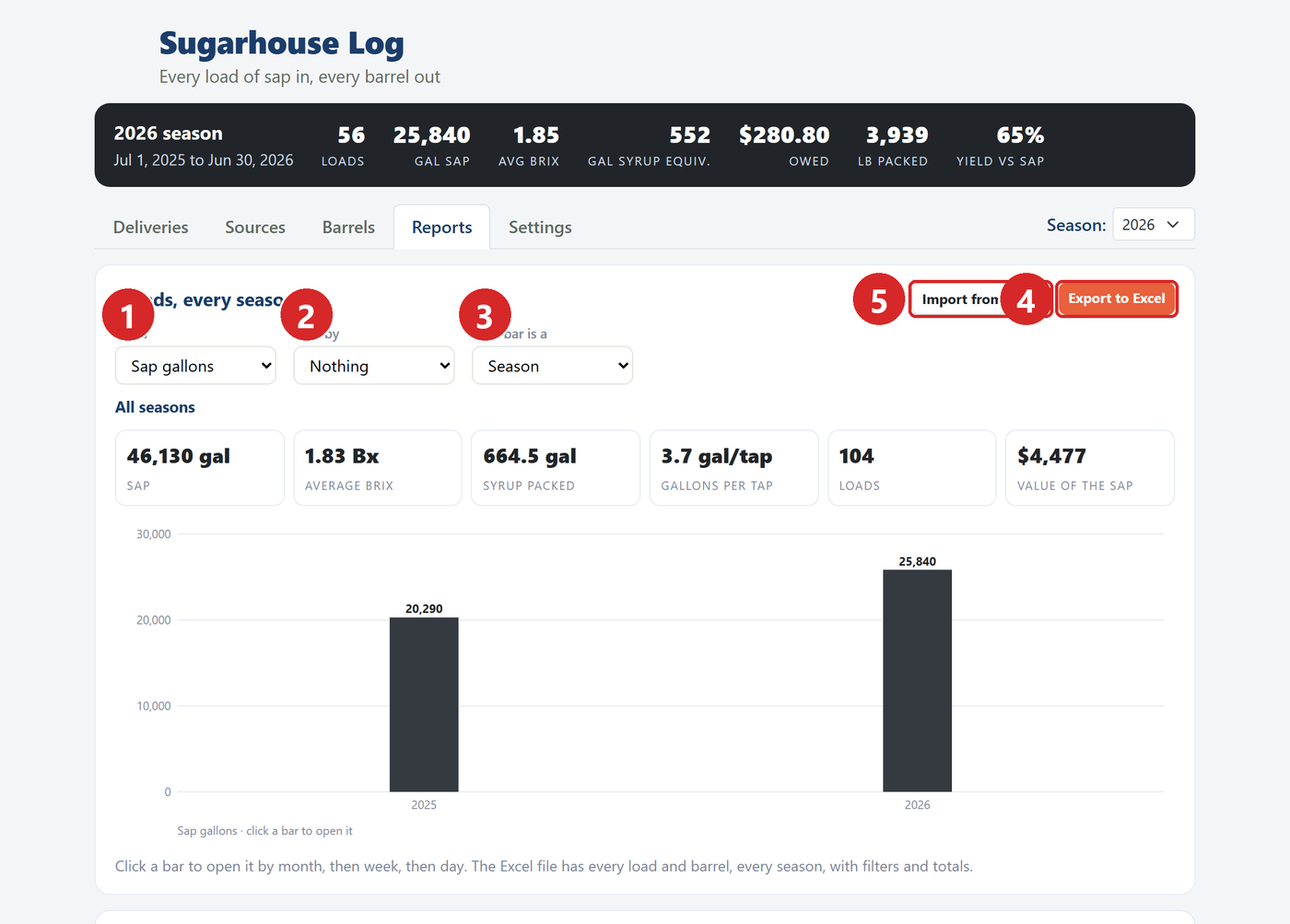
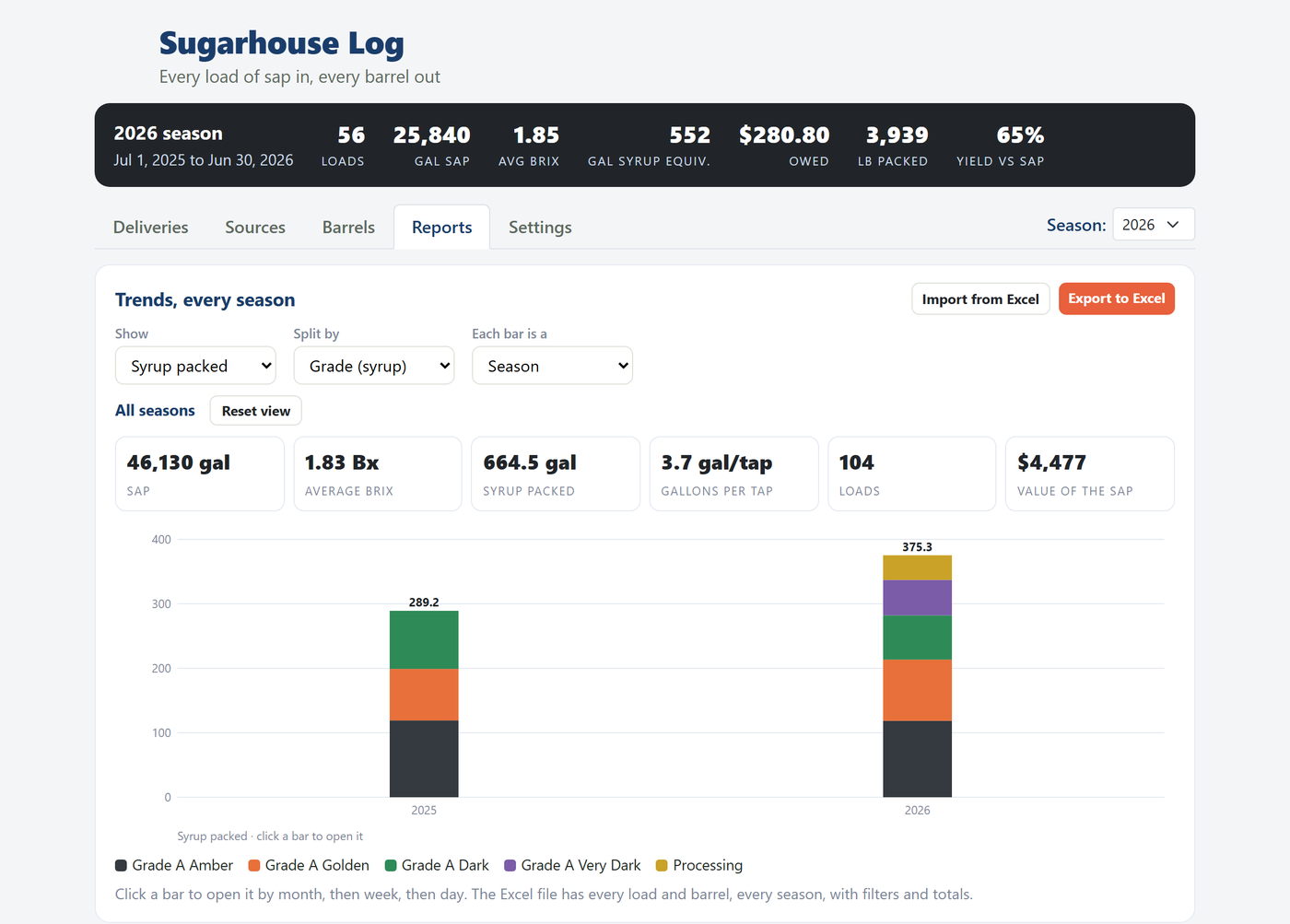
- Show: sap gallons, syrup packed, loads, value, average Brix or gallons per tap.
- Split by: source, site, own or bought, or grade for syrup.
- Each bar is a: season, month, week or day. Click a bar to open it; Reset view goes back to every season.
- Export to Excel.
- Import from Excel.
Export to Excel#
One workbook, every season: a Summary tab with a row per season, Sap loads, Barrels and Suppliers. Each tab is a table with filters and a totals row that follows the filters.
Import from Excel#
Use the import to bring in past seasons, to enter a stack of barrels at once, or to change many rows at once.
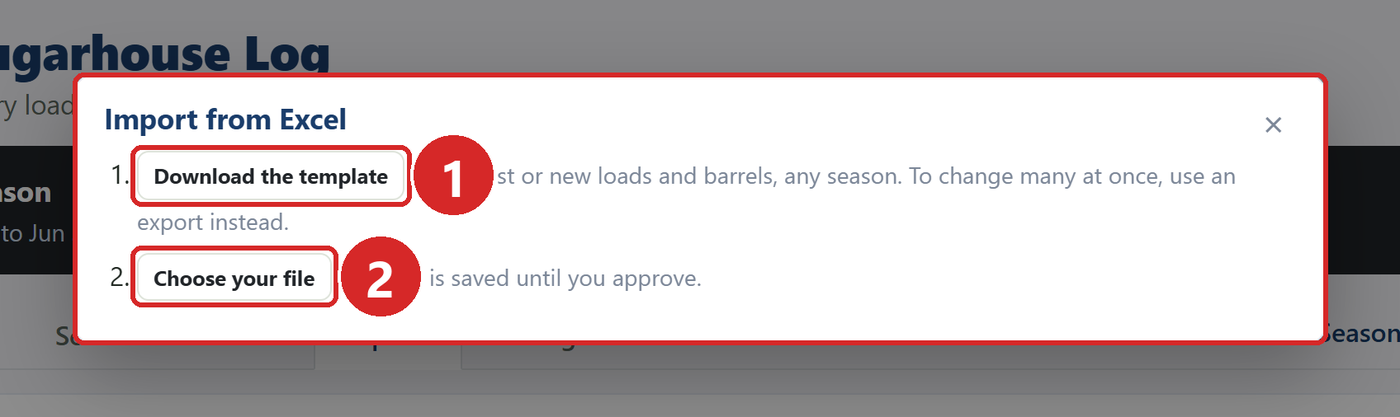
- Download the template. It has a Sap loads sheet and a Barrels sheet, with your suppliers, sites and grades as drop-downs, and a How to sheet.
- Choose your file once it is filled in. Any season works; each row goes into the season of its date.
Nothing is saved until you approve. Every row is shown first with what will happen to it.
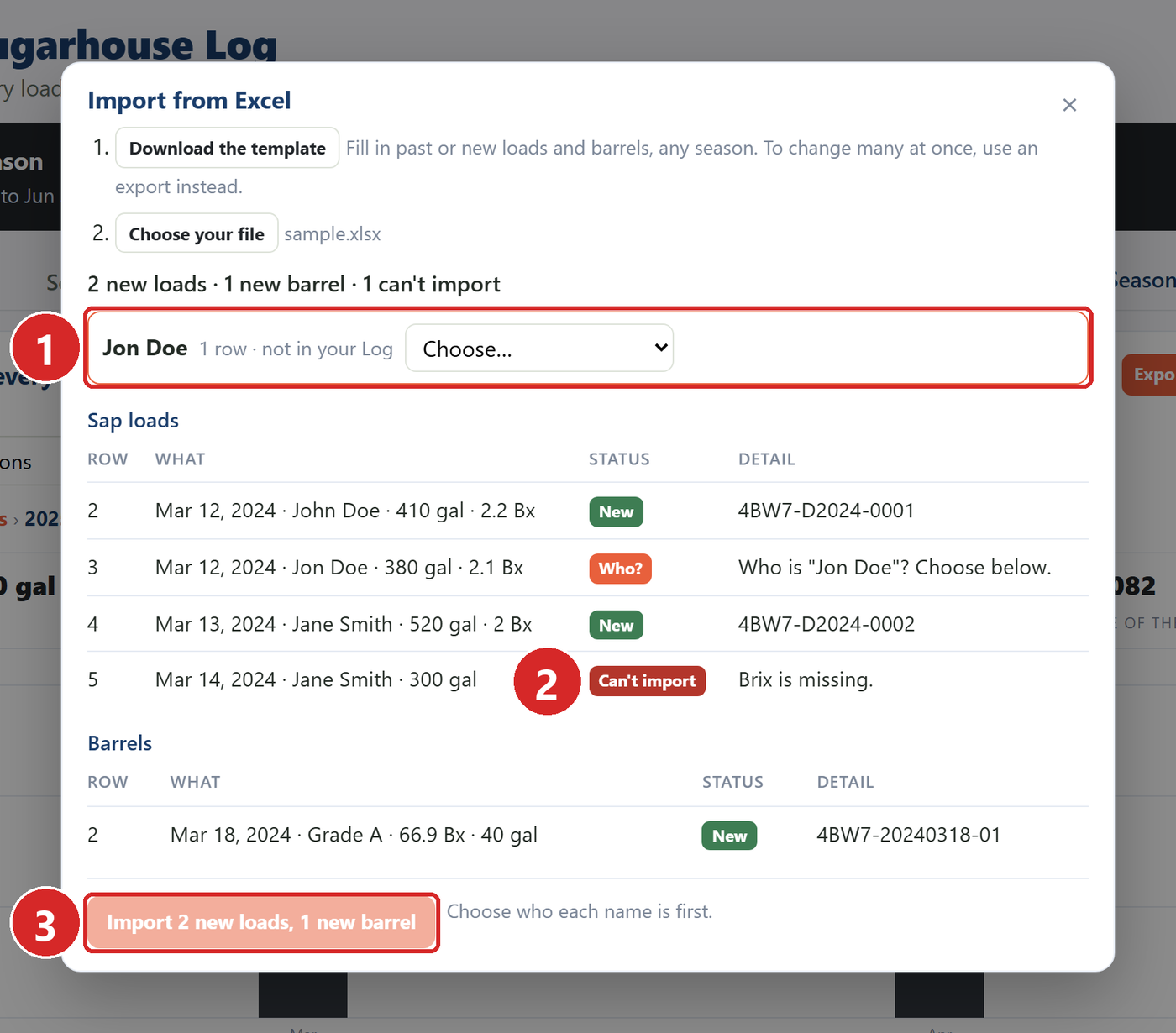
- A name the Log does not know is asked about: add it as a new supplier, or say which supplier it is. The answer holds for every row with that name.
- Can't import rows say why, in plain words. Fix the row in the file and upload again, or leave it out.
- Import goes live once every name is answered.
Every import can be undone for a week, from the same window.
To change many rows at once: export, change the rows in Excel, and upload the export. Rows that already exist show what changed, and each one can be updated or left as it is.
FAQs
No. Imports never text or email anyone.
A load needs a date, who it came from, gallons and Brix. A barrel needs the packed date, grade, density, and either gallons or the gross and tare weights.
Export from the same browser you import with. The export writes times in your browser's time zone so they come back unchanged.
Have a question this doesn't answer? Email info@sapspy.com or call 920-809-4811 — we're producers too.
This website uses cookies that help the website to function. We use these cookies to provide you with improved and customized user-experience. By tapping 'accept,' you consent to the use of cookies. For more info, see our privacy policy.