
Packing a barrel and printing its label
Every barrel you pack gets a lot code and a 4 x 6 label with the grade, the density, the contents and your name on it.
New barrel#
Tap New barrel on the Log's home screen.
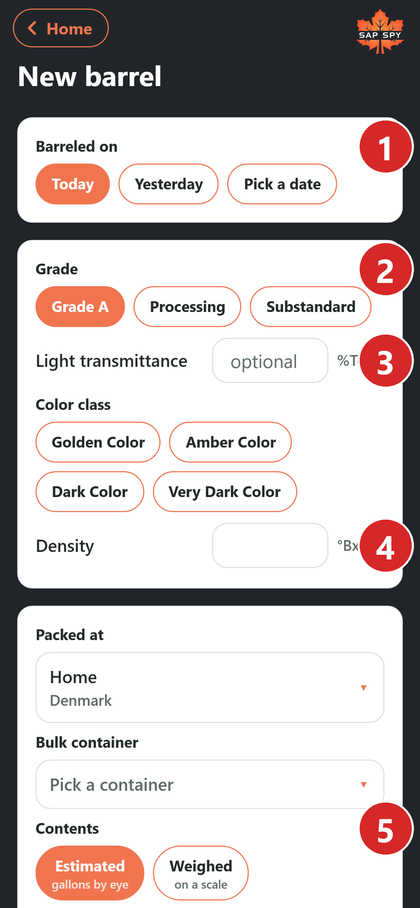
- Barreled on: today, yesterday, or pick a date.
- Grade: Grade A, Processing or Substandard.
- Light transmittance (%Tc): for Grade A, this sets the color class. You can also tap the color yourself.
- Density in Brix.
- Contents: estimated gallons, or weighed with the tare and gross in pounds.
- Pack it.
Grade A needs the density to be at or above your finish Brix. If it is under, the form asks for a reason or suggests Processing.
The lot code#
Each barrel gets a lot code like 4BW7-20260331-01: your producer code, the date it was barreled, and the number of the barrel that day. A barrel from more than one boil date gets a blend code instead.
The label#
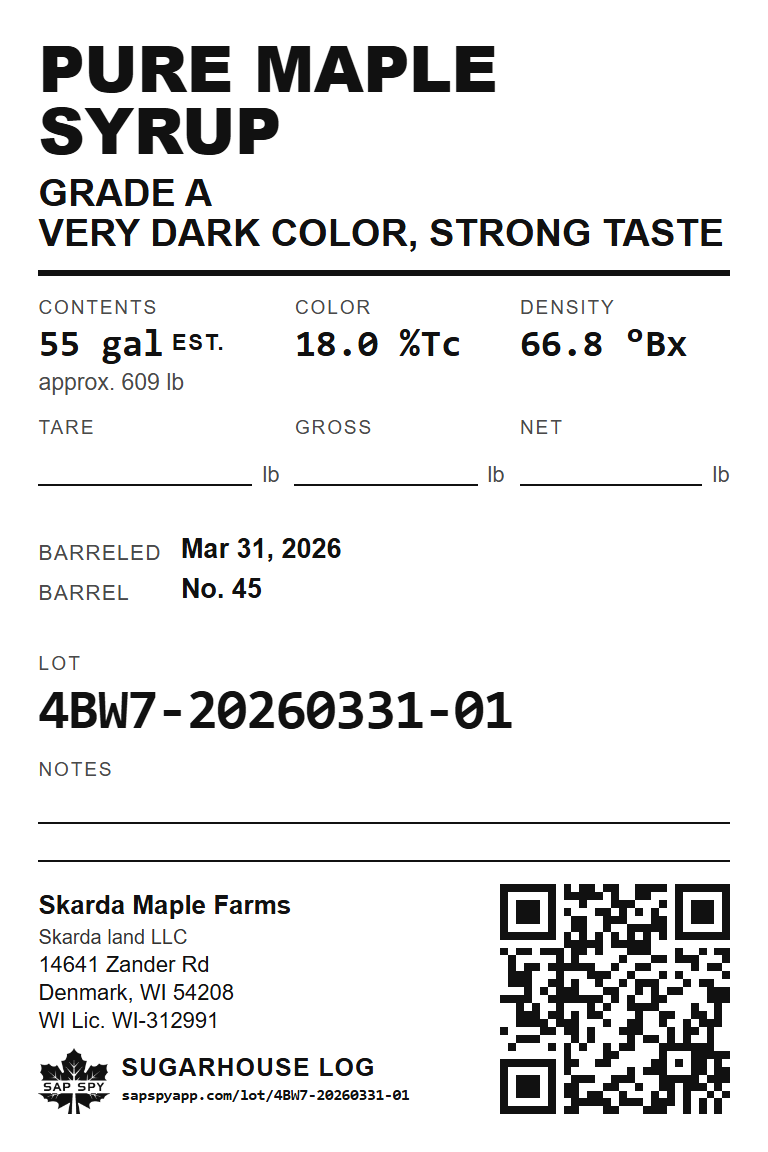
The label has the grade and color, the contents, density, barrel number, lot code and your operation's name, address and license. The QR code opens the barrel in your log. Space is left for the tare, gross and net weights when the buyer weighs it.
Printing#
Open a barrel and tap Print label. The app prints to any 4 x 6 label printer your phone can see with AirPrint (iPhone) or the Android print service.
Printers that work: Brother QL-1110NWB over Wi-Fi. More will be listed here as they are tested.
Under Settings, Label and Receipt Printing you can have the label print by itself as soon as you pack a barrel, ask each time, or never.
FAQs
The lot number is given out when the phone next syncs, so the label prints after that. The barrel itself is saved.
A container you reuse: a 40 gallon stainless drum with its empty weight, for example. Set them up once under Settings and pick one when packing, so the tare is filled in.
Yes. On sapspyapp.com/log, open the barrel and choose Print label. The print dialog does copies.
Have a question this doesn't answer? Email info@sapspy.com or call 920-809-4811 — we're producers too.
This website uses cookies that help the website to function. We use these cookies to provide you with improved and customized user-experience. By tapping 'accept,' you consent to the use of cookies. For more info, see our privacy policy.