
Installing your gateway
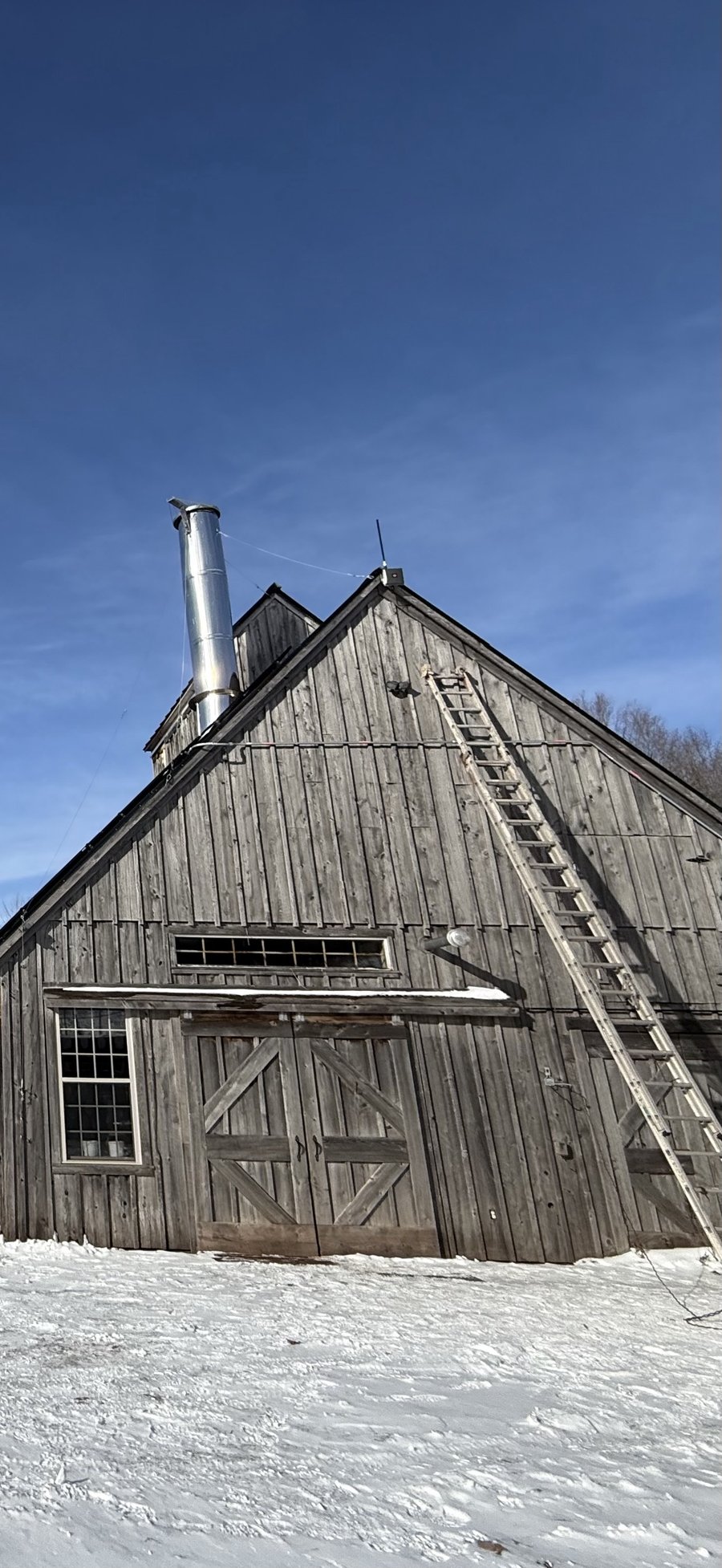
The gateway is the one piece of Sap Spy hardware that every node talks to, so where you put it matters more than anything else. For most sugarbushes the best spot is the gable end of the pump house or sugarhouse, as high as you can safely reach. It comes with what you need to mount it, and it arrives set up for Sap Spy.
Before you start#
You'll need:
- An outdoor-rated Ethernet cable long enough to run from an indoor outlet up to the gateway. Outdoor (UV-rated) Cat5e or Cat6.
- A short mast to mount on: a 2 to 4 inch pipe (50 to 100 mm), about 3 to 4 feet long, fastened to the gable end. The gateway's bracket clamps around it.
- Electrical tape and self-amalgamating (waterproof) tape for the outdoor connections.
- A ladder, and someone to hold it.
Plan it on the map first. In Map My Woods, drop a gateway where you plan to mount it and check that the coverage reaches your woods. See Planning gateway coverage.
Choose the spot#
- Go high. Height makes the biggest difference to range. The peak of the gable end is ideal.
- Face the woods. Use the gable end that looks toward most of your sugarbush.
- Keep the antennas clear. Mount so the antennas stand above the roofline and a few feet from the chimney, a metal roof edge or other antennas.
- Plan the cable run. The power injector goes inside, near an outlet, somewhere dry. Keep the cable under 300 feet (100 m).
Mount the gateway#
- Fasten the mast to the gable end, upright, with lag bolts or U-bolts into solid framing.
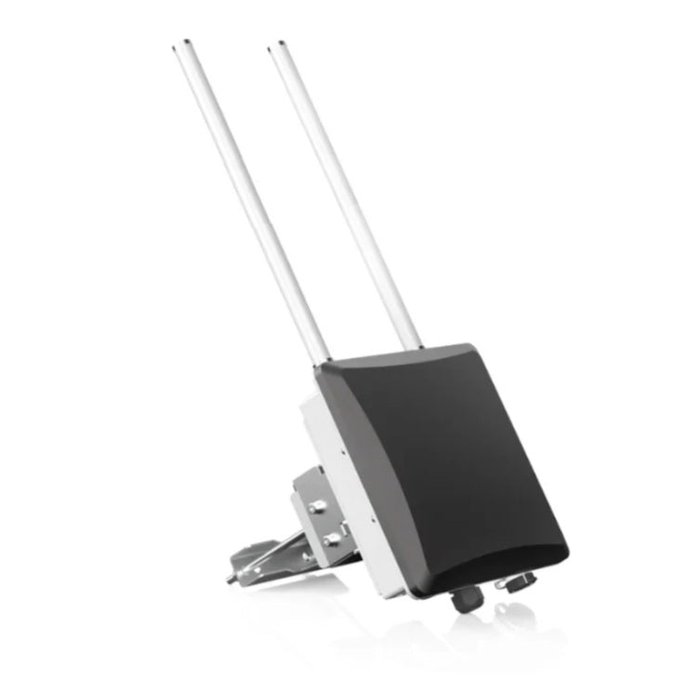
- Attach the bracket to the bottom of the gateway with the four screws provided.
- Clamp the bracket to the mast with the pole clamps, bolts, washers and nuts. Snug them, but don't fully tighten yet.
- Hang the gateway on the bracket's hook.
- Stand the antennas straight up. Use the bracket's adjustment screw so the antennas are plumb, even if the mast leans a little.
- Tighten everything, including the two screws that lock the gateway to the bracket.
Attach the antennas and cable#
- Screw the two antennas onto the antenna ports, hand-tight. Never power the gateway with an antenna port empty.
- Run the Ethernet cable from inside up to the gateway and plug it into the ETH (PoE) port. Tighten the cable gland so it seals around the cable.
- Leave a drip loop. Let the cable dip below the port before it runs up the building, so water drips off instead of running into the gateway.
- Fasten the cable to the building every few feet so the wind can't work it loose.
Seal the outdoor connections#
Do this on each antenna connector and on the Ethernet gland. It keeps water out for years.
- Wrap electrical tape around the connector, half-overlapping, about half an inch past each end.
- Stretch the waterproof tape to about twice its length and wrap three layers over it, half-overlapping, pressing it down as you go.
- Finish with three more layers of electrical tape over the top.
Power it on#
- Inside, plug the Ethernet cable from the gateway into the POE port of the power injector, not the LAN port. This is the most common mix-up.
- Plug the injector into the outlet.
- Check the lights on the bottom of the gateway. No lights means it isn't getting power: check that the cable is in the POE port.
The gateway connects to Sap Spy over cellular. If you have Wi-Fi or a wired internet connection in the sugarhouse and want to use it instead, tell us before you install and we'll set it up.
Getting your nodes on it#
- New nodes come ready to talk to the gateway.
- Nodes that used to talk to a Sensor Hub need a quick software update, and DIP switch 6 turned on inside each node. We include a pocket flasher so you can do the update yourself.
Once the nodes are reporting, you'll see their readings in Sugarbush Monitoring, in the app and at sapspyapp.com.
No power at the spot?#
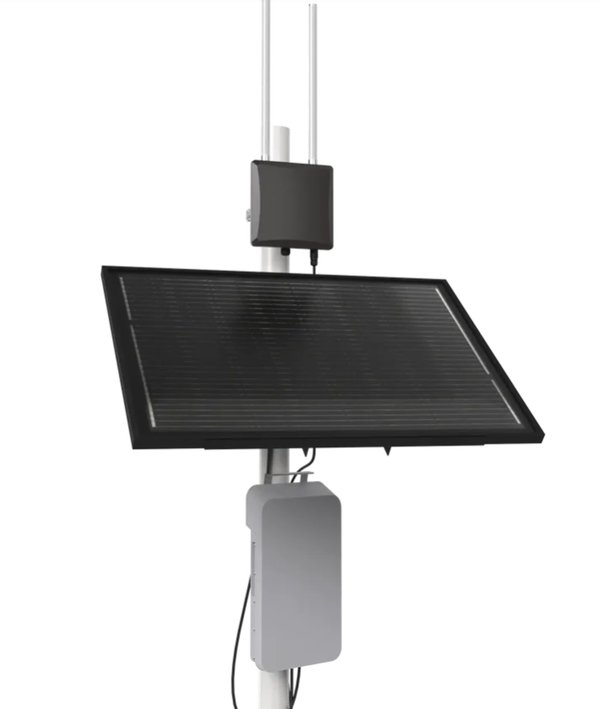
For a gateway out in the woods, away from power, there is a solar option: a panel and battery on a pole. Email info@sapspy.com and we'll help you set it up.
FAQs
It isn't getting power. Check that the Ethernet cable is in the POE port of the injector, not LAN, and that the injector is plugged in.
Yes. The bracket clamps to any pole 2 to 4 inches across. A building's gable end is usually easier, higher and closer to power.
Plan it in Map My Woods first: Planning gateway coverage. For a larger operation, we can provide a field tester with a built-in GPS to measure the signal wherever you are. Email info@sapspy.com.
That is usually fine. See the Troubleshooting Guide.
Have a question this doesn't answer? Email info@sapspy.com or call 920-809-4811 — we're producers too.
This website uses cookies that help the website to function. We use these cookies to provide you with improved and customized user-experience. By tapping 'accept,' you consent to the use of cookies. For more info, see our privacy policy.