
Your content, the bill of material and a quote
Once the bush is drawn, the map adds it up: every line and pin in a list, the tubing you need by size, and the monitoring hardware it would take.
Content: everything on the map#
Tap Content on the phone's bar.
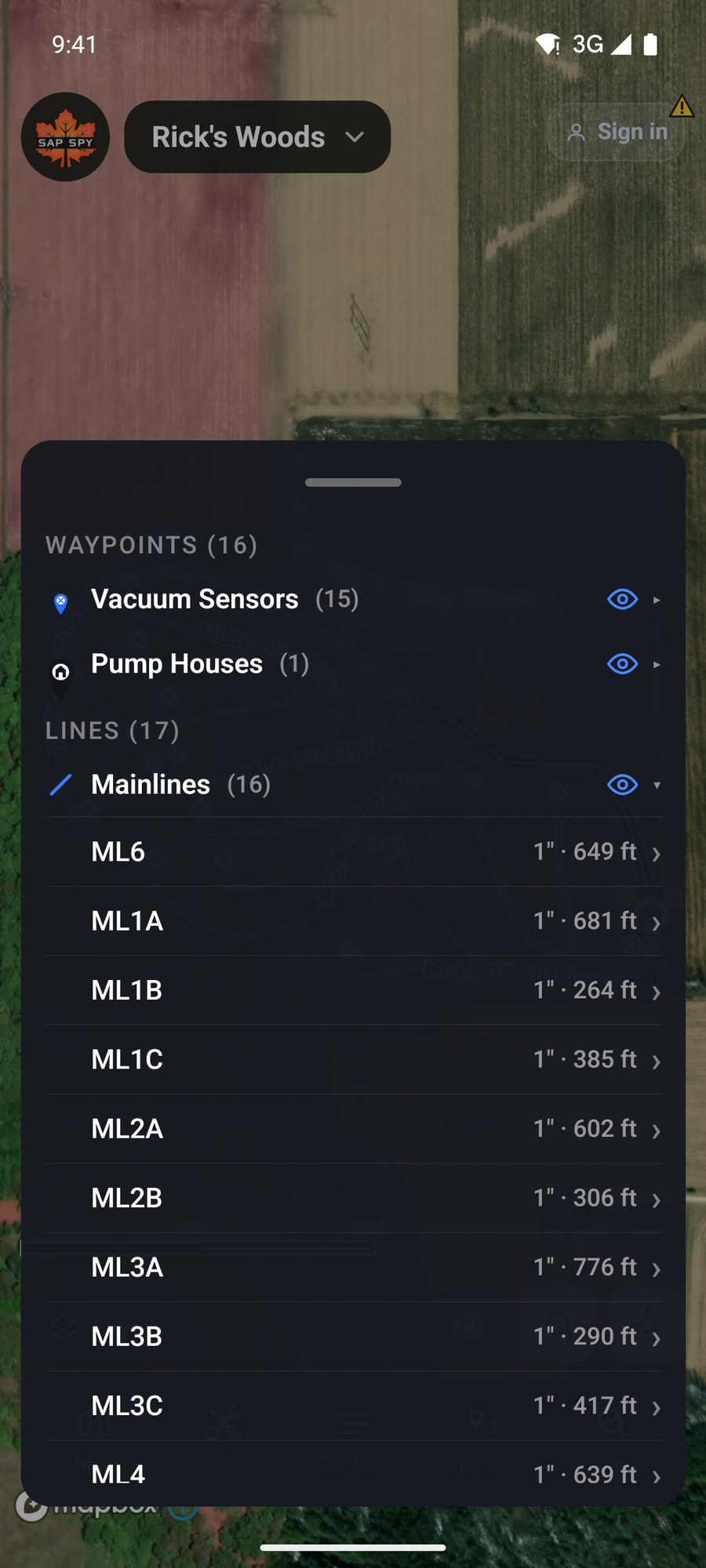
Lines and pins are grouped by kind. Tap a group to open it. Tap a line or pin to open its card. The eye on a group hides that whole kind on the map.
Insights: what it adds up to#
Tap Insights.
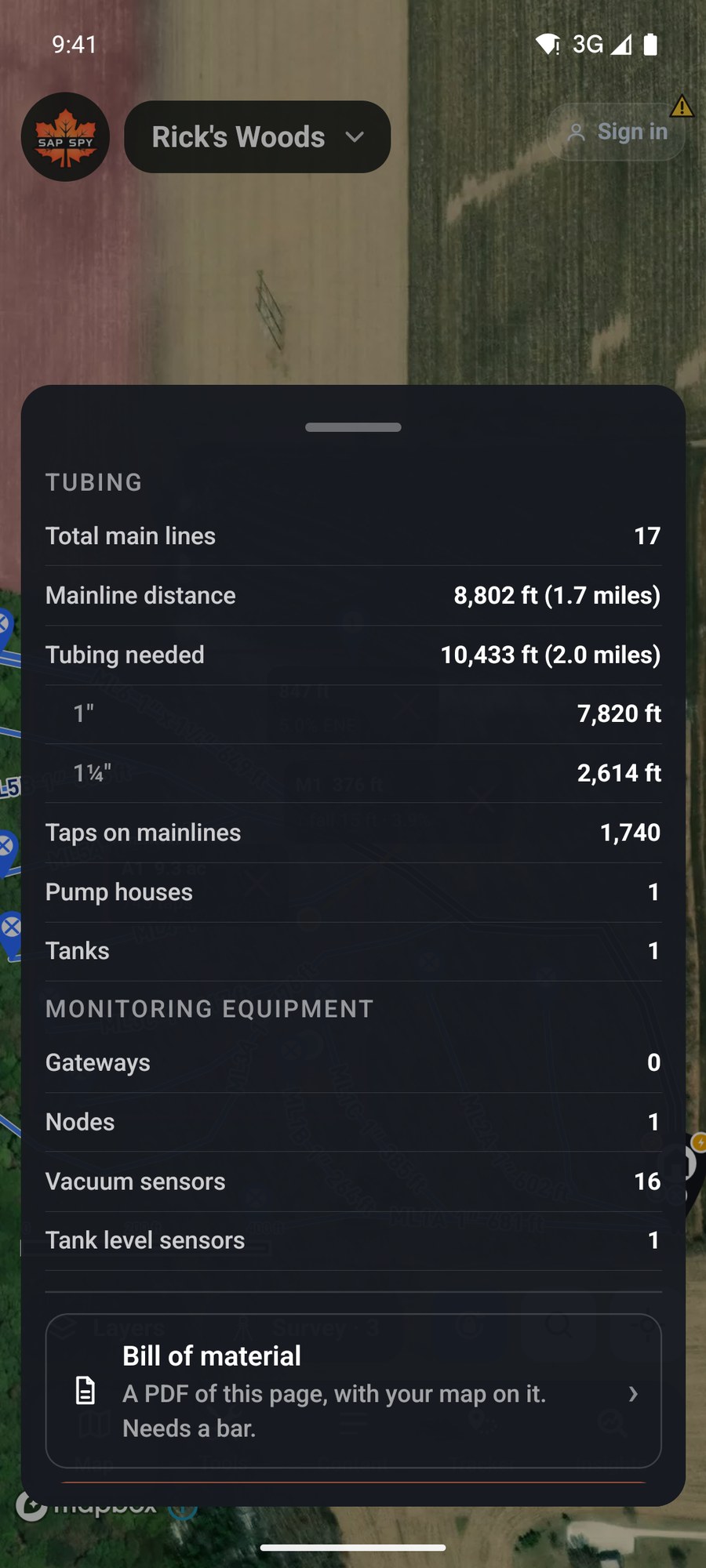
- Tubing: the number of main lines, the mainline distance, the tubing needed (more than the distance when you have wet/dry runs), feet of each size, and the taps on your mainlines.
- Monitoring equipment: gateways, nodes, vacuum sensors and tank level sensors on the map.
Bill of material makes a PDF of this page with a picture of your map on it. It needs a signal.
A quote for monitoring#
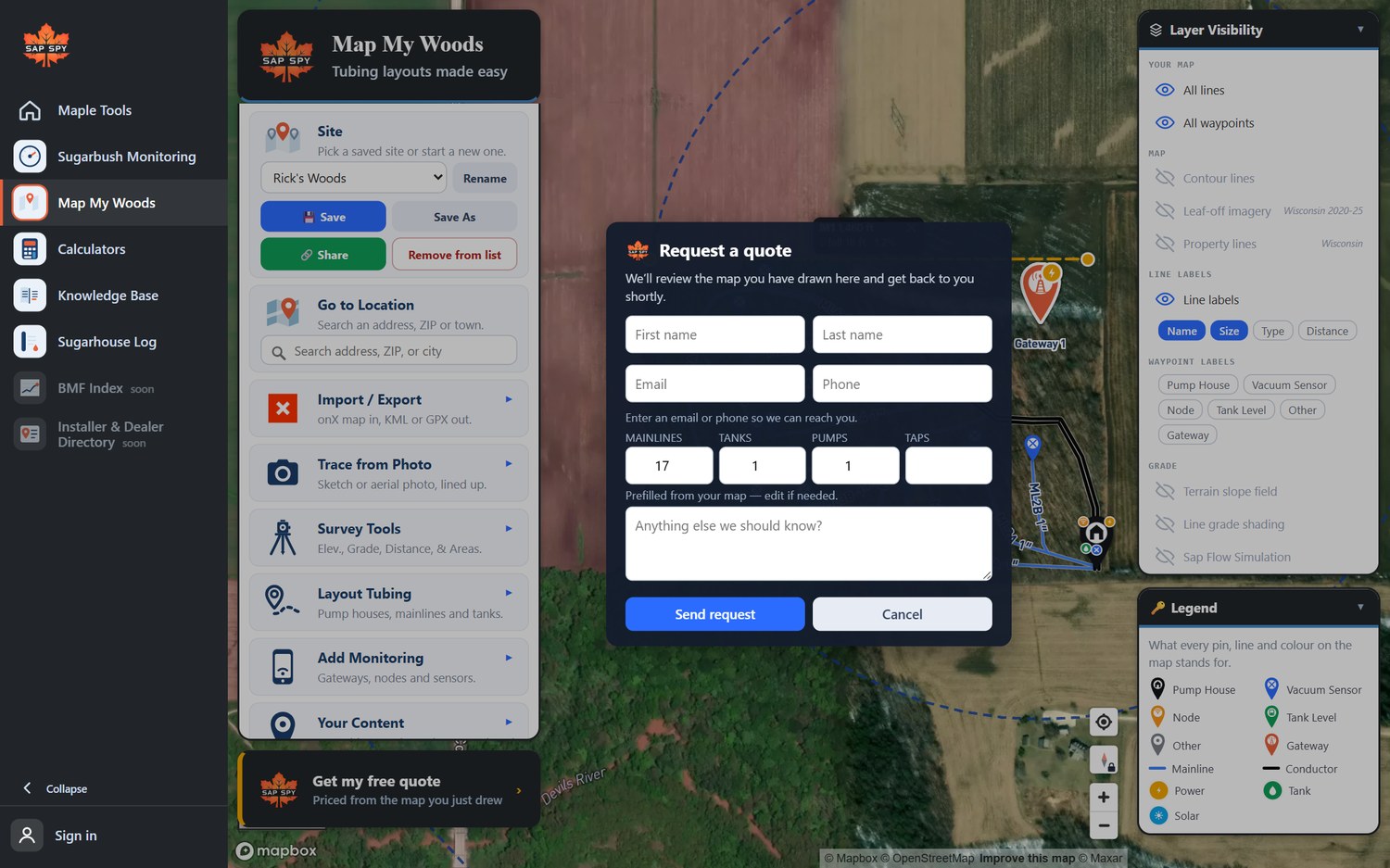
Ask for a price sends your layout to Sap Spy and comes back with a quote for the monitoring hardware on your map, priced from what you drew. There is no obligation.
On a computer#
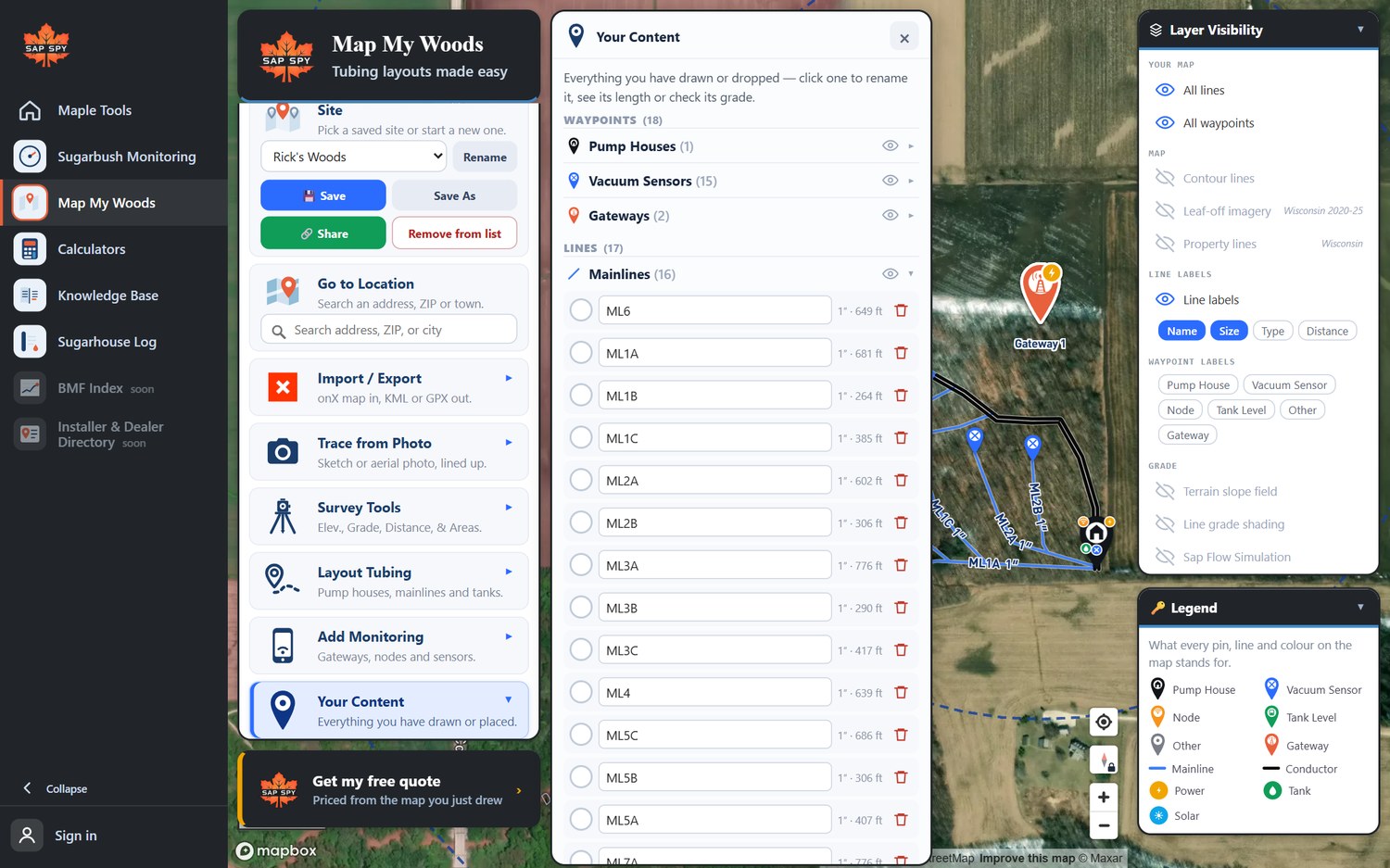
Your Content is the same list. Click a name to rename it. Tick several, or hold Ctrl and click, to delete or change them together.
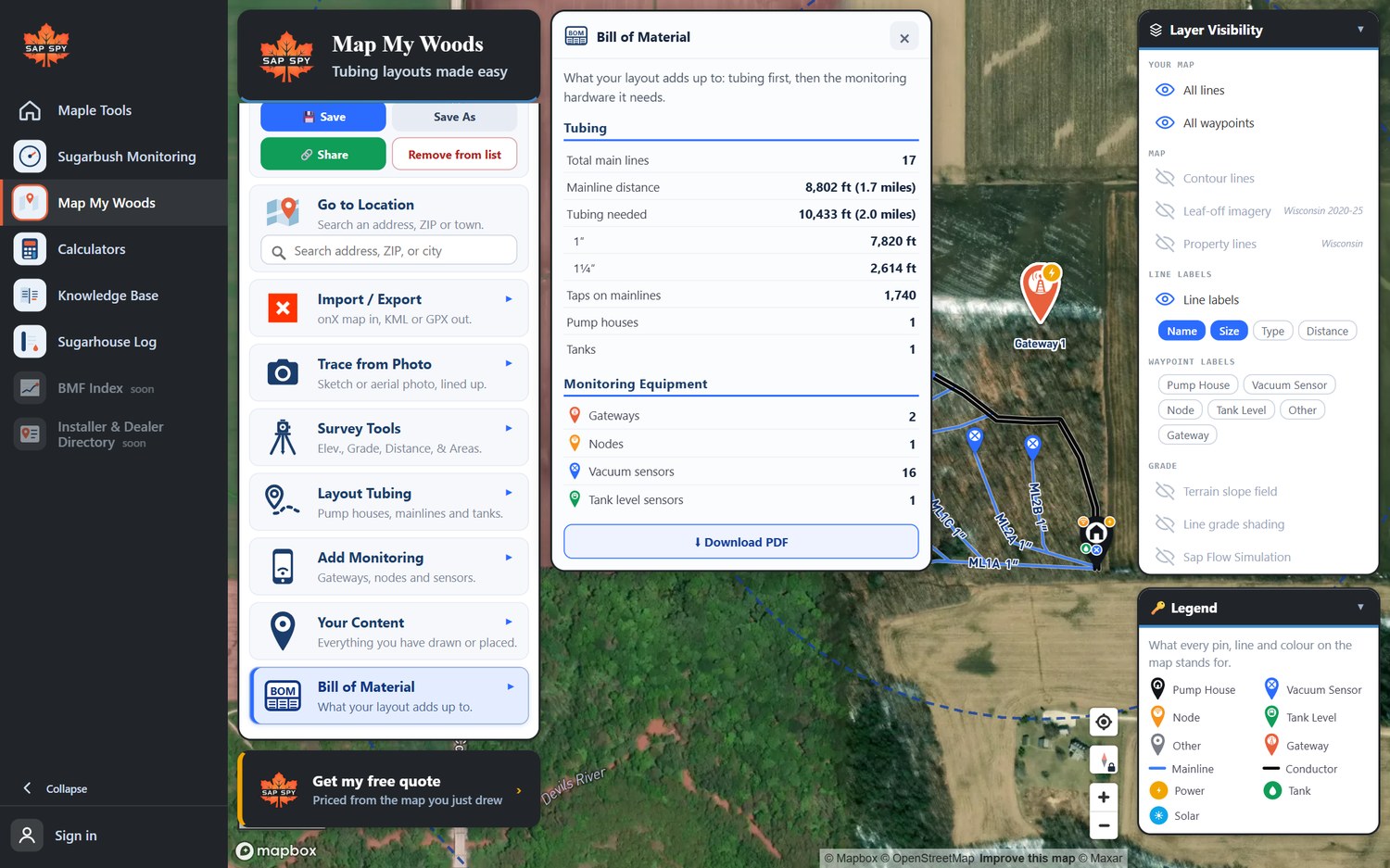
Bill of Material has the same totals and a Download PDF button.
Get my free quote, at the bottom of the menu, fills in the mainlines, tanks, pumps and taps from your map.
FAQs
A wet/dry line is one line on the map and two or three runs of pipe. Tubing needed counts every run.
They are estimated from your layout. Add what you need for sags, fittings and waste, and check on site before you order.
No. Taps are optional on every line. With them, the totals and the quote are better.
Have a question this doesn't answer? Email info@sapspy.com or call 920-809-4811 — we're producers too.
This website uses cookies that help the website to function. We use these cookies to provide you with improved and customized user-experience. By tapping 'accept,' you consent to the use of cookies. For more info, see our privacy policy.