
Tasks on a computer
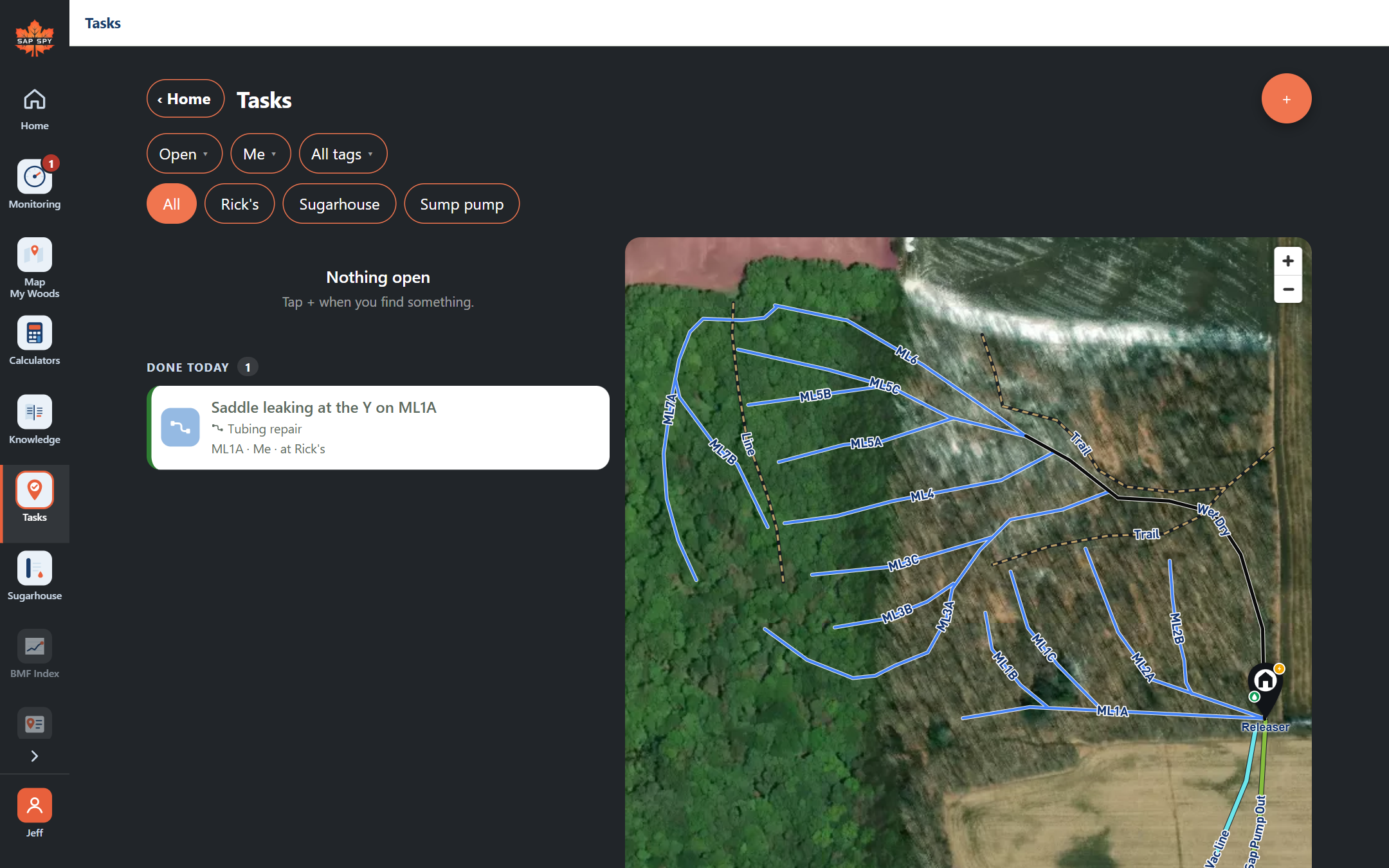
sapspyapp.com/tasks is the same Tasks, on a bigger screen. Sign in with the same account as your phone and the list, the map, every task and the hours are there.
What you see#
- Tasks: the filters with their counts, the sites, the list on the left and the map on the right. Narrow the window and it becomes the phone's layout, list or map.
- A task: its places, photos, history, and the map of where it is. Done, Reopen, Can't do, Edit, Reassign, Add a place, Share a link, Cancel.
- New task: the place first on the map (click a line, a pump house or an area, drop a point, draw an area), then the tags, the words, who and when.
- Hours: everyone's week, Add hours, Fix, and Download CSV.
What stays on the phone#
Clocking in and out, My location, the camera, and Walk there need the phone, because they need the woods.
Was this helpful?
Have a question this doesn't answer? Email info@sapspy.com or call 920-809-4811. We're producers too.