
Starting your first map
Your first map takes a minute: open Map My Woods, find your woods, give the map a name.
On your phone#
The first time you open Map My Woods it asks one question.
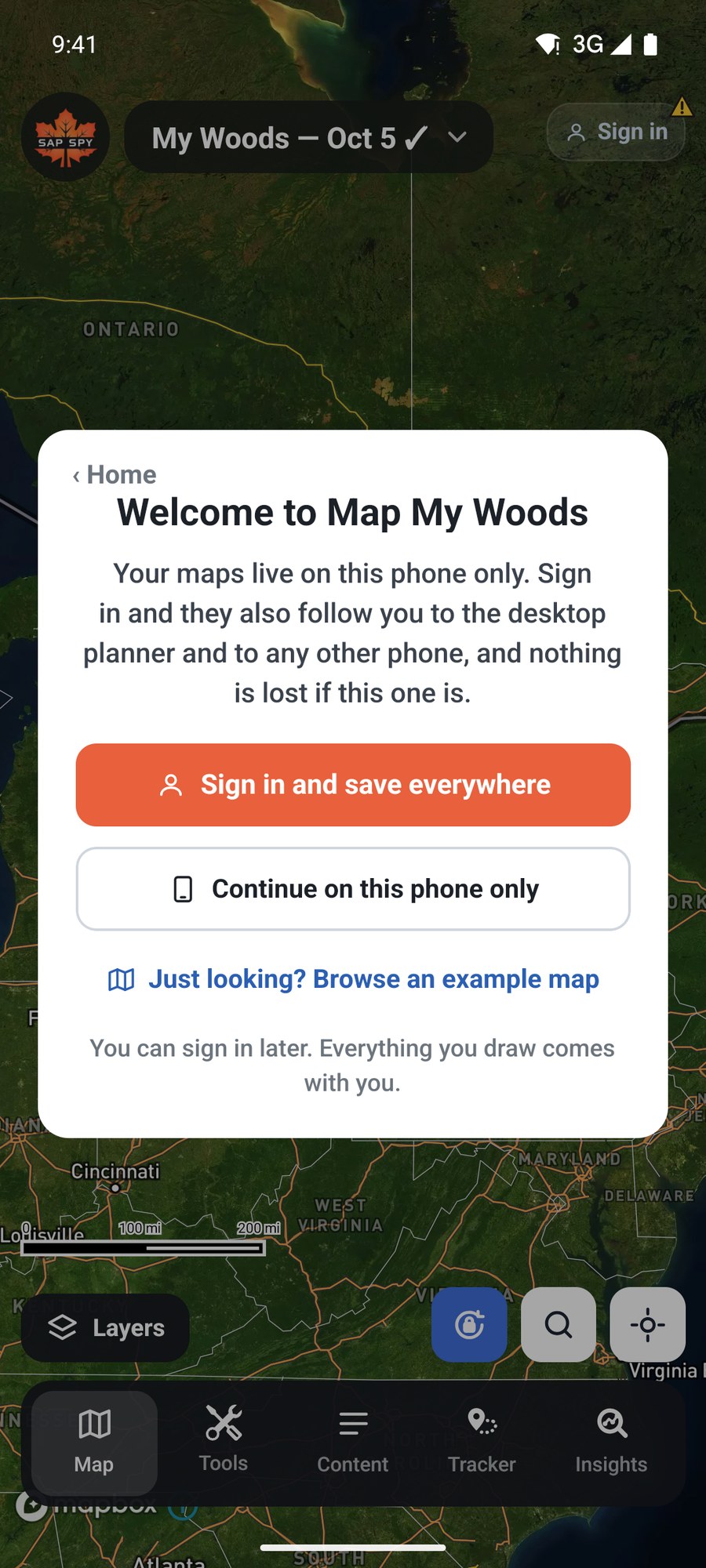
- Sign in and save everywhere keeps your maps in your Sap Spy account, so they are on every phone and on the computer.
- Continue on this phone only starts right away with no account. You can sign in later and everything you drew comes with you.
- Just looking? Browse an example map opens a finished sugarbush to look around.
Either way, a new blank map opens. It is named for today, My Woods and the date.
Find your woods#
Tap Locate, the crosshair button, to jump to where you are standing.
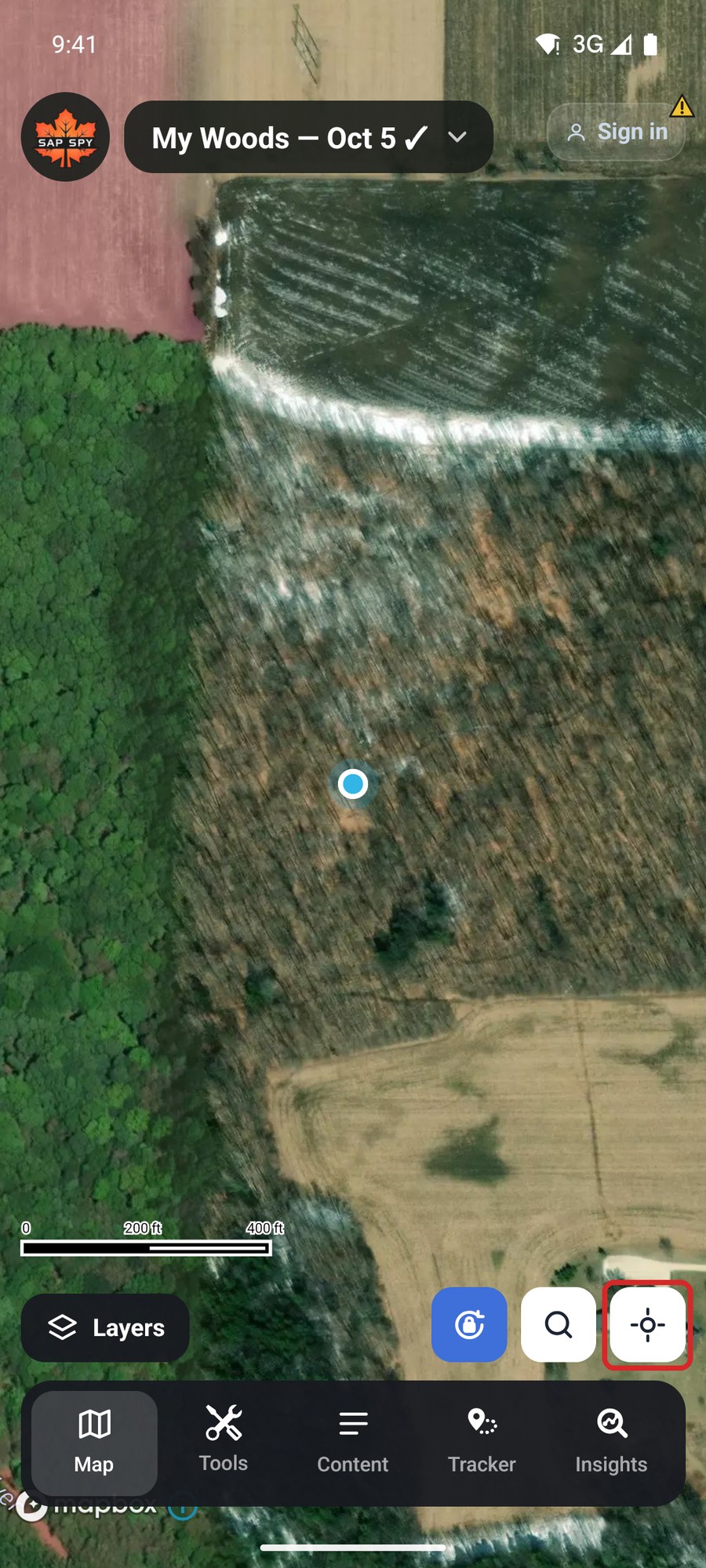
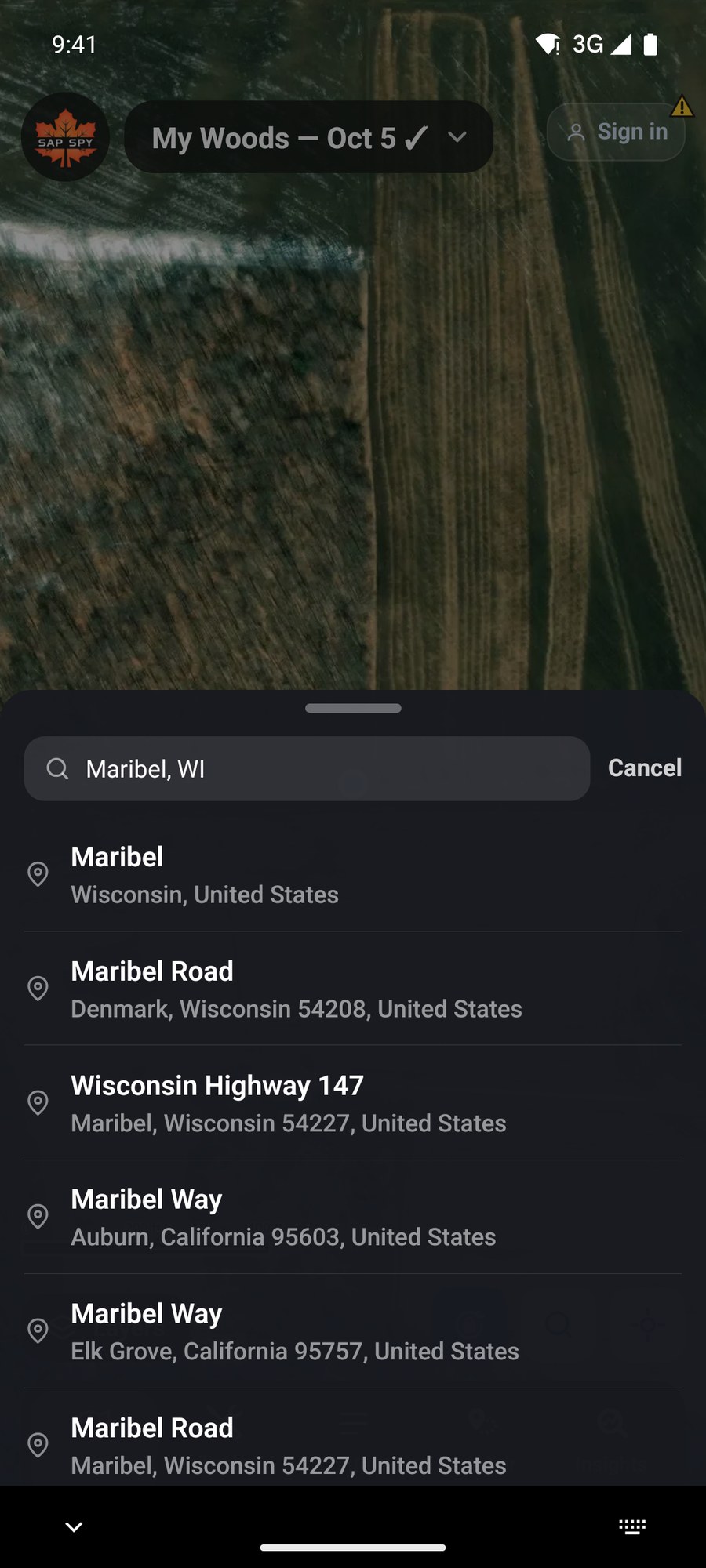
Not in the woods right now? Tap Search, the magnifying glass, and type a town, an address, or a latitude and longitude. Tap a result and the map moves there. Then slide and pinch the map to your woods.
Name the map#
Tap the map's name at the top, then the pencil beside it in My Maps. Type a name and tap Save.
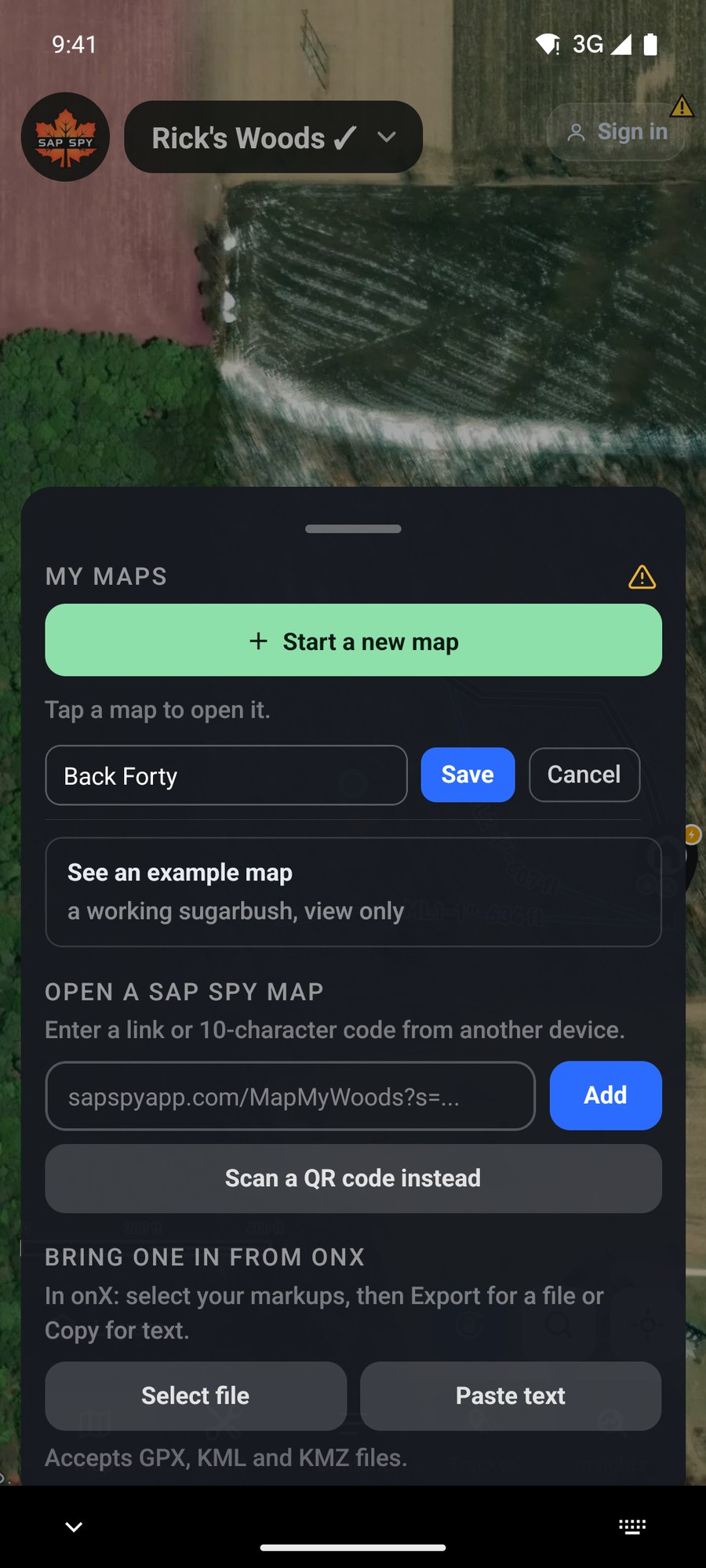
Start a new map, at the top of My Maps, makes another one any time. A map for each woods keeps things simple.
On a computer#
Go to sapspyapp.com/MapMyWoods. The map opens on New Site.
- In Go to Location, type your address, ZIP or town and pick it from the list.
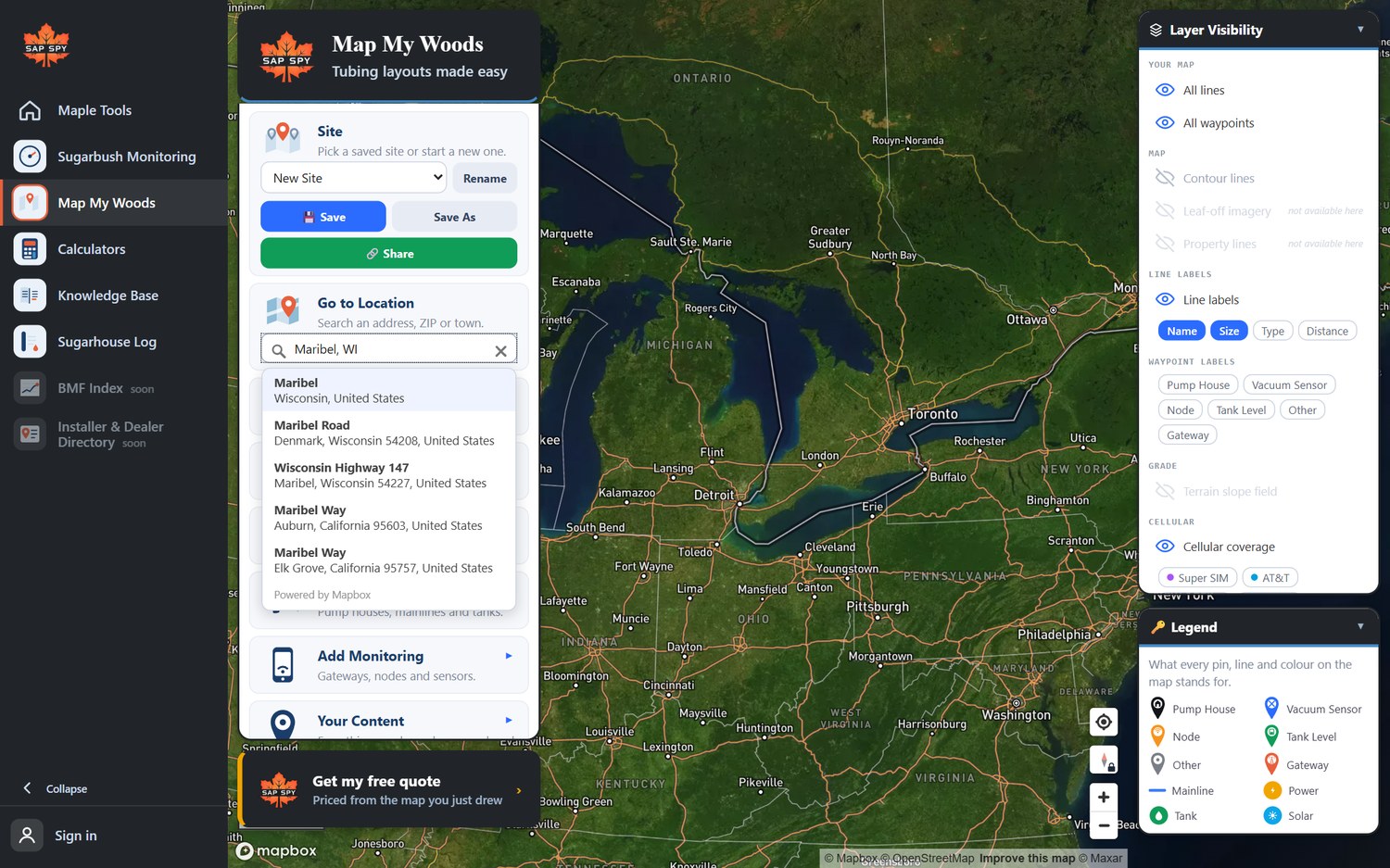
- Zoom in to your woods with the mouse wheel, and drag the map to move it.
- Click Rename to name the map, and Save.
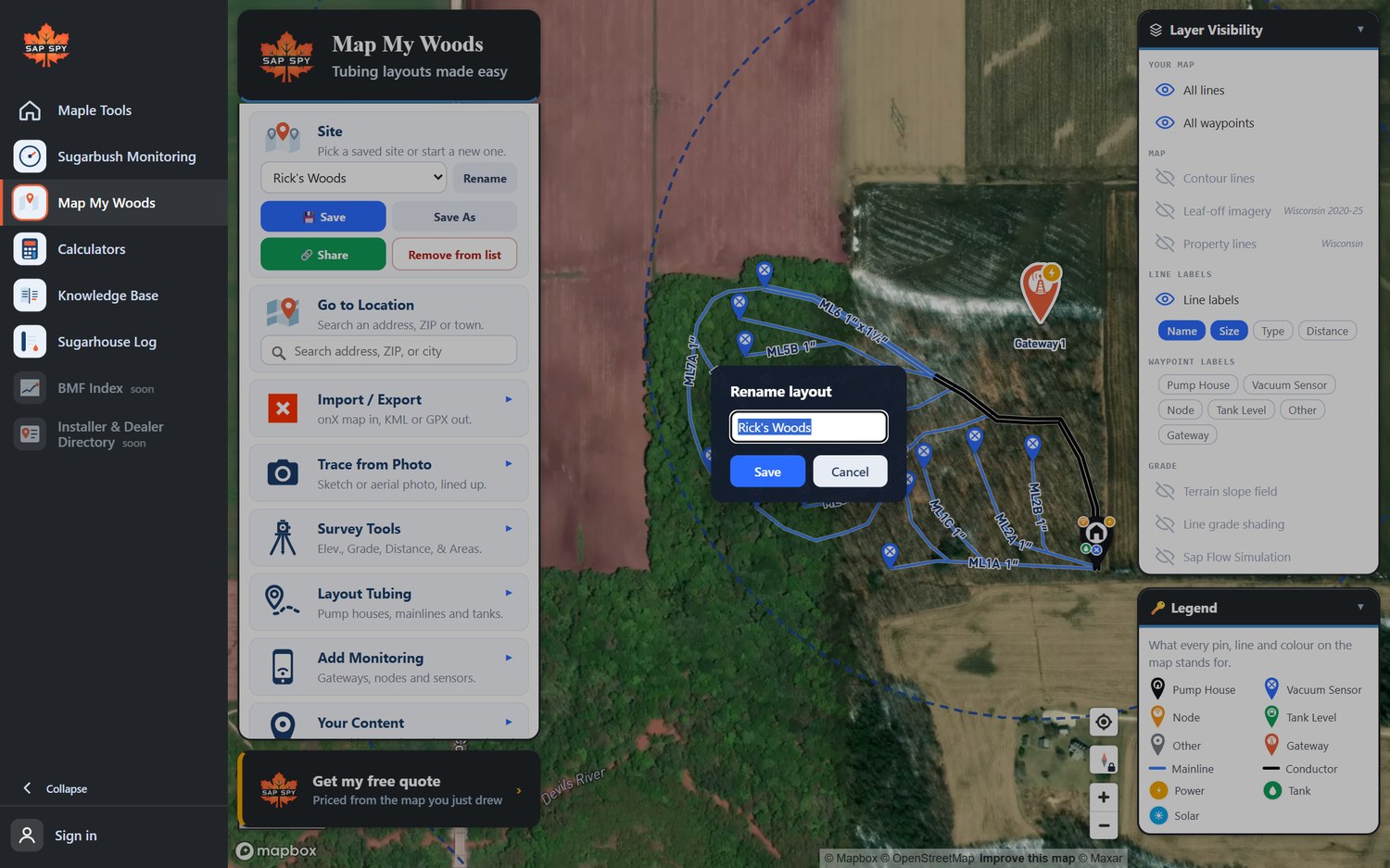
Signed in, a saved map is listed under Your account and shows up on your phone. Not signed in, it is listed on this computer only: use Share to keep its link somewhere safe.
FAQs
The phone did not have a GPS fix yet, or location is turned off for Sap Spy. Tap Locate, or use Search.
Yes, as many as you like. Tap the map's name, then Start a new map.
It is saved on the phone and backed up to Sap Spy without your name on it. The app offers to send you the map's link once, so you can get back to it on a new phone. Signing in is the simpler way: tap Sign in at the top right, and the maps on the phone move into your account.
Have a question this doesn't answer? Email info@sapspy.com or call 920-809-4811 — we're producers too.
This website uses cookies that help the website to function. We use these cookies to provide you with improved and customized user-experience. By tapping 'accept,' you consent to the use of cookies. For more info, see our privacy policy.