
Barrels after packing: sold, used, moved, edited
A barrel is in stock until you say where it went. The Syrup Log shows what is in stock by grade and by place, and lets you record a sale, a move, or a barrel you used yourself.
The Syrup Log#
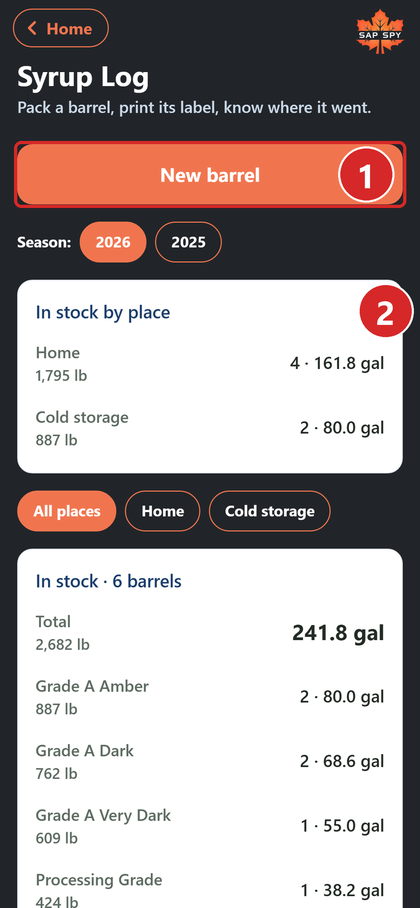
- New barrel.
- In stock by place: how much syrup is where, when you keep barrels in more than one place.
- Tap a barrel to open it. Sold and used barrels sit on a grey row.
What you can do with a barrel#
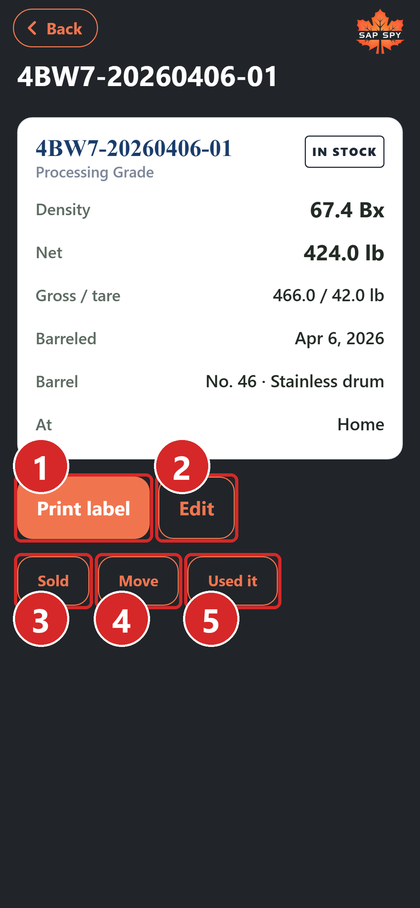
- Print label (or Reprint).
- Edit: change the date, grade, color, density, contents or notes.
- Sold: record the buyer, their scale weights, the price per pound and the ticket number.
- Move: to another of your places, such as cold storage.
- Used it: for a drum you bottled or blended yourself.
Recording a sale#
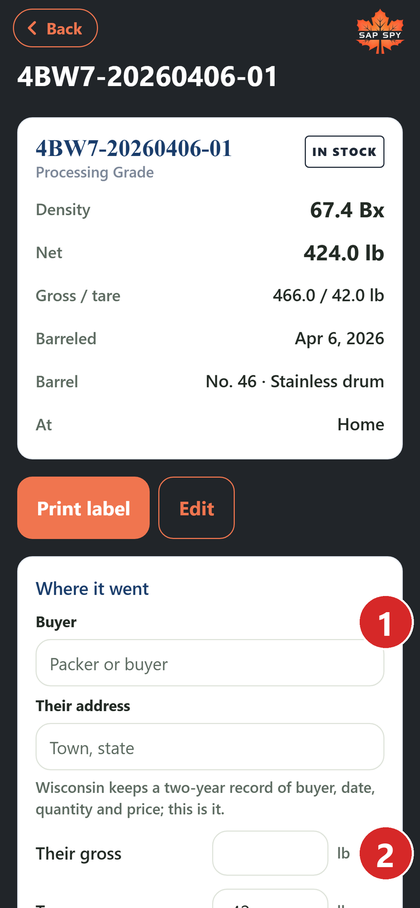
- Buyer and their address. Some states, including Wisconsin, require a record of buyer, date, quantity and price.
- Their gross and tare, from their scale; the net is worked out.
- Price per pound; the amount is worked out.
- Record the sale.
Putting a barrel back, and deleting one#
Marked a barrel sold or used by mistake? Open it, tap Edit, and set the status back to In stock. A sale's details come off the barrel but stay in its history. Delete is at the bottom of the same screen.
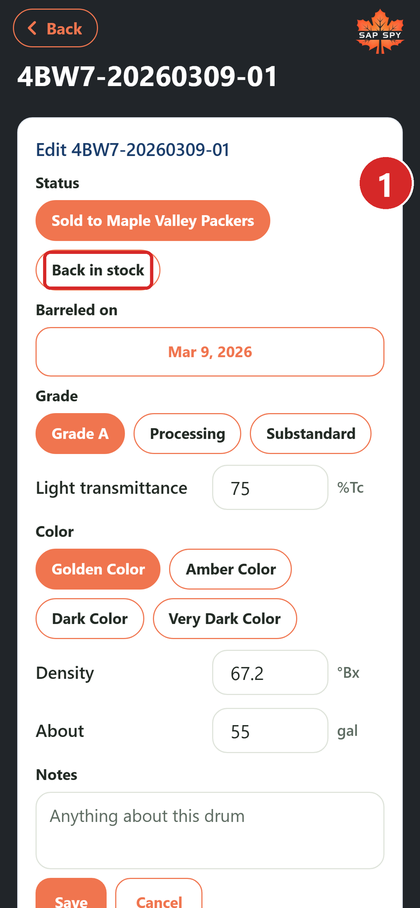
- Status: what it was, or Back in stock.
- Delete: removes the barrel from your log.
FAQs
On the desktop a barrel has one Remove button that chooses for you: a barrel whose label was printed, or that was sold or used, is voided (kept on the record, crossed out, out of every total), because its lot code is out in the world. One nobody has printed or sold is simply deleted.
Moves are dated. Check the move's date; the barrel shows at the new place from that day.
Have a question this doesn't answer? Email info@sapspy.com or call 920-809-4811 — we're producers too.
This website uses cookies that help the website to function. We use these cookies to provide you with improved and customized user-experience. By tapping 'accept,' you consent to the use of cookies. For more info, see our privacy policy.